TS571W Installation Instructions 2929 TS571W / TS571W Installation Instructions
CONTROL BOX INSTALLATION
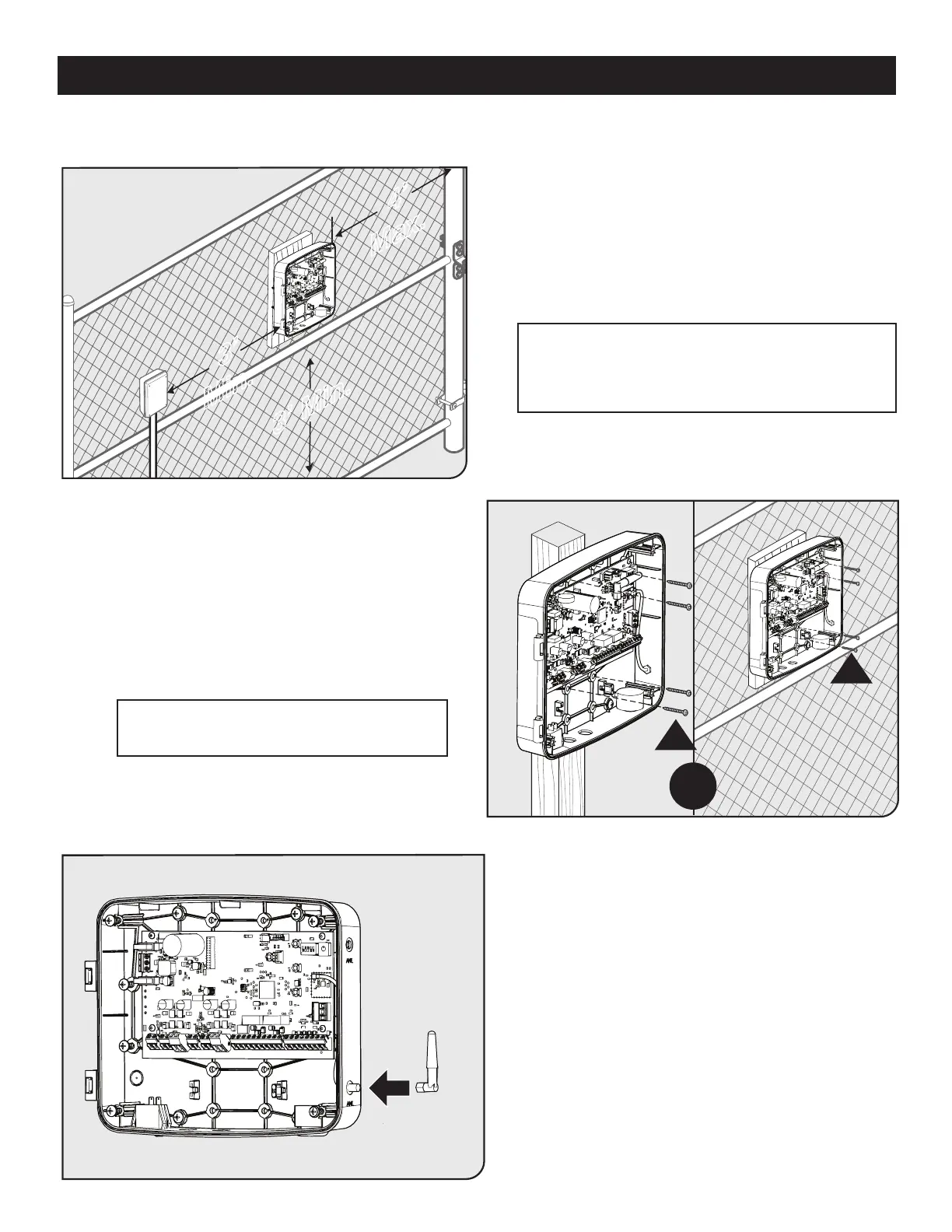
● Identify a suitable mounting location for your control
box at least 3 ft. from the ground and no more than 4 ft.
from the primary operator.
● Once you’ve identied a suitable mounting location,
loosen the four cover screws and open the control
box cover.
● Locate mounting locations marked ‘P’ inside the
control box, and use them to mount the control box
with the supplied wood screws.
● Install the Antenna by screwing it in place on the
SMA connector.
● Orient the antenna to the sky, and securely tighten.
● Be certain to point the antenna straight up
R
OR
R
3’ Min.
3’
Min.
4’
Max.
Step 1
Step 2
Step 3
Note: When you install and use the MMS100 Wireless
Connectivity System (sold separately) with your gate
operator, mount the control box as high as possible to
improve radio performance.
Note: If attaching the panel to a Metal Post,
mount wood between the metal post and panel.














 To Next Page