TS571W Installation Instructions 35
TRANSMITTER PROGRAMMING
S2
S4
S3
LED1
LED2
LED3
WARNING: Changes, modications or adjustments not expressly approved by Nortek Security & Control, LLC could void the user’s
authority to operate this equipment. There Are No User Serviceable Parts.
2
2
1
1
S2
S4
S3
LED1
LED2
LED3
S2
S4
S3
LED1
LED2
LED3
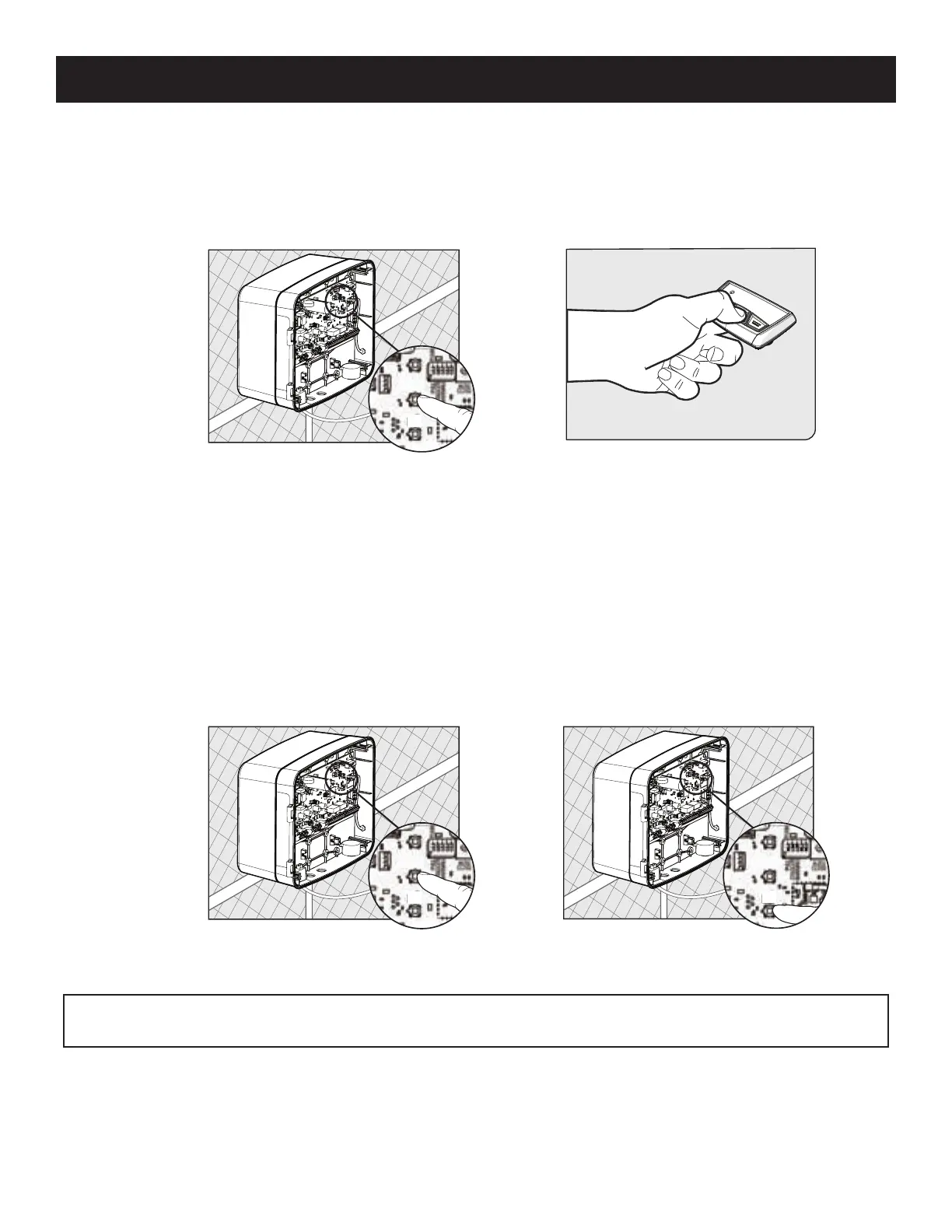
How to Erase a Transmitter or Keypad (MMK200) code:
Repeat steps 1-2 above to erase the learned transmitter or keypad code.
How to Erase ALL Learned Transmitters or Keypad codes:
1. Enter the 'Learn Transmitter' mode following step 1 above.
2. Press and hold the (down arrow) button until LED1, 2 & 3 ash and the buzzer sounds. (Approximately 10 seconds.)
Note: The control board can store a total of 50 transmitter and/or keypad codes. The system is compatible with Mighty Mule DIP
switch transmitters and keypads.
How to Learn a Transmitter:
1. On the control board, press and hold the (return/enter) button until LED2 beside the (return/enter) button turns on and the
buzzer sounds. Release the (return/enter) button.
2. Press and hold the desired transmitter button. Once learned, LED2 will ash and the buzzer will sound indicating that the
transmitter has been learned.














 To Next Page