TS571W Installation Instructions 39
This product has the ability of being control via a smart device (i.e. smartphone) with the addition of the MMS100 smart kit. Refer to
the instructions contained in the MMS100 kit or visit www.mightymule.com for more information
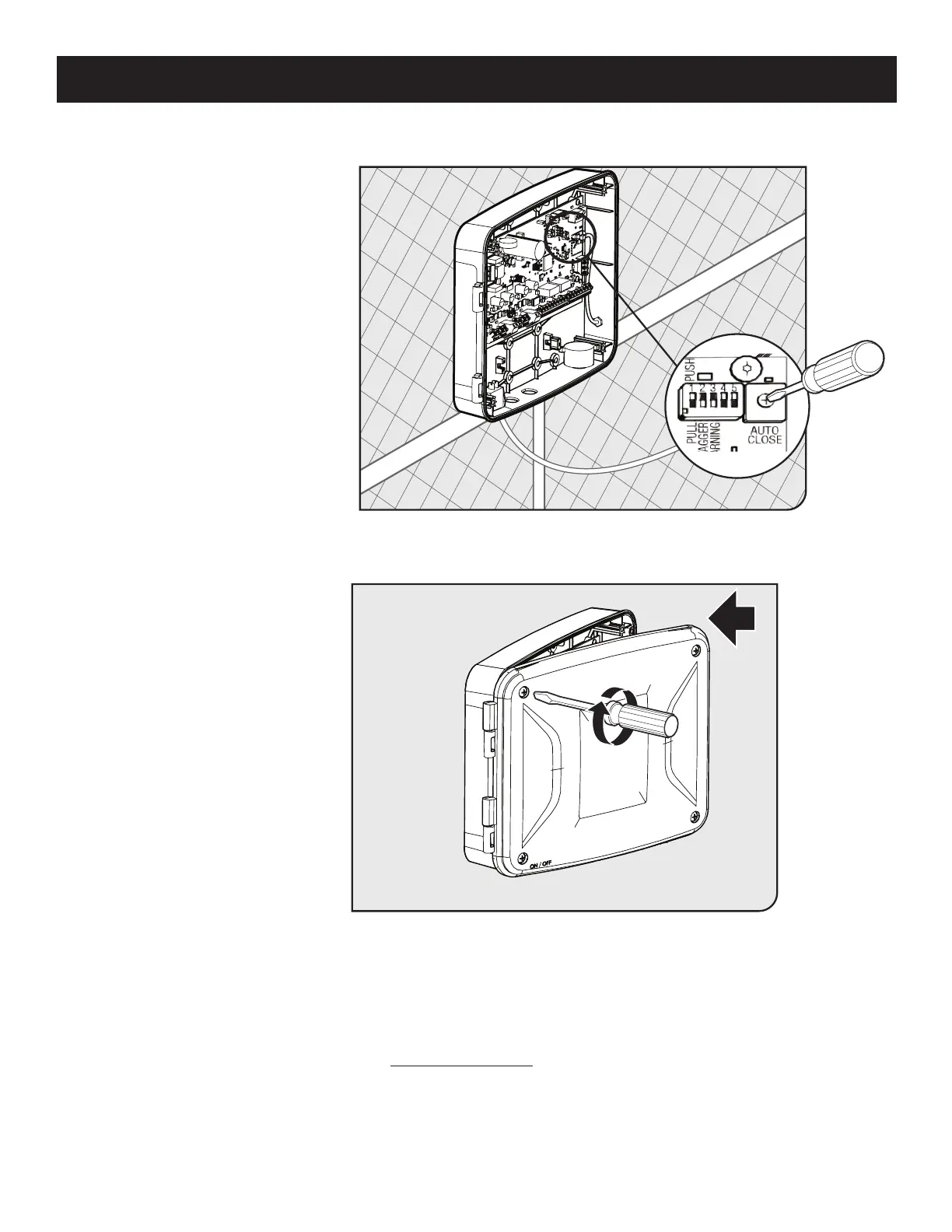
AUTO CLOSE SETTING
Optional Smart Control Setup
● The auto close timer is set to OFF
from the factory.
● To set an auto close timer, use a
small at head screw driver to
turn the auto close potentiometer
clockwise.
● The timer can be set from
approximately 3 seconds to a
maximum of 120 seconds.
• • • • • •• • • • • • • • •
● If you have additional accessories
or external devices to install, see
the following page.
● Unless you have additional
external accessories to install,
your gate operator installation is
now complete.
● Please review the installation
checklist at the end of this
manual.
● Use a phillips head screwdriver to
close the control box.
Step 1
Step 2














 To Next Page