40 TS571W Installation Instructions
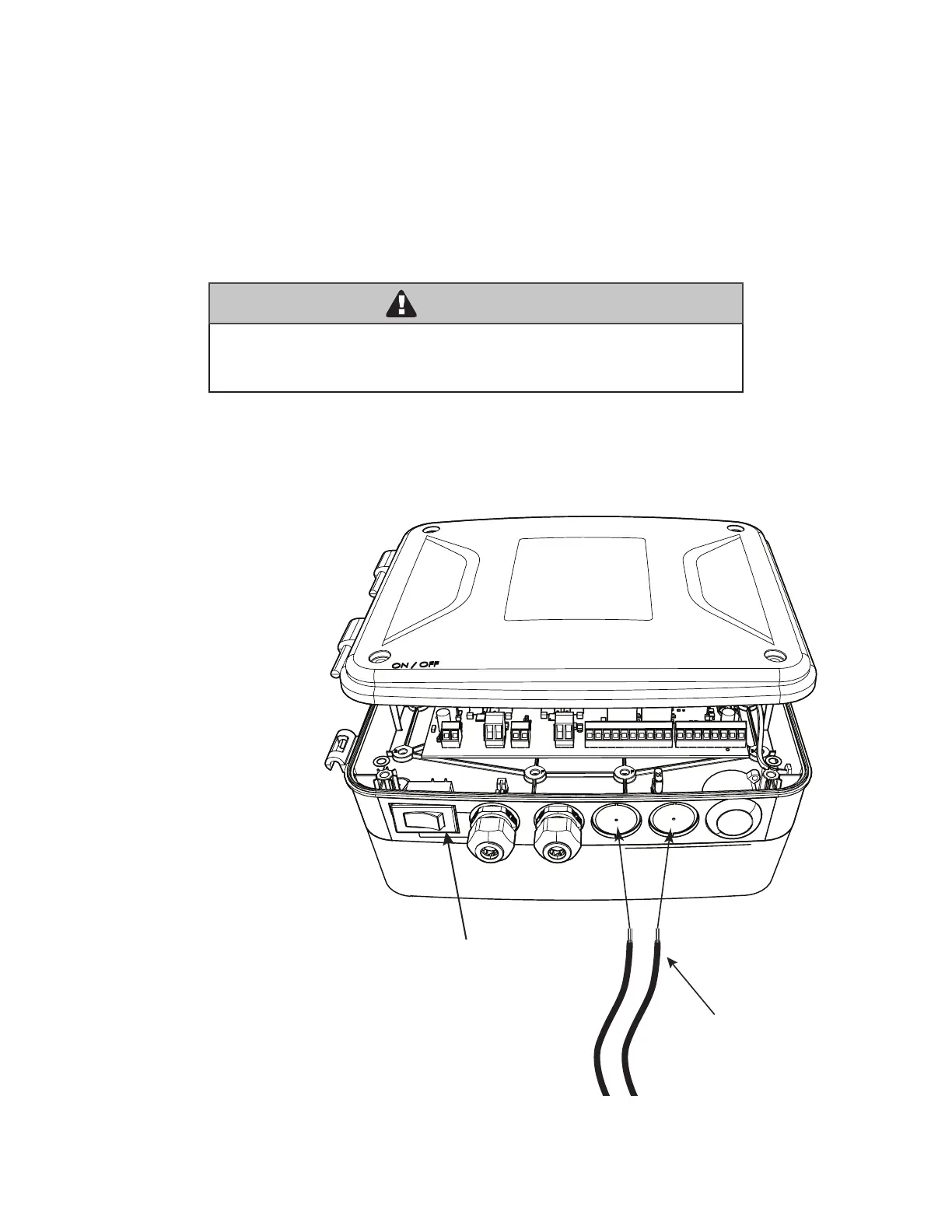
Wiring Accessories through Control Board Wiring Knockout
Mighty Mule strongly recommends the use of additional obstruction detection devices however we do not endorse any specic brand
names. Only use products that are listed to be in compliance with any applicable UL safety standards and national and regional
codes.
PLEASE NOTE: Contact sensors, non-contact sensors, shadow loops, etc. are not included with this product. Refer to the sensor
manufacturer’s instructions for information about installing accessory devices.
The Mighty Mule ONLY accepts accessory devices with normally open dry contact outputs.
Connecting Additional Devices
WARNING
Make sure the operator power switch is turned OFF before connecting
ANY device wiring to the terminals of the controller. Unplugging the
transformer does not turn power to the operator off.
Carefully remove wiring
knockout plugs to insert
accessory wires.
Open the control box cover.
Close the control box cover.
Insert accessory wires
through the knockout and
route to the accessory input
terminals on the control
board.
(See pg. 12)
ON/OFF Switch
Accessory Wires
(Photo beams, Exit/Vehicle Sensor etc.)














 To Next Page