30 TS571W Installation Instructions
CONNECTING THE OPERATOR AND BATTERY
BAT+
RESET
BAT–
GRN
WHT
RED
BLU
COM
COM
AUX
V+
AUX
V-
LOCK
V+
LOCK
V-
PRIMARY
SECONDARY
LOCK AUX
SW1
SW2
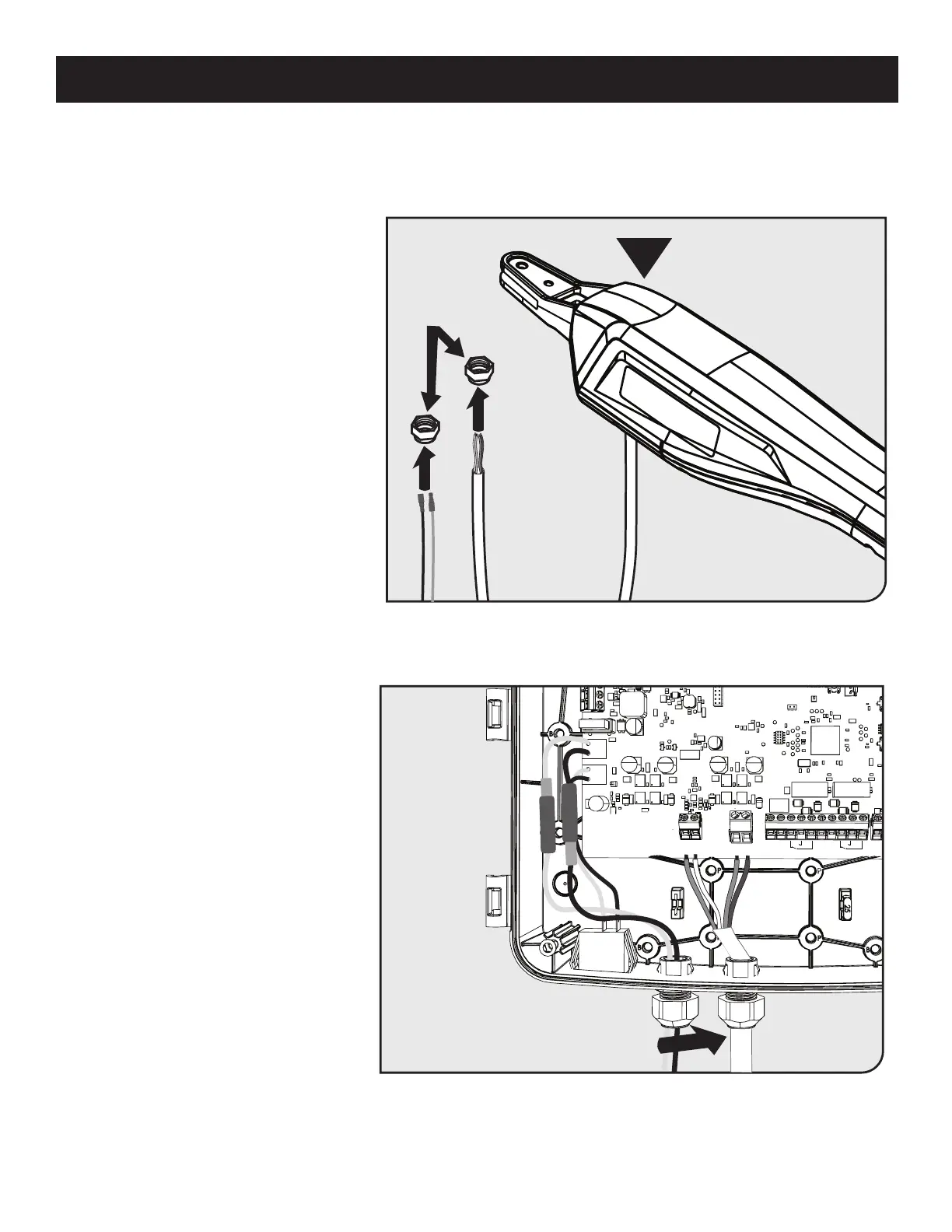
SECURE SEALING NUT
B
SEALING NUTS
● Remove the sealing nut from each of
the cable glands on the bottom of the
control box.
● Slide one sealing nut onto the operator
cable and one onto the battery harness.
● Insert the operator cable and battery
harness through the cables glands
into the control box.
● Once inserted, secure the cables in
place by tightening the sealing nuts.
Step 1
Step 2














 To Next Page