OM-277115 Page 18
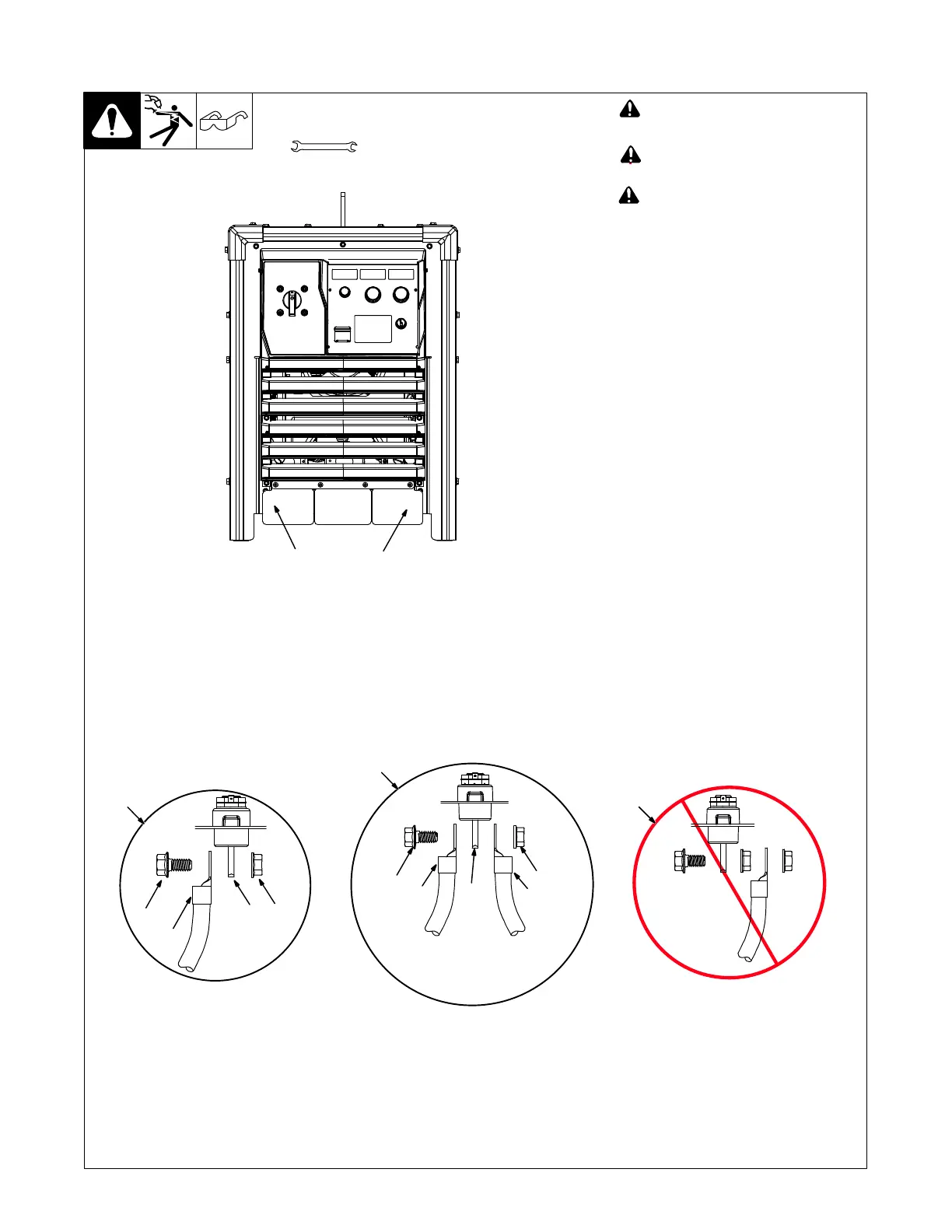
5-3. Connecting Weld Output Cables
278352−C
259120−C
! Turn off power before connecting to
weld output terminals or
receptacles.
! Do not use worn, damaged, under-
sized, or repaired cables.
! Failure to properly connect weld ca-
bles may cause excessive heat and
start a fire, or damage your machine.
Ensure all connections are tight.
. Do not place anything between weld
cable terminal and output terminal.
Make sure that the surfaces of the weld
cable terminal and output terminal are
clean.
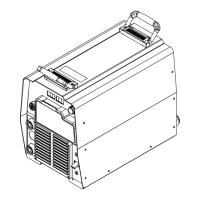
1 Negative (−) Output Terminal, located
under stud cover.
2 Positive (+) Output Terminal, located
under stud cover.
3 Correct Weld Cable Connection For
Single Feeder
4 Correct Weld Cable Connection For
2/0 And Larger Double Cables
5 Incorrect Weld Cable Connection
6 Weld Output Terminal Bolt
7 Nut
8 Weld Cable Terminal
9 Output Terminal
Remove supplied nut and bolt from weld
output terminal. Insert bolt through hole in
weld cable terminal and hole in weld output
terminal. Screw nut onto bolt until weld
cable terminal is tight against output termi-
nal. Torque to 45-55 ft lb (61-75 N·m).
Tools Needed:
6
3
7
8
9
5
3/4 in. (19 mm) for output
terminal type connection
6
4
7
8
9
8
2/0 and larger double cables
2
Front View
1










 To Next Page