OM-277115 Page 65
10-9. Registering Additional Devices
1. Log in to Insight Core website at
https://insight.millerwelds.com/
.
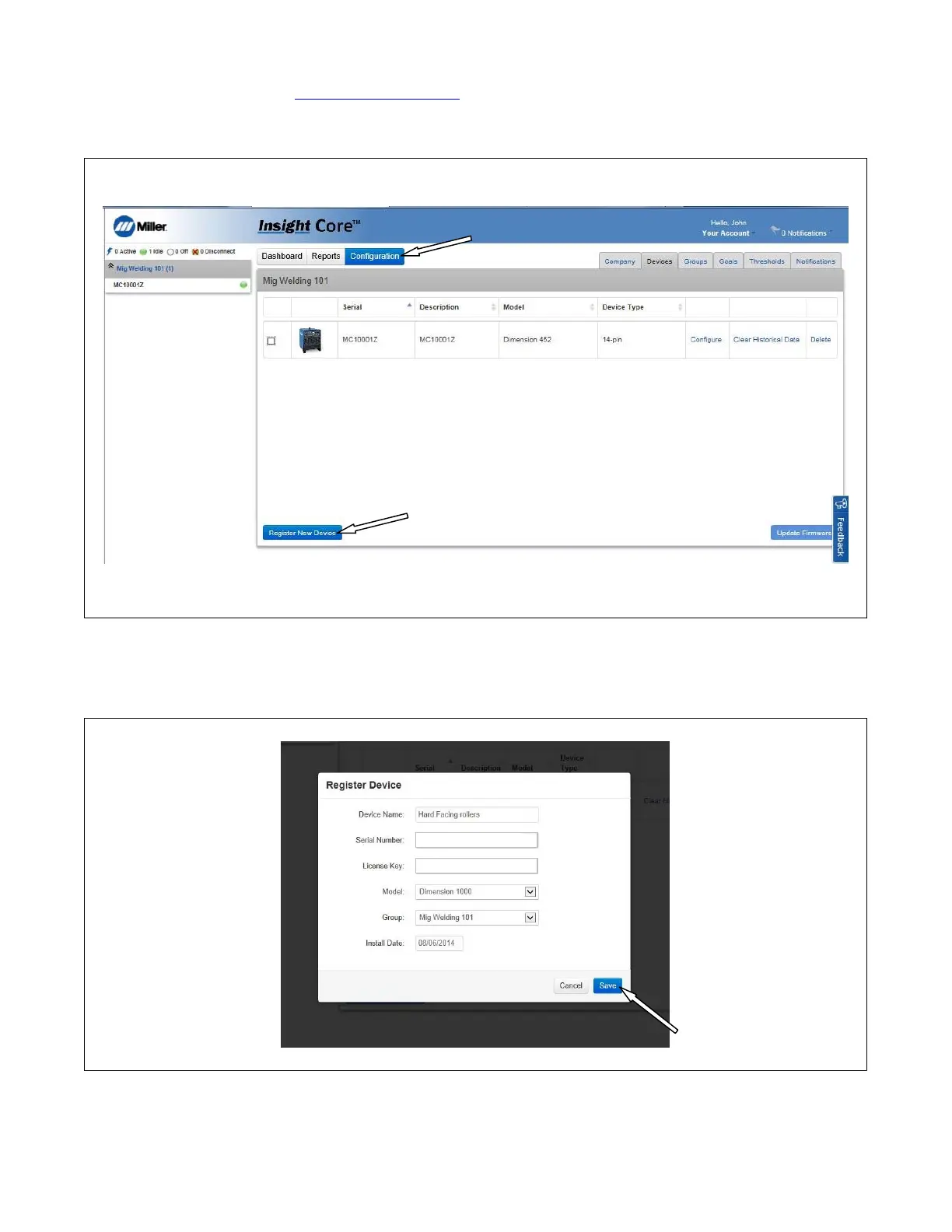
2. Click on the Configuration tab (See Figure 10-20).
3. On the Configuration tab, click on the Register New Device button.
Figure 10-20. Configuration Screen
4. Enter the information for the new device you intend to register.
5. A confirmation screen will appear. If the information is correct, click on the Save button (see Figure 10-21).
MC10001Z
AC1000000X1X1X00XX00X0XX
Figure 10-21. Register Device Confirmation Screen
6. After registration, the device will appear inside the corporate asset tree and begin displaying activity as operators begin welding with this power
source.










 To Next Page