OM-277115 Page 54
10-4. Enabling Insight Core Through The Continuum’s Web Pages
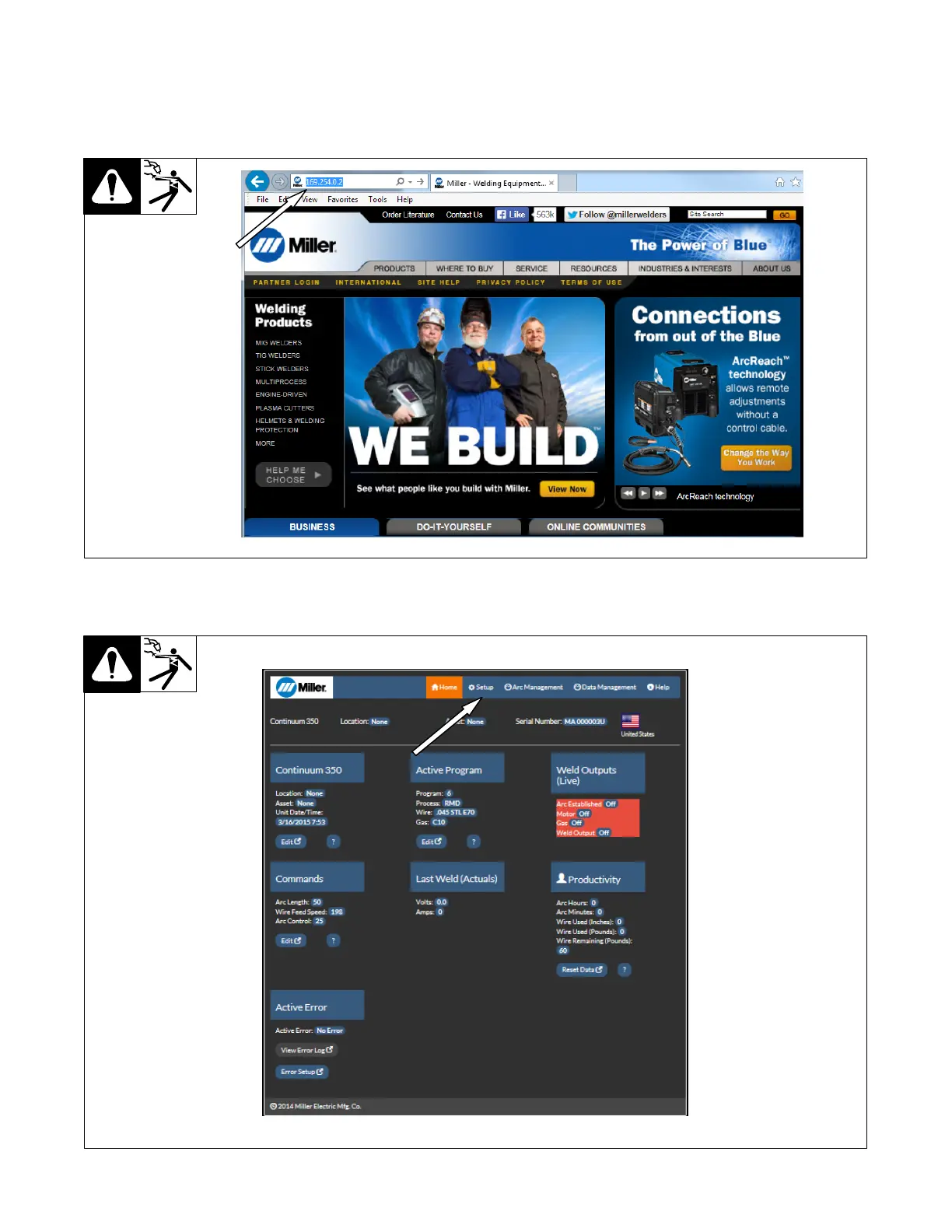
1. Connect a computer to the welding power source with an Ethernet cable and open a browser.
2. Enter the system IP address (see Section 10-3) into the address bar. The default IP address is 169.254.0.2.
3. Press Enter.
Figure 10-2. Connecting To Continuum Web Page
4. The Continuum system’s web page appears. On the top of the page, click Setup.
Figure 10-3. Continuum Web Page










 To Next Page