OM-277115 Page 64
10-8. Registering Initial Device And Creating An Account
1. Open a web browser and navigate to
https://insight.millerwelds.com/registration
.
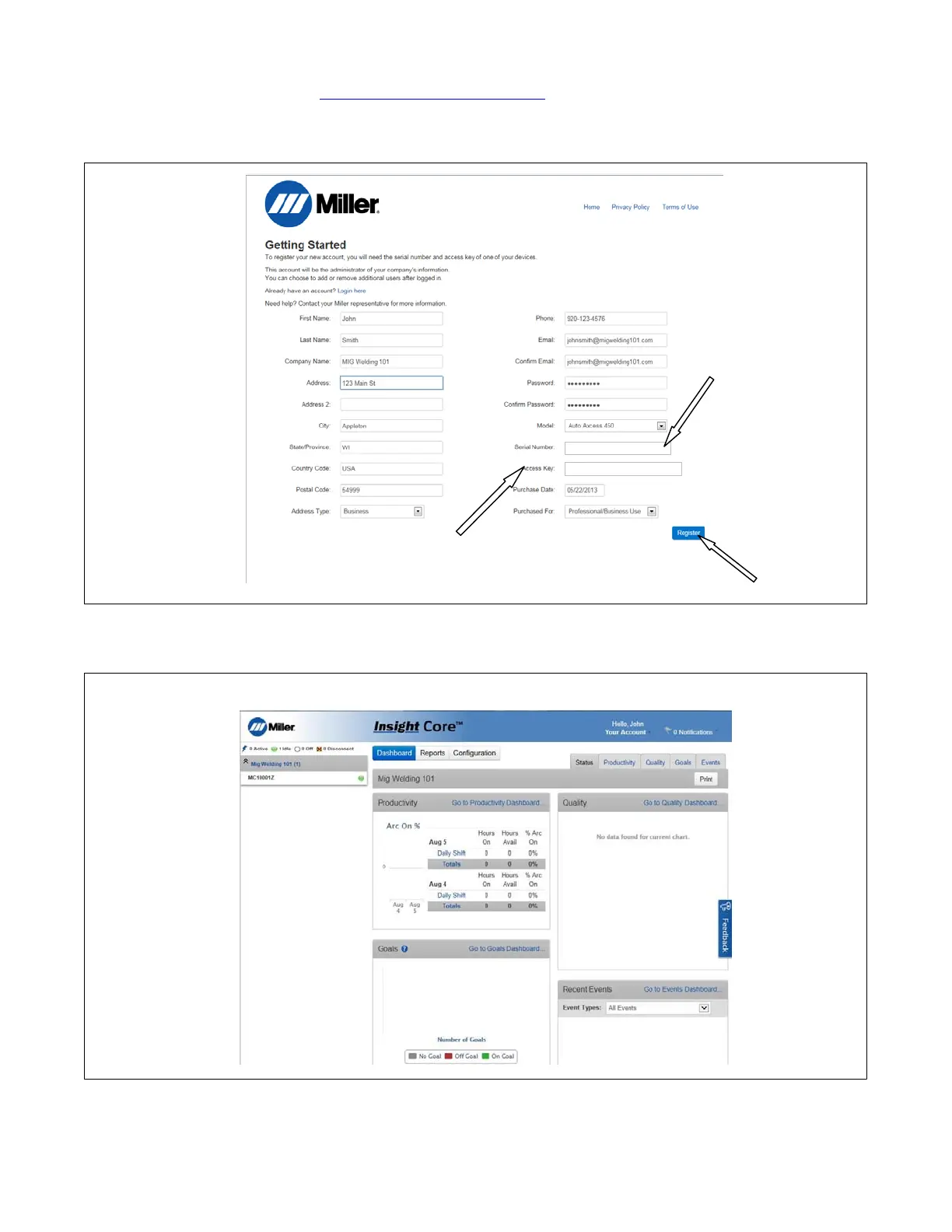
2. Fill in all information shown in Figure 10-18. Use serial number and license key from Section 10-7.
. If this device is an additional module to be added to your existing fleet already registered, click Log In button and proceed to Section 10-9.
Serial Number
License Key
From Step #2
MC10001Z
AC1000000X1X1X00XX00X0XX
Figure 10-18. Registering A New Account
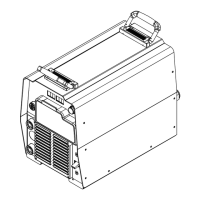
3. After clicking on the Register button, the homepage for the company that was just created will appear (see Figure 10-19).
Figure 10-19. Insight Core Company Dashboard
. To register additional devices proceed to Section 10-9.










 To Next Page