OM-277115 Page 55
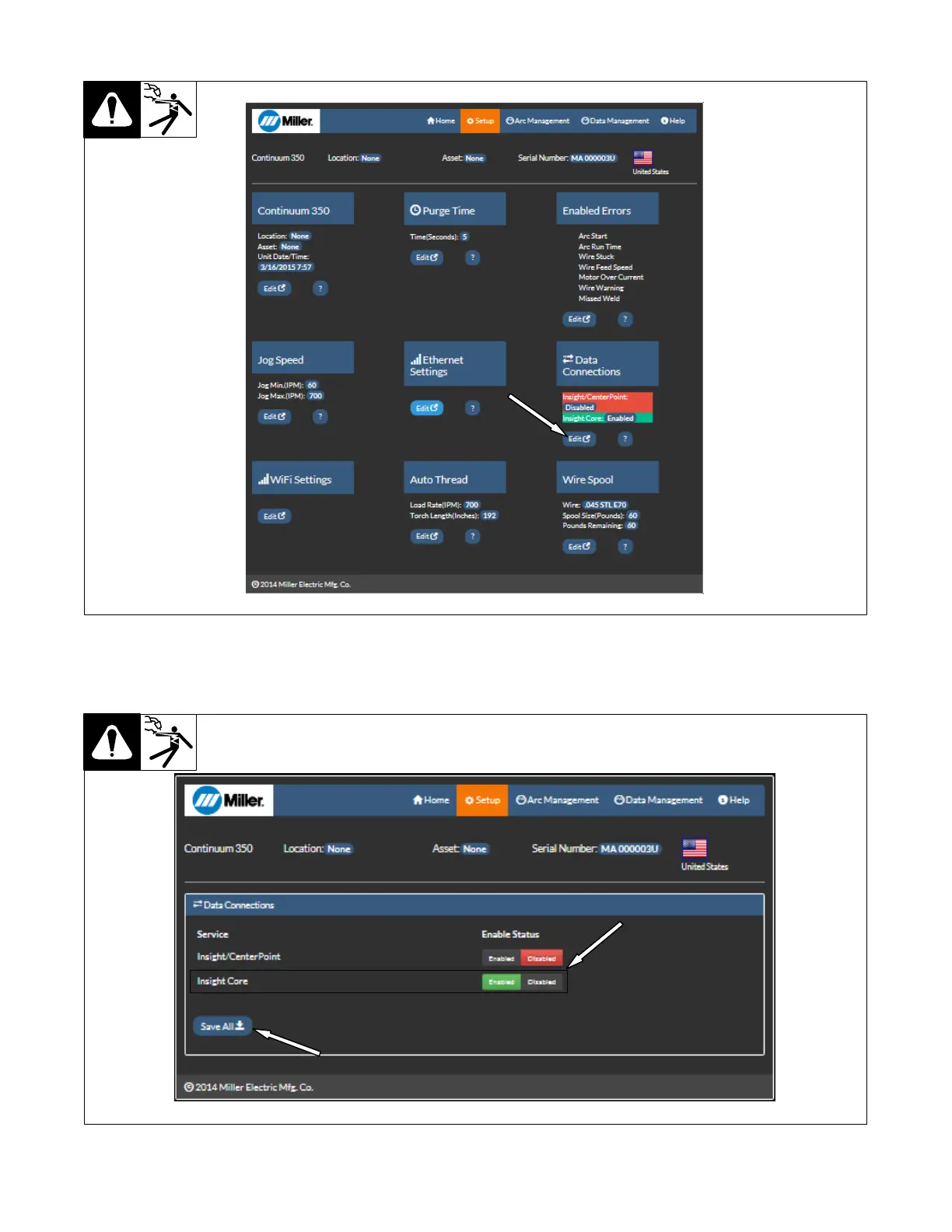
5. Under Data Connections, click Edit.
Figure 10-4. Setup Page
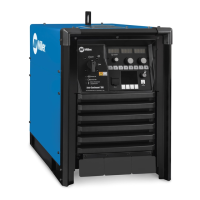
6. Enable or disable Insight Core by clicking your selection. After your selection is made, click Save All.
7. Cycle the machine power by turning the machine off, waiting until the Power On light goes off, and turning power on again.
Figure 10-5. Data Connections Page




 To Next Page