Milli-Q® Reference System 85
Alert information, Continued
Cancelling a
Minor Alert
message -
procedure
A Minor alert message can be cancelled by:
• performing the maintenance action (i.e. replace consumable),
• using the Keypad (see below) or
• a Major Alert message is shown. This eliminates the Minor Alert message.
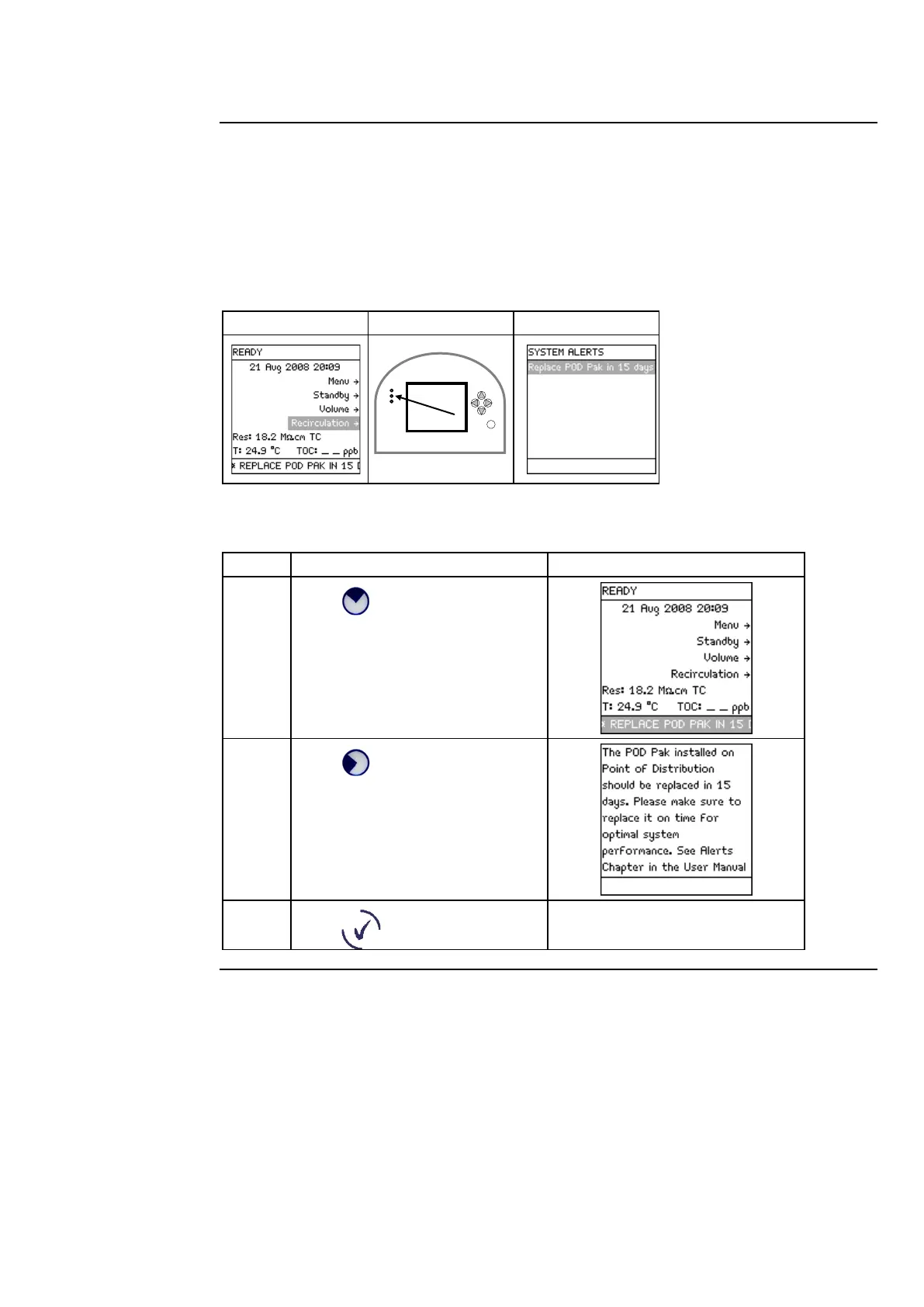
Example: Before cancelling, the Minor Alert message is <Replace POD Pak in 15 Days>.
Follow the steps below to cancel a Minor Alert message.
Press .
Press .
Press .
The display of the Minor Alert is
cancelled.
Continued on next page



 To Next Page