6-4
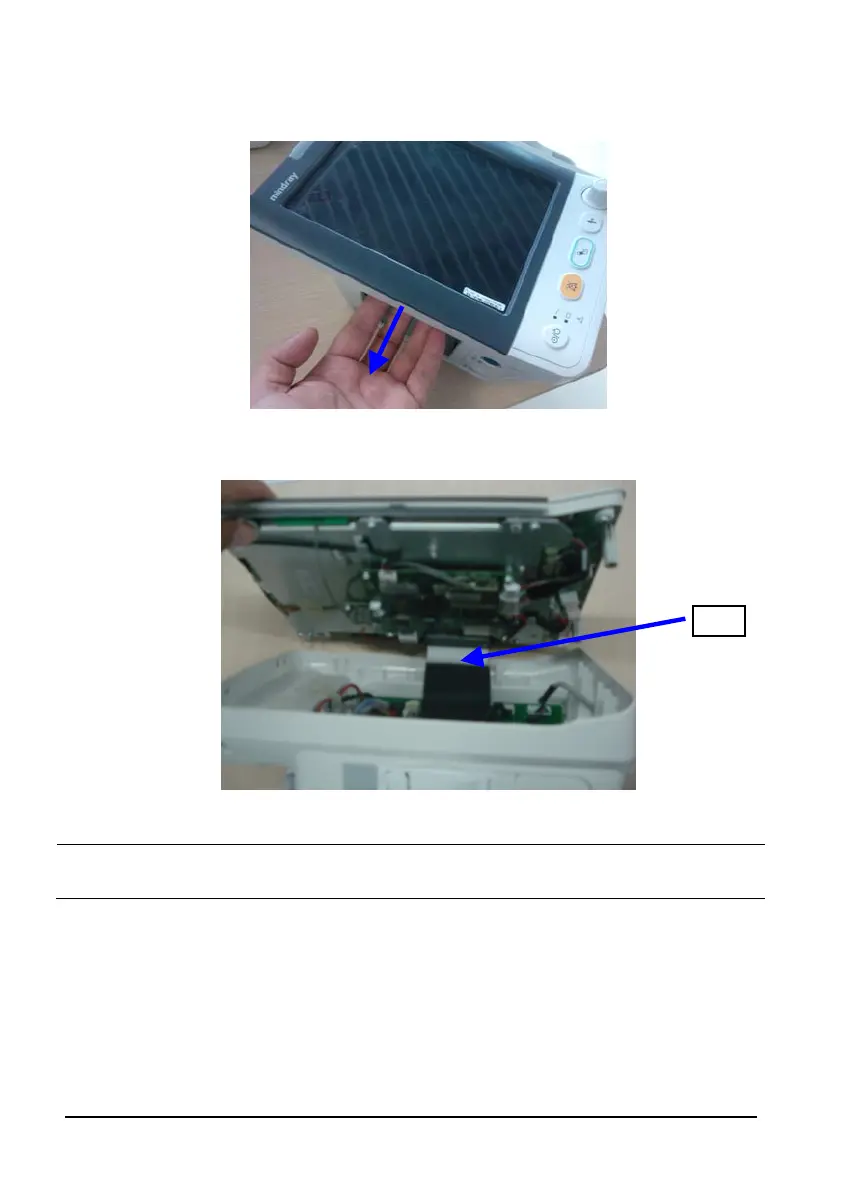
2. Remove the recorder or recorder cover, and pull the rear housing out as indicated
below to separate the fastener that are fixing the front and rear housing.
3. Stand the monitor and separate the front housing assembly and rear housing assembly
with caution. Disconnect the cable between the main board and power management
board and then take off the front panel.
NOTE
When reassembling the equipment, be sure to check if the front housing waterproof
strip is correctly placed.
Cable






 To Next Page