en-US
|
8
|
User Manual
|
MD-500
1699503426 | REV A | 05.2021
© Mitchell International
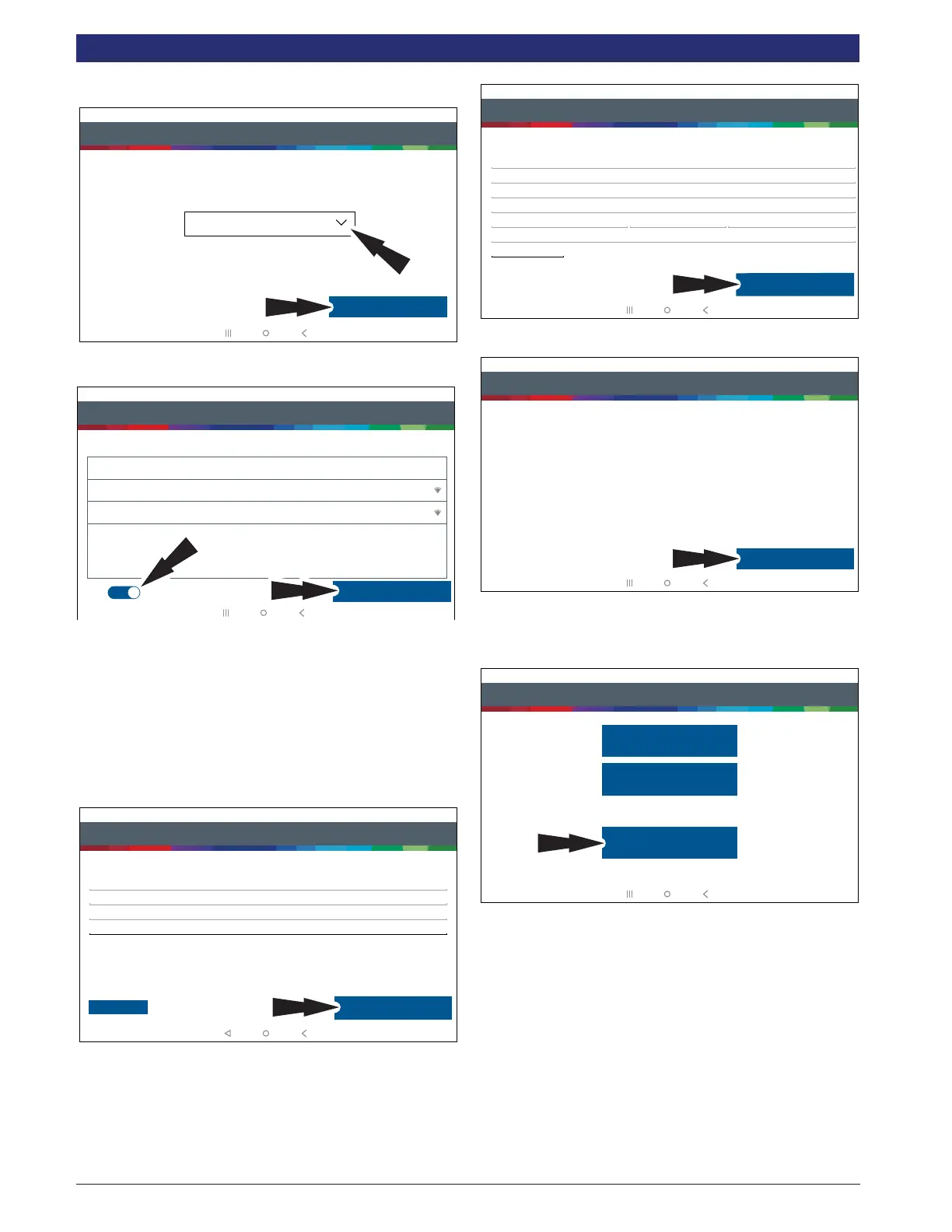
4. Select correct Time Zone.
Step 4 of 7 - Setup Time Zone
Setup Time Zone
GMT-04:00 Eastern Standard Time
Next: Step Wi-Fi
rt0005
5. Enable Wi-Fi and select a network and select Next.
Step 5 of 7 - Select Wi-Fi
Setup Wi-Fi
Secured with WPA
Wi-Fi
TEST 15
TEST 16
Trial Mode
Secured with WPA2
This will run your tool in Trial Mode for 30 days.
Next: Your Name
rt0006
Note:
• Wi-Fi Must be ON. If Wi-Fi is OFF slide the Wi-Fi
switch to the ON position and follow the prompts on
the screen.
• If a Network password is required the Android Wi-Fi
screen will be displayed. Follow the prompts on the
screen.
6. Activate Warranty
Step 6 of 7 - Activate Warranty
Activate Warranty
Valued
Customer
Mitchell
Mitchell
Next: Contact info
Set Clock
rt0007
Enter your Name. Follow the prompts on the screen to activate
warranty.
Step 6 of 7 - Activate Warranty
Activate Warranty
ValuedCustomer@gmail.com
123-555-1234
5678 Shop Lane
Detroit Michigan 48260
USA
Address 2 (optional)
Confirm Info
E0VTOW0000000000GR
rt0008
Enter contact information. Follow the prompts.
Step 6 of 7 - Activate Warranty
Activate Warranty
ValuedCustomer@gmail.com
ValuedCustomer
123-555-1234
Mitchell
Mitchell
5/15/2018
5678 Shop Lane
Detroit, Michigan 48260
USA
XXDVMN0000000000GR
Activate Now
rt0009
Conrm information. Follow the prompts and activate
warranty.
7. Setup Printer
Step 7 of 7 - Printer Setup
If skipped you may setup a printer later from settings.
Skip
Print test page
Printer setup help
rt0010
Note: This can be completed later by going to
Settings located on the Main Menu screen.



 To Next Page