1699503426 | REV A | 05.2021
© Mitchell International
MD-500
|
User Manual
|
13
|
en-US
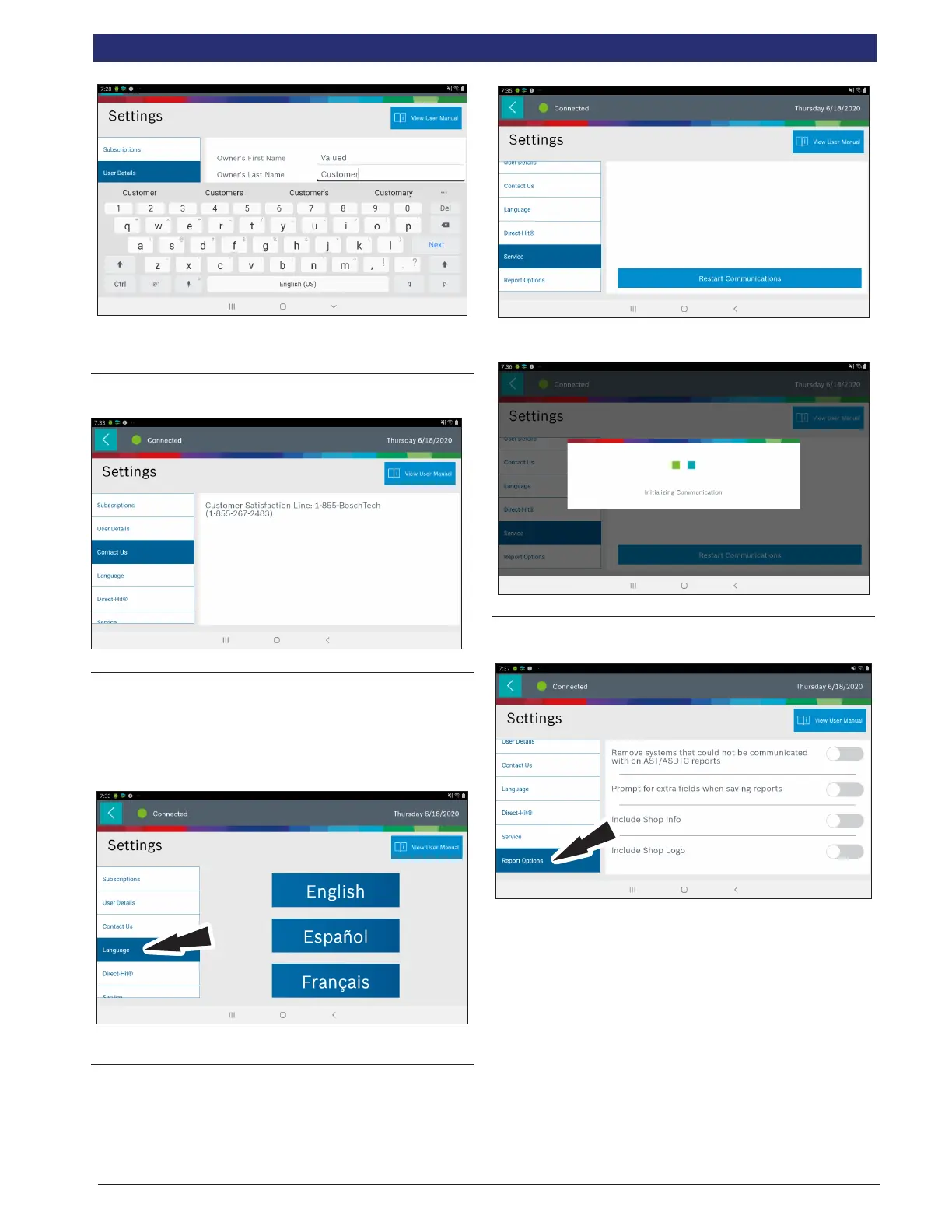
Note: The information saved in User Details will also update
registration information.
Contact Us
1. Presents the customer satisfaction line
Language
1. From the Settings screen select Language
2. Follow the prompts on the screen
• English
• Spanish
• French
Service
1. From the Settings screen select Service.
2. Select Restart Communications.
3. Tablet will Restart Communications.
Report Options
1. Follow the Prompts on the screen.



 To Next Page