1699503426 | REV A | 05.2021
© Mitchell International
MD-500
|
User Manual
|
15
|
en-US
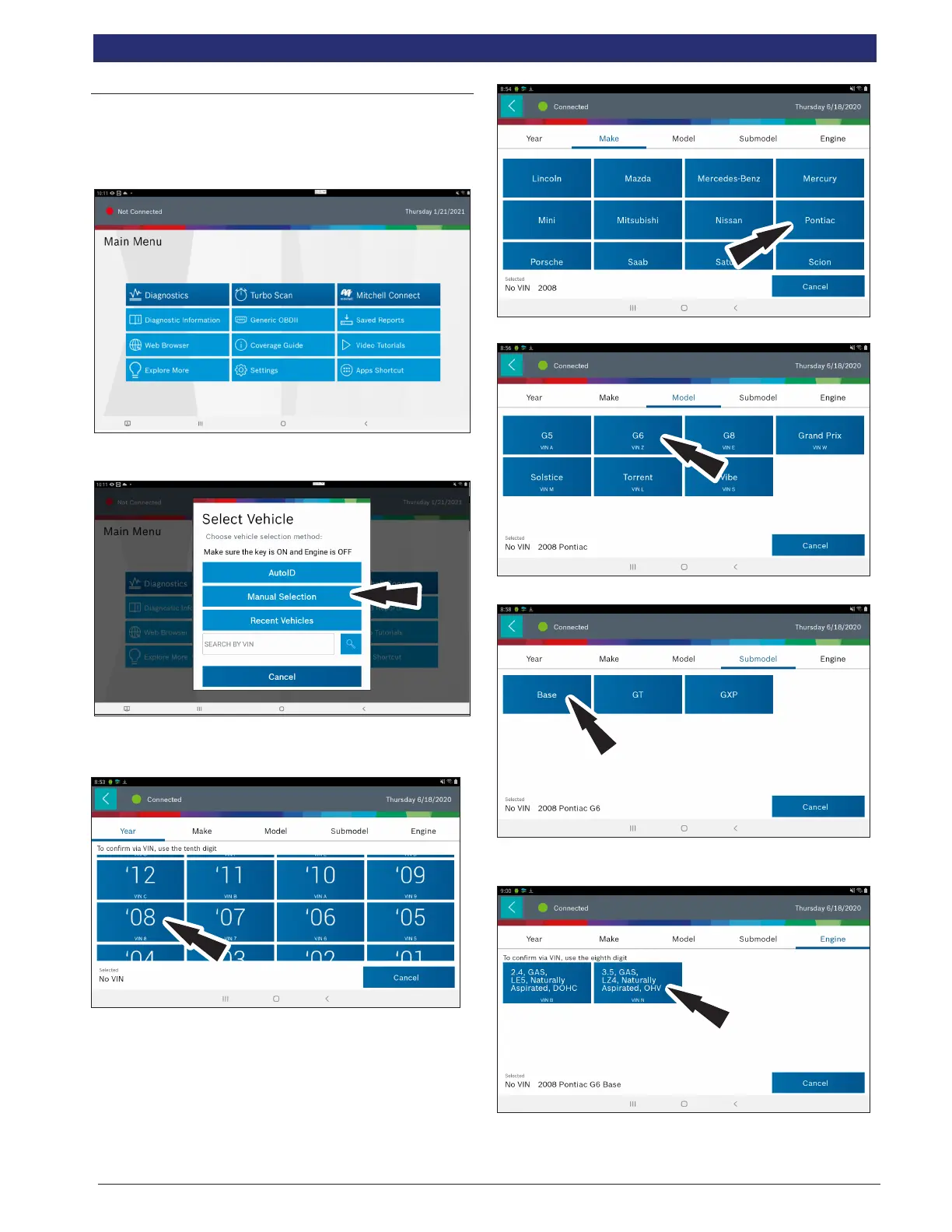
Manual Entry
The tablet must be turned on, be paired with the VCI which is
connected to the vehicle and currently displaying the screen.
Once those conditions are met, complete the following:
1. Select Diagnostics.
Connected
Generic OBDII
Repair-Source
10:22
QuickScan
Apps Shortcut
Settings
What’s New
Web Browser Coverage Guide Video Tutorials
Diagnostic Information Wiring Diagrams
i
i
Saved Reports
Main Menu
Diagnostics
2. Select Manual Selection.
3. Select the model year of the vehicle.
4. Select the make of vehicle.
5. Select the model.
6. Select the sub-model (trim level).



 To Next Page