en-US
|
6
|
User Manual
|
MD-500
1699503426 | REV A | 05.2021
© Mitchell International
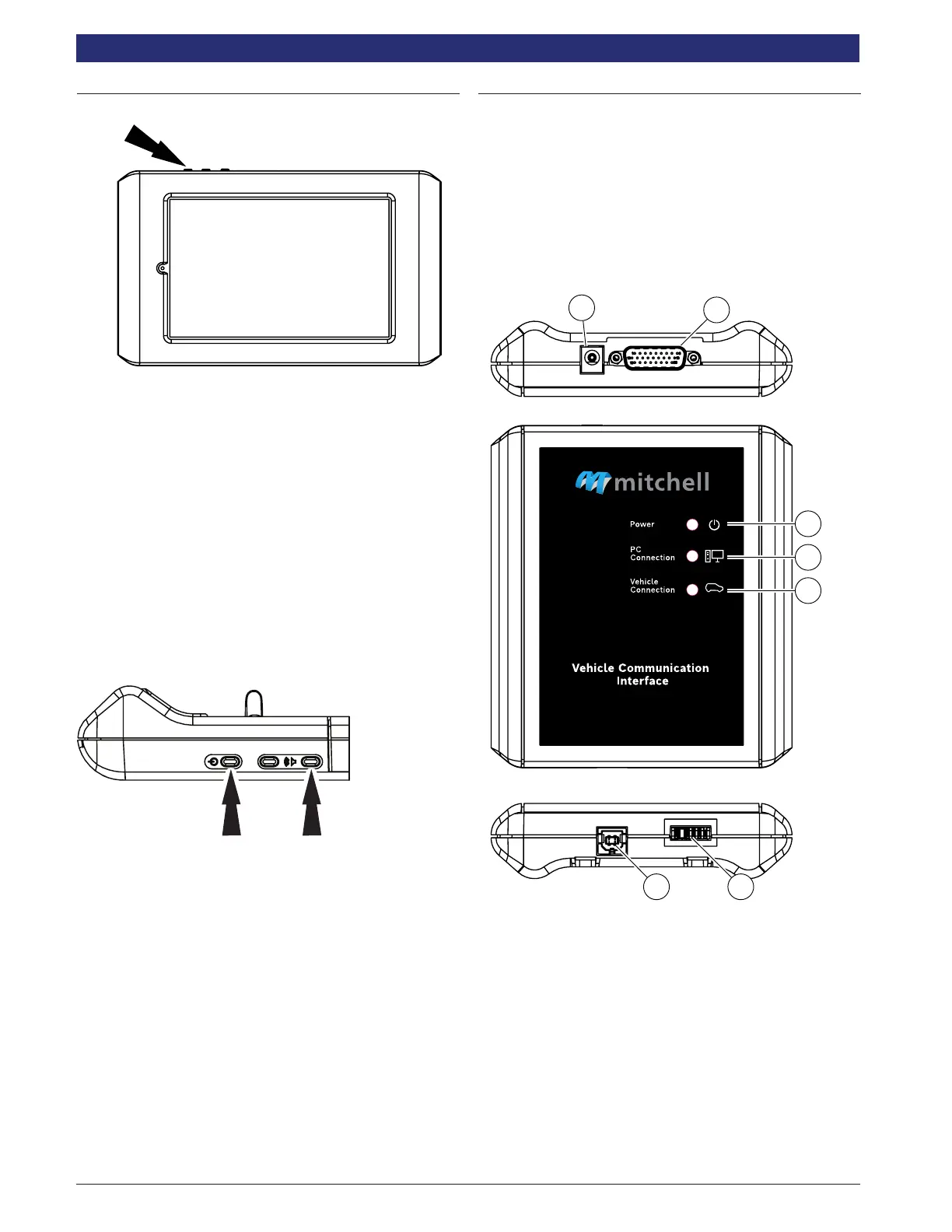
Power Button Functions
1. Press the power button to turn on the tablet.
The power button has four functions
a. ON: Press the power button to turn the tablet on.
b. OFF: Press and release the power button. A pop
up window will appear to shut down the tablet. ON:
If the screen times out or is in standby mode, press
and release the power button to wake up the tablet.
Turn ON: With tool off, press to turn ON
c. OFF: Press the power button and hold for 5 seconds
to turn the tablet off completely (not recommended).
Screenshot Procedure
Press and hold the power button and the volume down button
at the same time to capture a screenshot.
Vehicle Communication Interface (VCI)
The Vehicle Communication Interface (VCI) translates vehicle
diagnostic data link information for the tablet using Wi-Fi
wireless technology or a linked cable. The wireless capability
of the tool is designed to communicate with the VCI when it is
within a range of roughly 30 feet, even though it is possible to
go farther. Every shop has dierent noise that can interfere
and hamper the distance of a wireless network. Some types
of noise include cordless phones, certain lighting, other
wireless networks in the area, and other signals.
ss02876
5
6 7
2
1
3
4
VCI
1. Power port (used when necessary)
2. DLC/OBDII cable port
3. Power
• Indicates the VCI has received power.
4. PC Connection
• Indicates the VCI is communicating with the tablet or a
PC.
5. Vehicle Connection
• Indicates the VCI is communicating with vehicle
6. USB “B” Port
7. Connector for future use.



 To Next Page