en-US
|
34
|
User Manual
|
MD-500
1699503426 | REV A | 05.2021
© Mitchell International
Special Tests
Overview
Depending on the vehicle and controller selected, special
tests are available.
The special test function is a key component of the tool
because it allows circuit testing without ever touching a circuit
with a DVOM or other electrical testing equipment. This will
also protect electrical circuits from being contaminated or
damaged from manual testing with electrical troubleshooting
equipment. It is also a quick and easy way to test vehicle
controller operation which is dicult to test using traditional
methods.
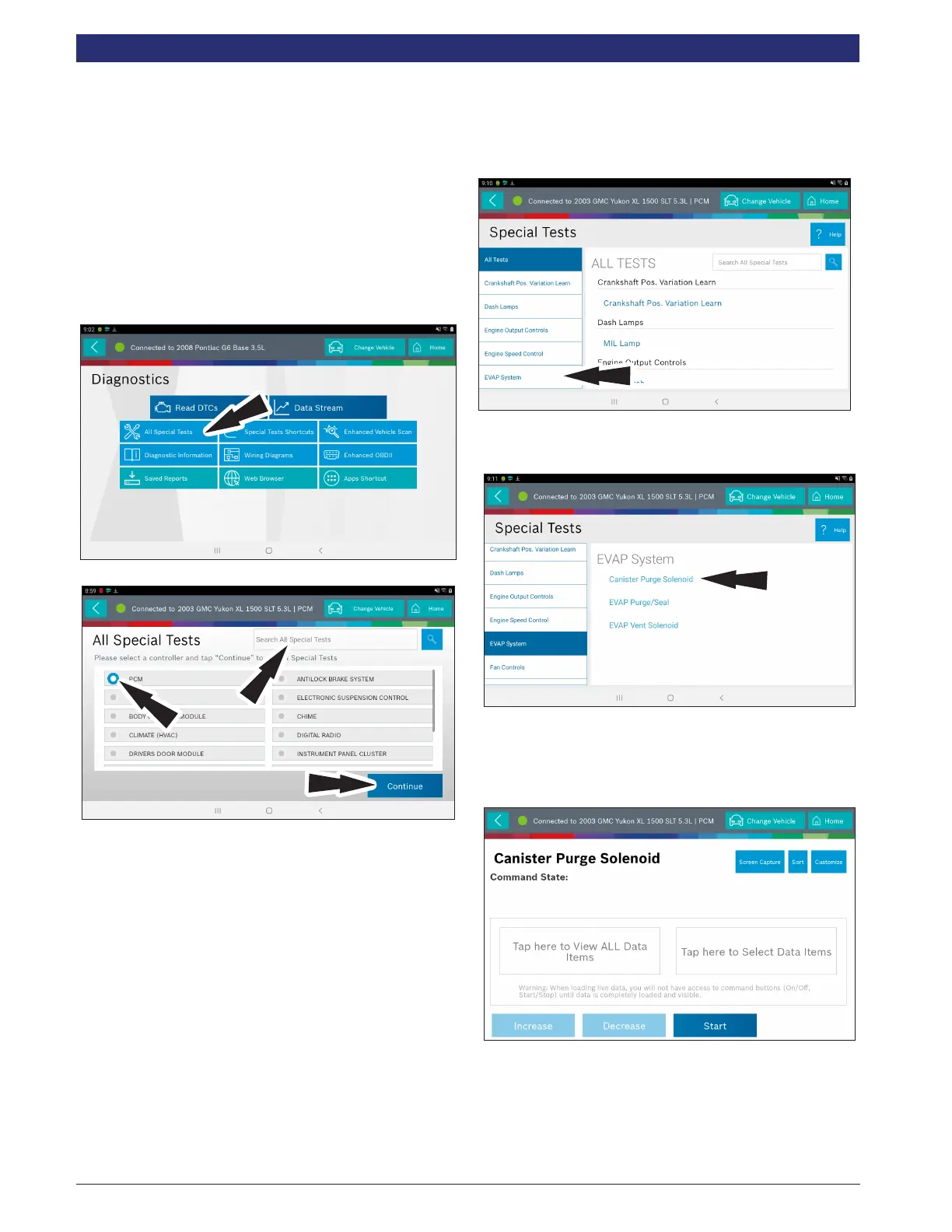
1. Select Special Tests from the screen.
2. If you know where you Special Tests exists, select the desired
vehicle controller then select continue. Proceed to ss03024
below.
If you don’t know where your Special Tests resides, use the
“Search All Special Tests” feature to search across all
controllers.
2A). Enter in a search criteria and hit the “Search” icon.
2B). The results for the search will be displayed across all
controllers.
NOTE: Special Tests vary by vehicle. Select test to run a
check on the vehicle to ensure it is actually supported on this
vehicle.
Proceed to Step 3
3. At the special test screen, select a special test group from
the group selection menu, then select the desired special
test within the desired test group.
4. Only the tests meeting the search criteria are displayed.
Select the desired test to be executed.
Note: Some tests may require a registration like Tire Pressure Sensor
Test.
5. Follow the prompts on the screen.
NOTE: Some of the instruction text may not exactly match what is on
the screen. This will be updated as product updates are released.



 To Next Page