1699503426 | REV A | 05.2021
© Mitchell International
MD-500
|
User Manual
|
7
|
en-US
Software Descriptions
Tablet Software
The tablet and VCI come with the diagnostic software pre-
loaded. Fully charge the tablet battery before use. The rst
time the tablet is powered up, the user needs to accept the
EULA license agreement. Then the user will have three
choices:
• Register Now: Unlocks all functions of tablet.
• Trial mode: Unlocks all functions for 30 days.
• Demo Mode: Displays what functions may look like.
Periodically, updates will become available and the user will
be notied by an icon on the screen. To update the tablet,
there must be Wi-Fi connection available.
Software Applications Overview
The diagnostic tool allows users to diagnose problems on a
wide variety of vehicles. Users are able to perform common
service procedures, maintenance tests, and special tests to
nd deciencies with vehicle systems or components.
The tablet will display DTCs from OBDI or OBDII systems.
Real-time sensor data can be viewed in data stream mode.
The user can also obtain diagnostic information regarding
repairs.
Browser mode allows the user to connect to the internet to
nd websites that may help with the repair of the vehicle. The
tablet comes with wireless communication for ease of use
and on-screen help when desired.
Using the tablet
There are three options for use.
• Register Now: It is recommended to register for full
functionality of tool and tech support.
• Demo Mode: This mode demonstrates the functions by
displaying random data.
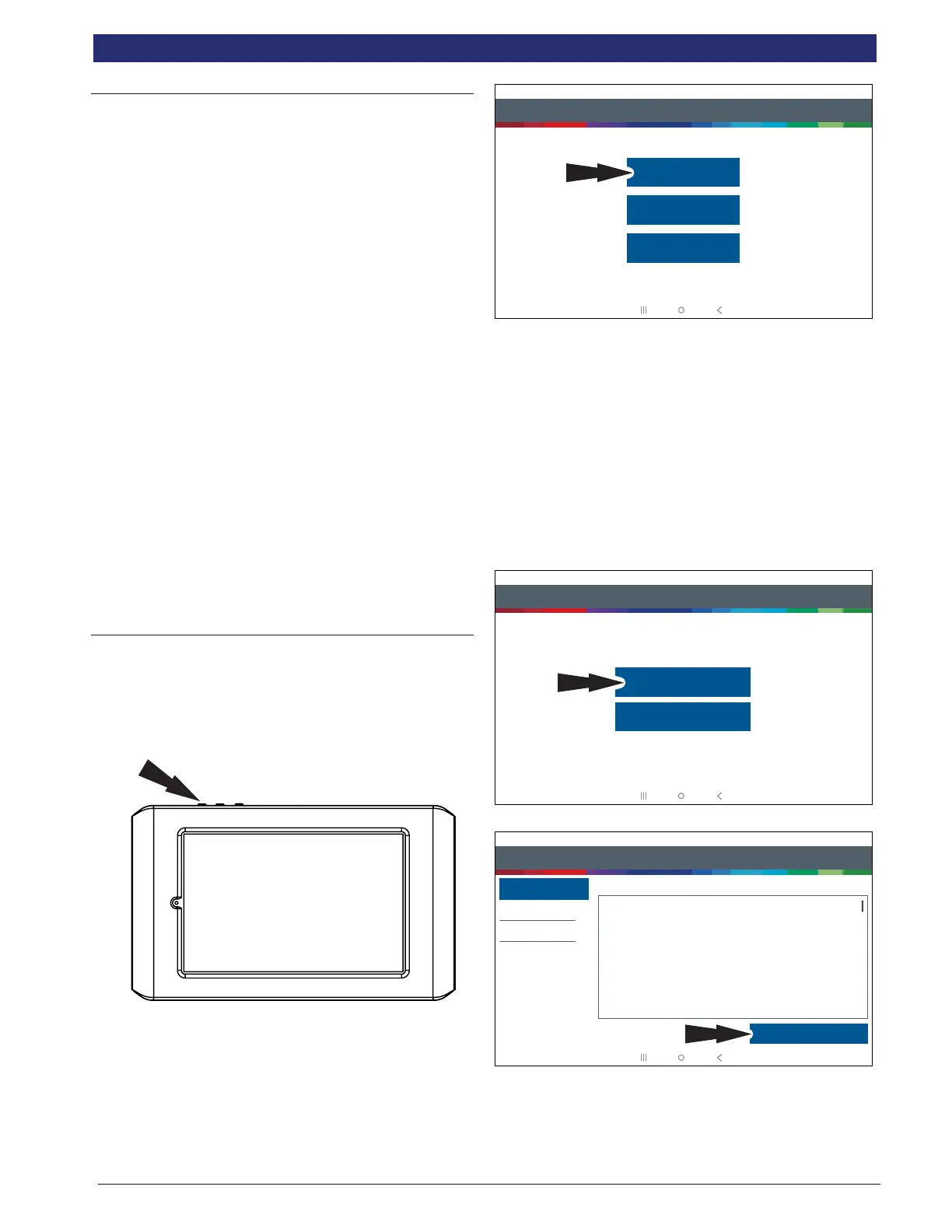
1. Press the power button to turn on the tablet.
Step 1 of 7 - Select as Language
Español
Français
English
rt0002
2. Select a language.
Registration
It is important to register the tablet right away. To register, it
will need a Wi-Fi internet connection. To connect to Wi-Fi,
refer to steps 2 through 6. Register now enables the unit.
Register later causes the device to go into a 30-day trial
mode. Demo Mode is for training and demonstration
purposes only, it cannot communicate with a vehicle. Demo
Mode will use sample data.
1. Select Register my Device Now.
2. Register the tool, begin a trial period, or run the tool in
demo mode.
Step 2 of 7 - Register
Registering your device allows you to get the latest software updates
Skip
Register Now
rt0003
3. Read and accept the End User License Agreement.
Step 3 of 7 - End User License Agreement
End User License Agreement
Software Product License Agreement
Copyright (c) 2014-2017, Bosch Automotive Service Solutions Inc. All Rights Reserved
By clicking the i Agree button (or authorizing any other person to do so), you accept this Agreement and are
bound by its terms. If you are not sure that you are authorized by your employer to accept this Agreement, take
this package to a principal in your firm before proceeding. This Agreement is a legally binding document setting
forth the menner by which you may use the Bosch Automotive Service Solutions Inc. (”Bosch”) software that is
embedded on the Bosch device and any assoociated media, printed materials and electronic documentation
(collectively “Software Product”) Carefully read the terms and conditions of this Agreement before using this
Software Product. Use of this Software Product indicates your acceptance of the following terms and
conditions.
1. LICENSE. Bosch grants you a personal, non-transferable (except as noted in Section 8 (Assignment)) and
non-exclusive limited license (without the right to sublicense) to ise the Software Product embedded on this
SOFTWARE PRODUCT LICENSE AGREEMENT
Register My Device Now
Register My Device Later
Demo Mode
IMPORTANT: Do not continue until you have read this Software Product License Agreement (”Agreement”).
I Agree
rt0004



 To Next Page