en-US
|
12
|
User Manual
|
MD-500
1699503426 | REV A | 05.2021
© Mitchell International
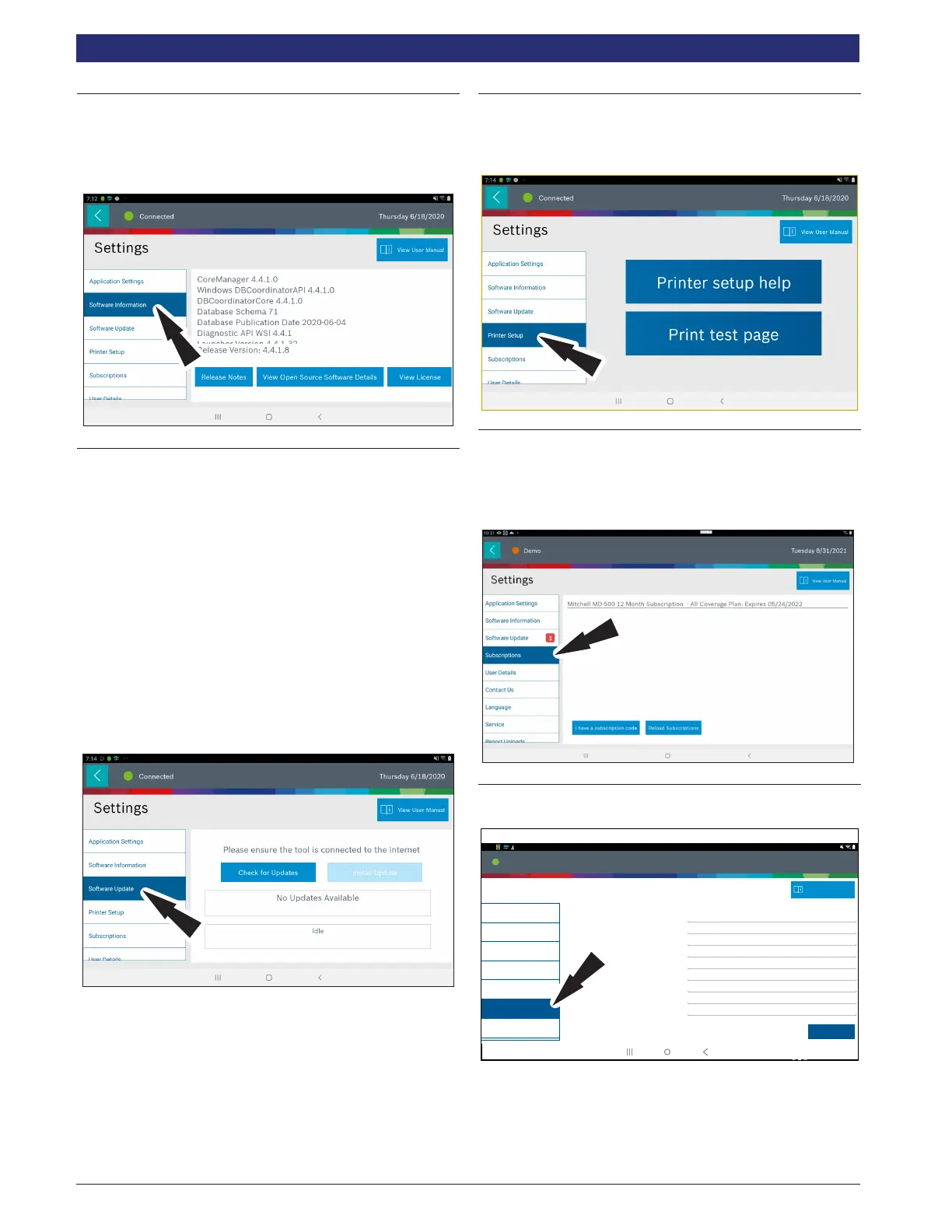
Software Information
From the Settings screen select Software Information. The
current software versions will be displayed.
Select View Open Source Software Details to view more
in-depth information.
Software Update
From the Settings screen select Software Update.
• Manually check for updates.
• Automatic download.
NOTE: 1. Active internet connection is required for this function.
2. The VCI must be powered via the provided power adapter
when performing an update.
3. The VCI must not be connected to a vehicle.
4. The Tablet must be powered and charged to at least 50%.
If an update is available follow the prompts on the screen to
update the tablet and VCI.
Downloading the software will occur in the background and
varies with Wi-Fi connection speed and quality. Installing the
software can take up to 2 hours. Please be sure your tablet is
suciently charged and allow sucient time for the
installation.
Printer setup
1. Ensure device is connected to internet and that network
has unrestricted access to Google services.
2. Follow the prompts on the screen.
Subscription
The tool must be registered to see this tab.
1. From the Settings screen select Subscription.
• Subscription information will be displayed on this
screen.
.
User Details
1. From the Settings screen select User Details.
Connected
Settings
10:22
Application Settings
Owner’s First Name
Owner’s Last Name
Distributor Name
Email
Phone
Address 1
Address 2 (optional)
City
State/Province
John
Doe
City Service
JohnDoe@CityService.com
3135551234
123 Main Street
Detroit
Michigan
Software Information
Printer Setup
Software Update
User Details
Contact Us
Subscriptions
View User Manual
May 16, 2018
Save
Connected
10:22
rt02938
2. Select eld to modify.



 To Next Page