1699503426 | REV A | 05.2021
© Mitchell International
MD-500
|
User Manual
|
35
|
en-US
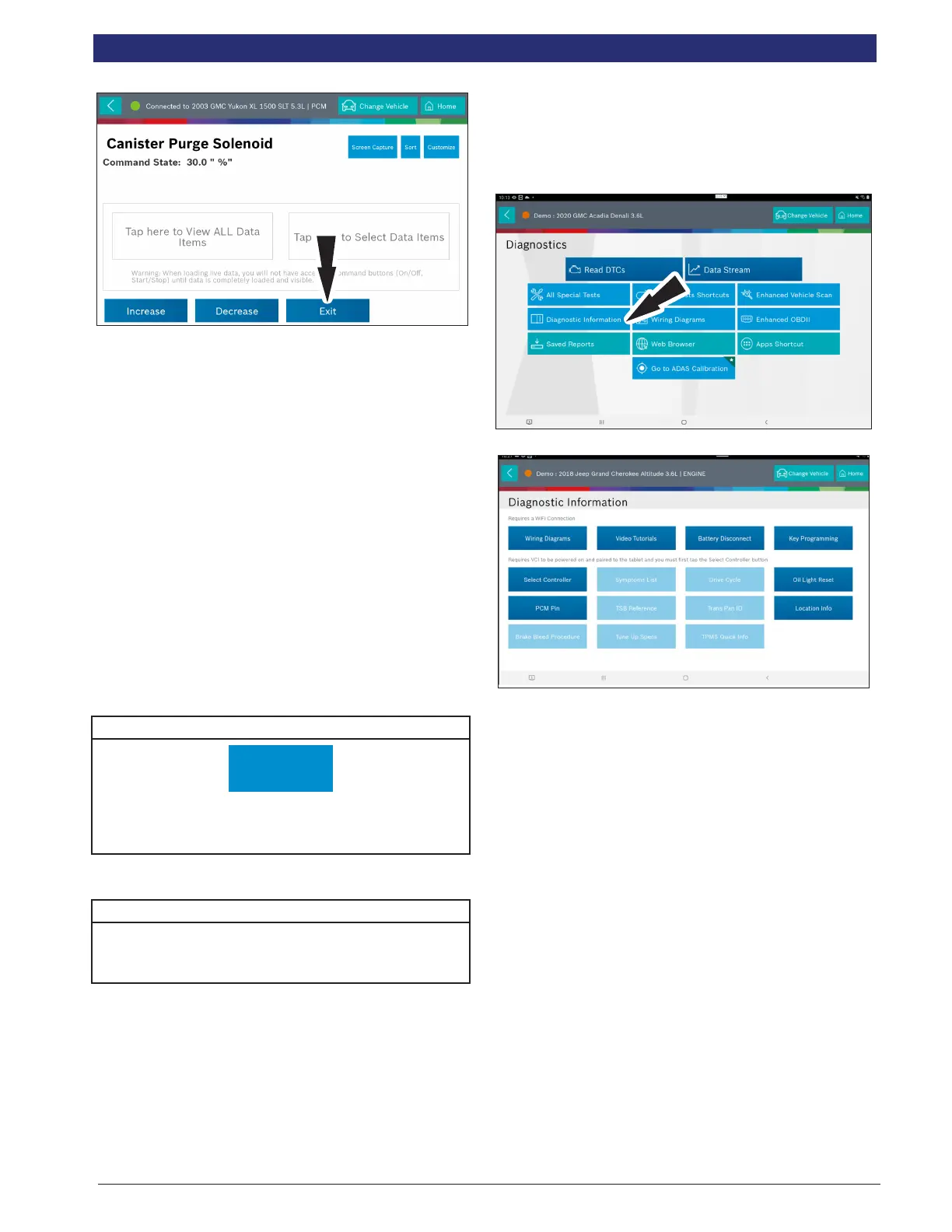
6. To terminate a test at any time, use the emergency stop
button. To exit special tests normally, select the exit or
abort button.
Note: Exit or abort will both stop the current special test and take you
back to the start of Special Tests.
All features outside the special test are locked out until the
test is terminated to protect the vehicle and the person
running the special test. If a function outside the special test
is desired, terminate the test and proceed to the desired
function. Special tests are not available for all vehicles and
controllers. The air bag controller will rarely provide special
tests, as actuating the air bag would cause damage to the
steering wheel or cabin components. It would also be
necessary to replace air bag modules after running the test
and clean the interior. Special tests will be continuously
updated as more are added; in addition, tests which do not
function may be removed during updates as well. There may
be tests listed that do not function on the selected vehicle.
This is likely due to the fact that many vehicles have dierent
systems depending on sub-model types.
Special Test Button Denitions
Screen Capture
Screen Capture
Selecting Screen Capture will save a copy of the current
open screen.
Special Test with Data Stream Button Denitions
*Please see “Data Stream Button Denitions” on Page 21
for more information option.
Diagnostic Information
Overview
Diagnostic Information provides diagnostic, repair, and reset
information for the selected vehicle.
1. Select Diagnostic Information from the screen.
2. Select the desired function from within the Diagnostic
Information menu.
NOTE: Repair-Source - requires an ADS ‘Enhanced’
Subscription
Direct-Hit - requires Identix Subscription
AutoDetect Results Number Indication
Diagnostic Information provides diagnostic, repair, and reset
information for the selected vehicle.
• Each vehicle and controller will have its own set of
indications.
• The indication is displayed on top of the Diagnostic
Information selection.
• When entering diagnostic information, the application
will conduct a search in the background for the
selected vehicle/controller combination to determine
the number of items it will contain.
NOTE: If diagnostic information is desired for a dierent controller or
vehicle, return to the Screen and change the controller or vehicle
there, then re-select Diagnostic Information. Failure to follow this
could lead to display errors or communication errors.
NOTE: Not all assets within the Diagnostic Information menu will
utilize the AutoDetect Results Number indication feature.
Symptom List
Diagnostic Information provides diagnostic, repair, and reset



 To Next Page