1699503426 | REV A | 05.2021
© Mitchell International
MD-500
|
User Manual
|
43
|
en-US
Enhanced OBDII
Overview
Enhanced OBDII provides all of the same functions and
features as Generic OBDII with the addition of OEM specic
MID/TID and TID/CID descriptions for Non-Continuously
Monitored Tests in Mode 6. This gives the user more insight
as to what is actually being tested when viewing the Mode 6
data.
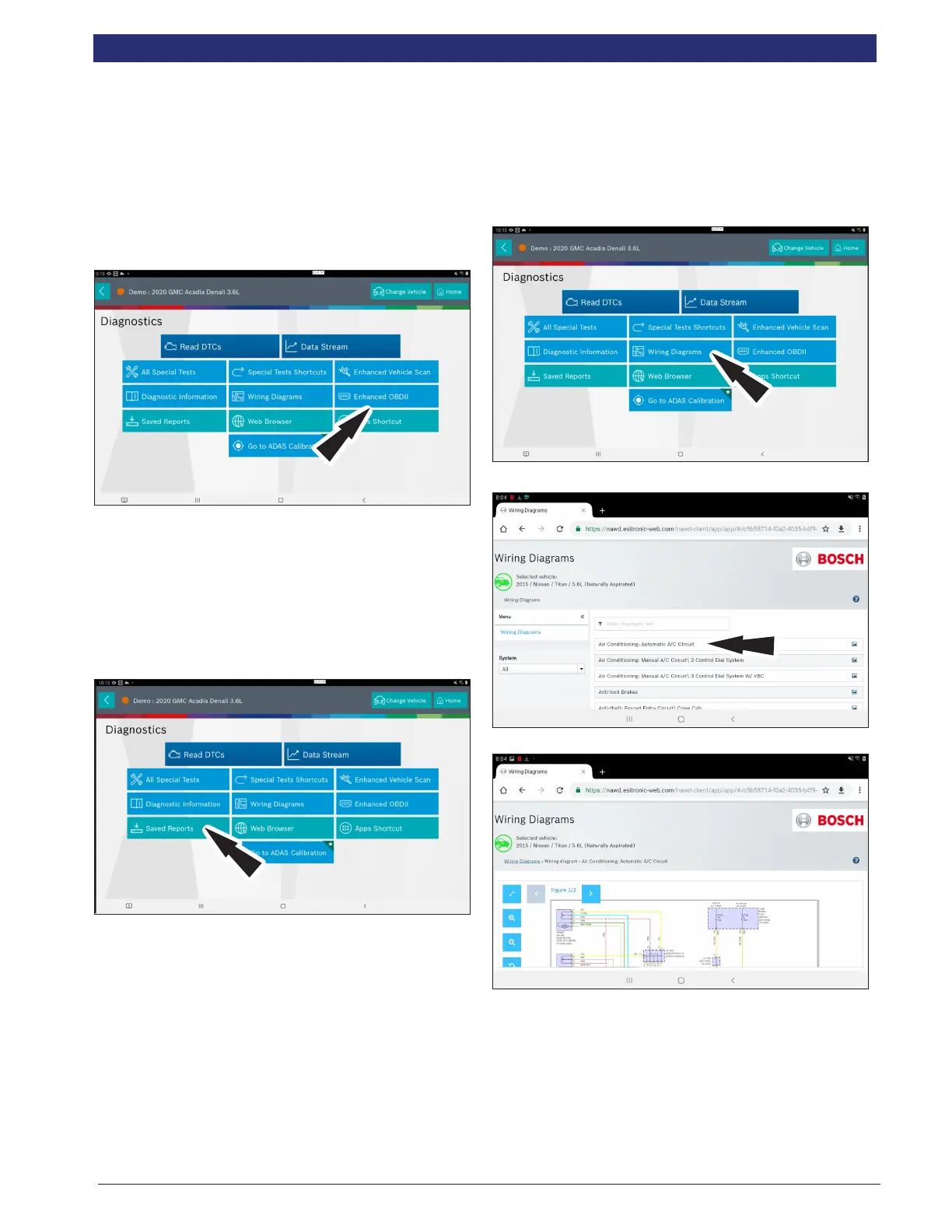
1. Select Enhanced OBDII from the screen.
Note: For more information refer to the OBDII section in the
beginning of the manual.
Saved Reports
Overview
The Saved Reports functions allows the capability to recall
previously run tests and Data Stream Records.
1. Select Saved Reports from the Screen.
Note: For more information refer to Saved Diagnostic Data
section in the beginning of the manual.
Wiring Diagrams
Overview
Wiring Diagrams provides OEM specic, Full color, Full
system diagrams.
NOTE: Wiring Diagrams are only available to registered users with
an active subscription. It is not available in DEMO Mode, Trial Mode
or to users with an expired subscription.
1. Select System Wiring Diagrams from the Screen.
2. Select a wiring diagram to view.
3. Use navigation buttons located on the left side of the
screen to zoom and rotate wiring diagram.



 To Next Page