en-US
|
20
|
User Manual
|
MD-500
1699503426 | REV A | 05.2021
© Mitchell International
Data Stream Button Denitions
Take Screen Capture
Take Screen Capture
Selecting Take Screen Capture will save a copy of the cur-
rent open screen.
Freeze Frame
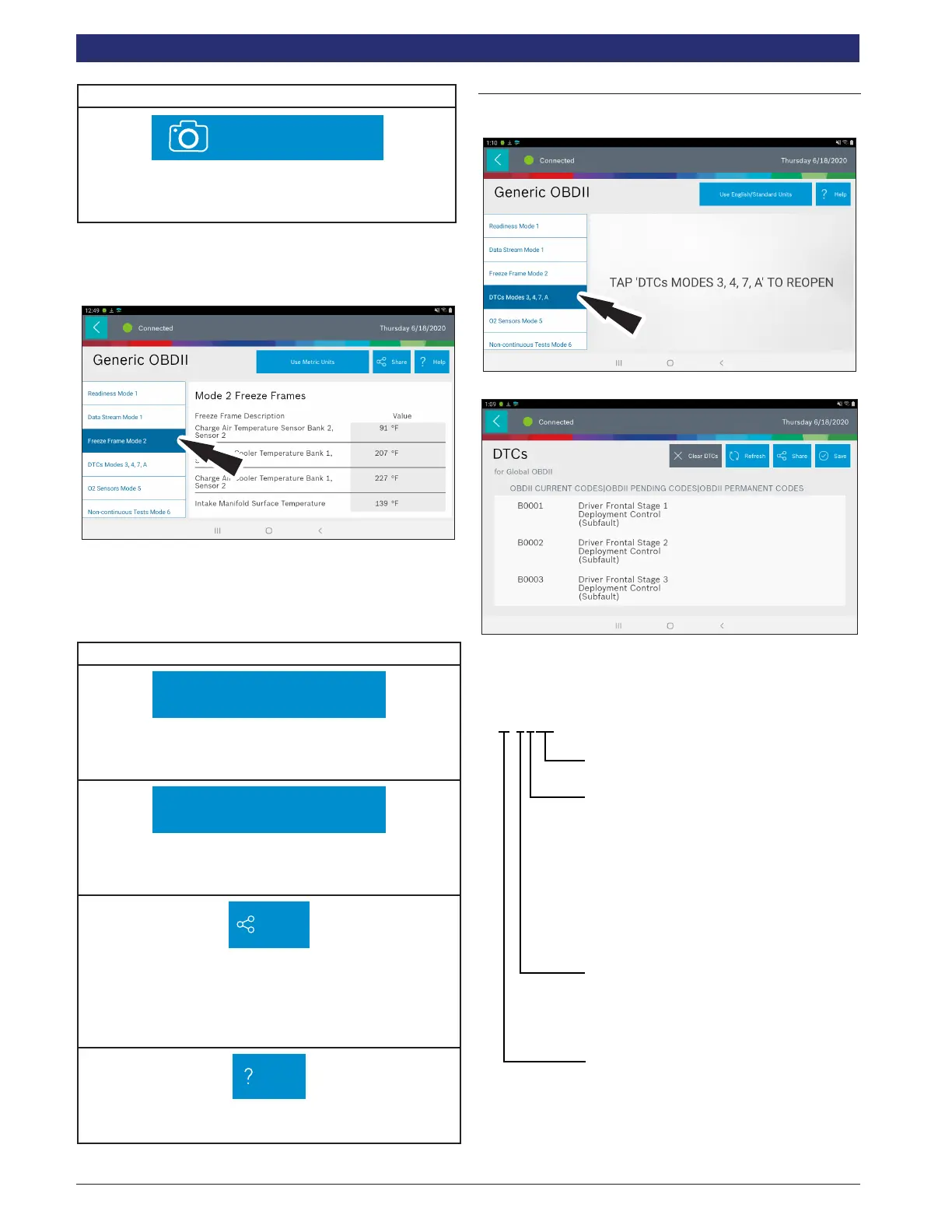
Mode 2 views data captured when a fault occurred. Freeze
frame shows a data stream snapshot that was automatically
recorded by the ECU when one or more DTCs occurred.
Freeze frame records each sensor’s current information at
the time a DTC sets. This feature could be used when
diagnosing an intermittent condition that requires certain
conditions are met before the fault is active.
NOTE: DTCs are not always stored in Mode 2 freeze frame.
Freeze Frame Button Denitions
Use Metric Units
Use Metric Units
Selecting Metric Units will switch from English/Standard
Units to Metric Units.
Use English/Standard Units
Use English Units
Selecting Metric Units will switch from English/Standard
Units to Metric Units.
Share
Share Button
Tapping the Share button opens the Android share options
that are currently available to the device. Share a report
output by print, email, Bluetooth, USB or other available
options.
Help
Help
Selecting Help will open an online user manual.
DTCs Modes
Modes 3, 4, 7, and A read and clear DTCs.
1. Select DTCs Modes from the Generic OBDII screen.
2. Use the buttons and follow the prompts on the screen.
OBDII DTC Nomenclature
P-0102
Fault (00-99)
1 - Fuel & Air Metering
2 - Fuel & Air Metering (Injector Circuit)
3 - Ignition Systems or Misfire
4 - Auxilary Emission Control
5 - Vehicle Speed Control and
Idle Control System
6 - Computer Output Circuit
7 - Transmission
8 - Transmission
0 - SAE
1 - MFG
B - Body
C - Chassis
P - Power Train
U - Network
ss01521
Example: P0102 Mass Air Flow Performance



 To Next Page