en-US
|
16
|
User Manual
|
MD-500
1699503426 | REV A | 05.2021
© Mitchell International
7. Select the engine.
Note: Some vehicles may not require this selection.
8. At this point vehicle entry will disappear and the user will
be able to begin using diagnostic functions on the
vehicle.
Recent
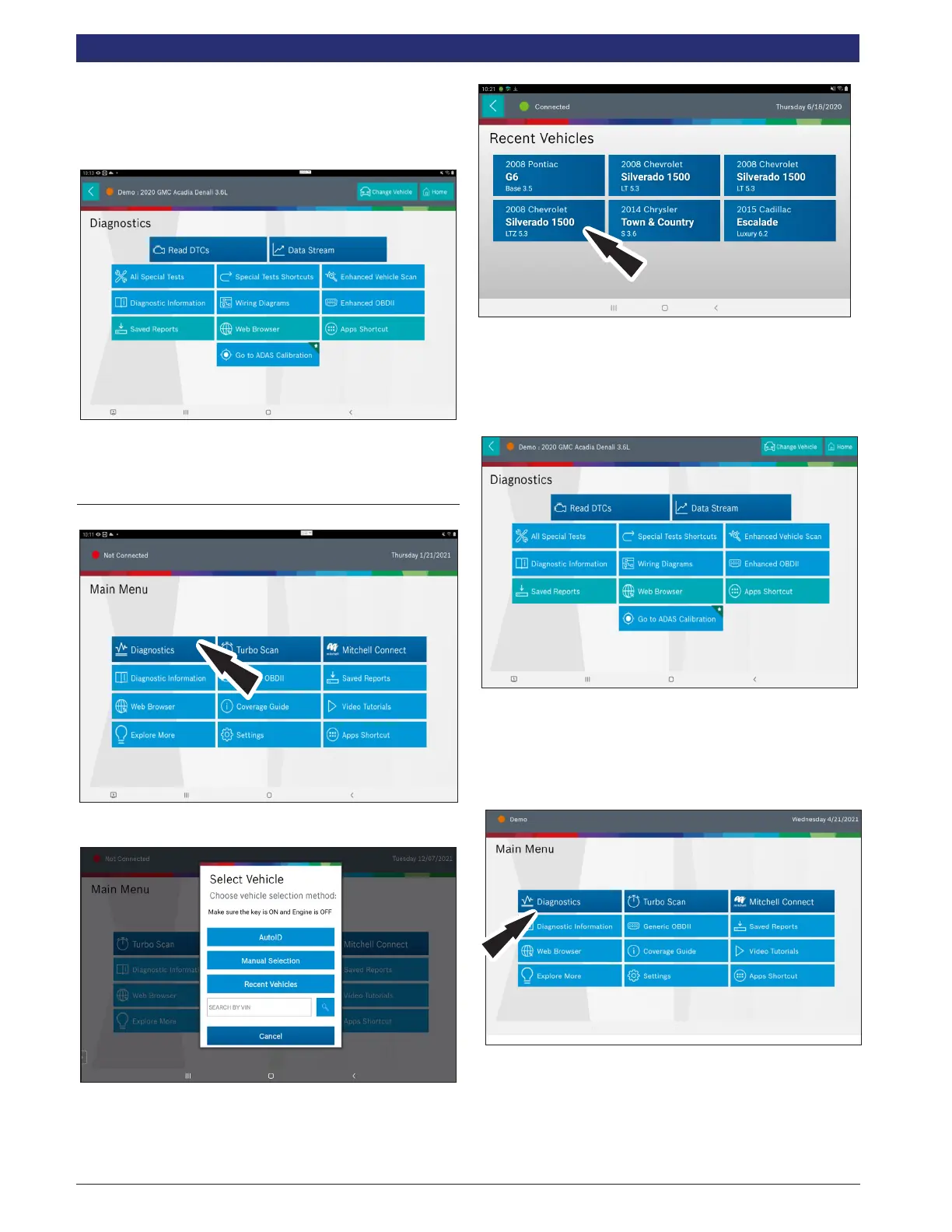
1. Select, Diagnostics.
2. Select Recent Vehicles.
3. Press and hold a recent vehicle tile and select one of two
choices:
• Set as current vehicle.
• Delete from recents.
4. Or just tap on the recent vehicle tile
.
5. At this point vehicle entry will disappear and the user will
be able to begin using diagnostic functions on the vehicle.
Search by VIN
1. Select Diagnostics.



 To Next Page