en-US
|
36
|
User Manual
|
MD-500
1699503426 | REV A | 05.2021
© Mitchell International
information for the selected vehicle.
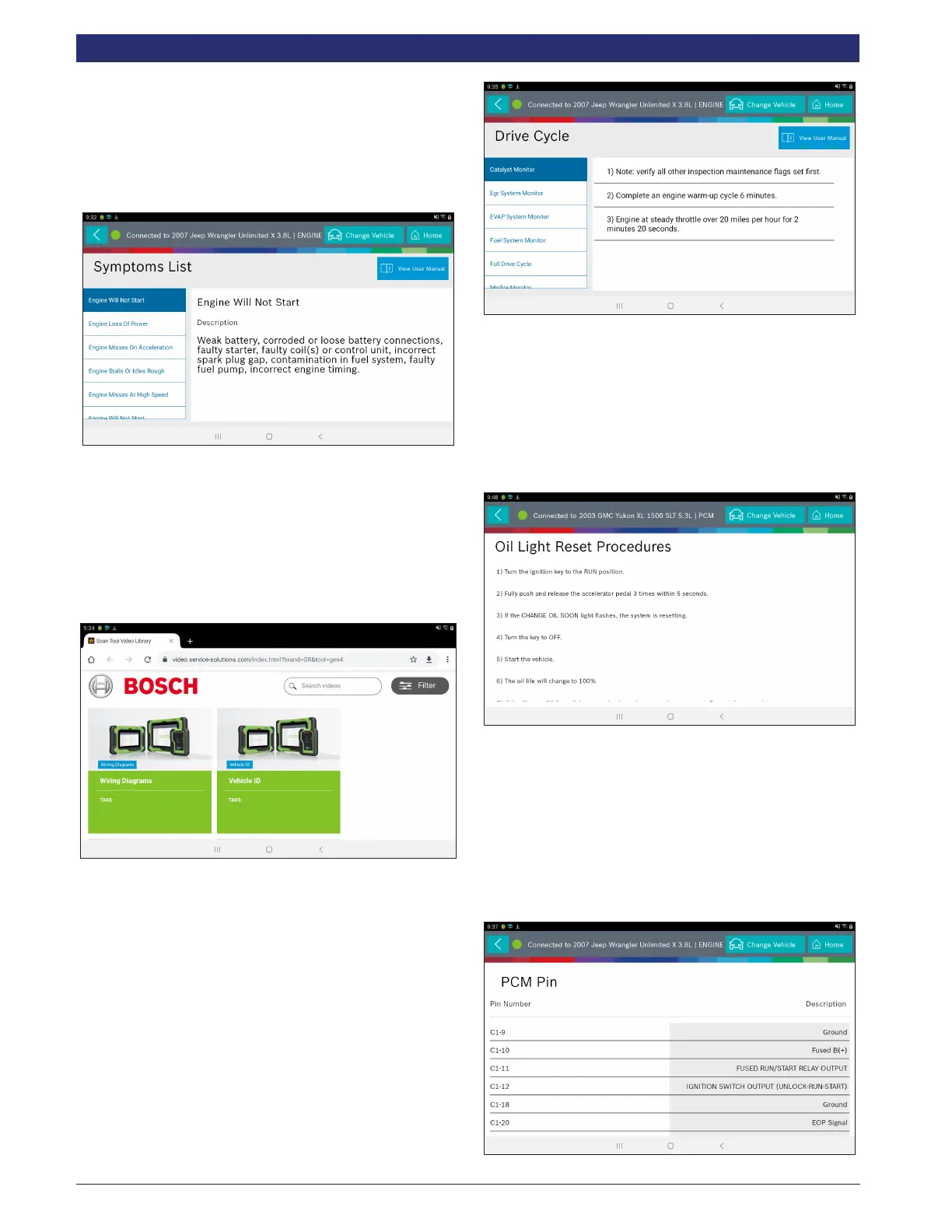
1. Select Symptom List from the Diagnostic Information
screen.
• Displays a list of symptoms associated with the
selected vehicle/controller combination.
• Select Symptoms List from the Diagnostic Information
menu.
2. Select the symptom that is currently being exhibited by
the vehicle on the vehicle.
Video Tutorials
When Video Library is selected the user will be taken to a list
of videos. These videos will illustrate how to perform various
functions on the tablet.
1. Select Video Library from the Diagnostic Information
screen.
2. Search website for videos.
Drive Cycle
The OBDII system has a series of systems that run self-tests.
These systems or components have to be made ready either
by simply turning on the ignition or by manipulating the
system in some manner. This is called Drive Cycle. Drive
cycle information is listed for continuous and non-continuous
monitors.
1. Select Drive Cycle from the Diagnostic Information
screen.
2. Scroll through the list until the desired monitor or drive
cycle is found.
3. Select the desired drive cycle and follow the instructions.
Oil Light Reset
On newer vehicles, the oil light reset procedure will indicate
how the oil life information can be reset after an oil change.
1. Select Oil Light Reset from the Diagnostic Information
screen.
2. Select Oil Light Reset from the Diagnostic Information
menu screen.
3. Follow the prompts on the screen to turn o the indicator
lamp.
PCM Connector Pin Information
Displays a list of which connector and pin a component or
sensor is received through on the PCM.
1. Select PCM Pin Information from the Diagnostic
Information screen.



 To Next Page