1699503426 | REV A | 05.2021
© Mitchell International
MD-500
|
User Manual
|
37
|
en-US
2. Scroll through the list and select the desired sensor or
component is listed.
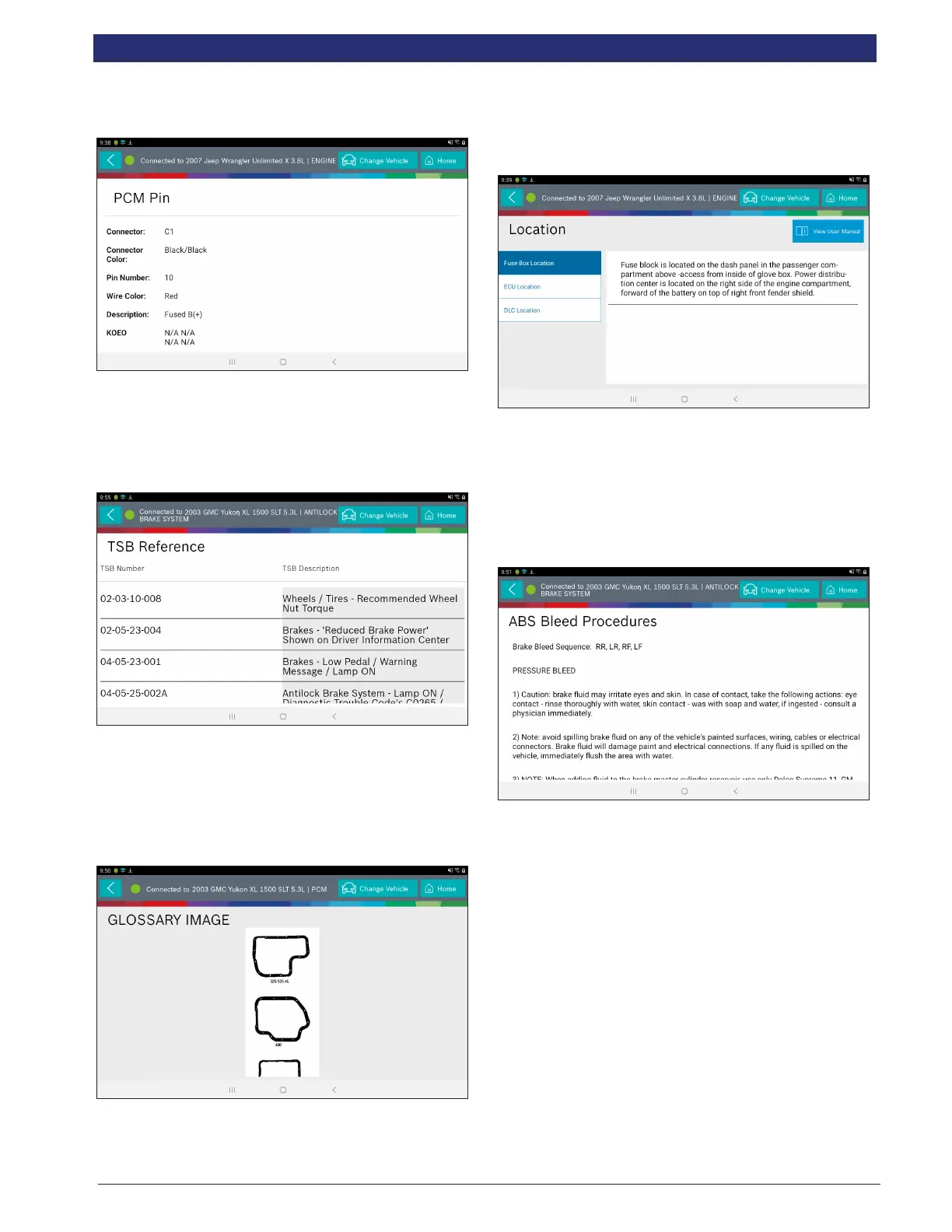
Technical Service Bulletin (TSB) References
Displays TSBs associated with the vehicle/controller
combination.
1. Select TSB Reference from the Diagnostic Information
screen.
2. Scroll through the list until the desired TSB is found.
Trans Pan ID
Displays a list of gasket images that correspond to specic
transmissions.
1. Select Trans Pan ID from the Diagnostic Information
screen.
2. Scroll through the list of gasket images until the matching
gasket is found. Corresponding information is listed below
each image.
Location
Used to nd where specic components are located.
1. Select Location Info from the Diagnostic Information
screen.
2. Scroll through the list and select the desired component.
Brake Bleed Procedure (ABS)
Provides the procedure on how to bleed the brakes after
replacing brake calipers or opening a brake line to
atmosphere.
1. Select Brake Bleed Procedure from the Diagnostic
Information screen.
2. It may be necessary to change controllers at the Screen,
then re-enter diagnostic information for this selection to
become available (ABS, ABS/VSES).
NOTE: The sequence may be contained within the previous brake
bleed procedure section if it is not separately listed on the Diagnostic
Information screen.
Tune Up Specications
Provides specications for specic components when a tune
up is performed.
1. Select Tune Up Specs from the Diagnostic Information
screen.



 To Next Page