en-US
|
26
|
User Manual
|
MD-500
1699503426 | REV A | 05.2021
© Mitchell International
2. Select all controller qualiers.
Note: Some vehicles may have controller qualiers.
Connected to 2004 Volkswagen Passet GLS 2.8L
DTC Scan
Building controller list.. Please Wait..
Finding ABS (03) controllers
Select Controller Qualifier
Skip controller
ABS Bosch 5.3
ABS Bosch 5.7
Change Vehicle
Home
ss02986
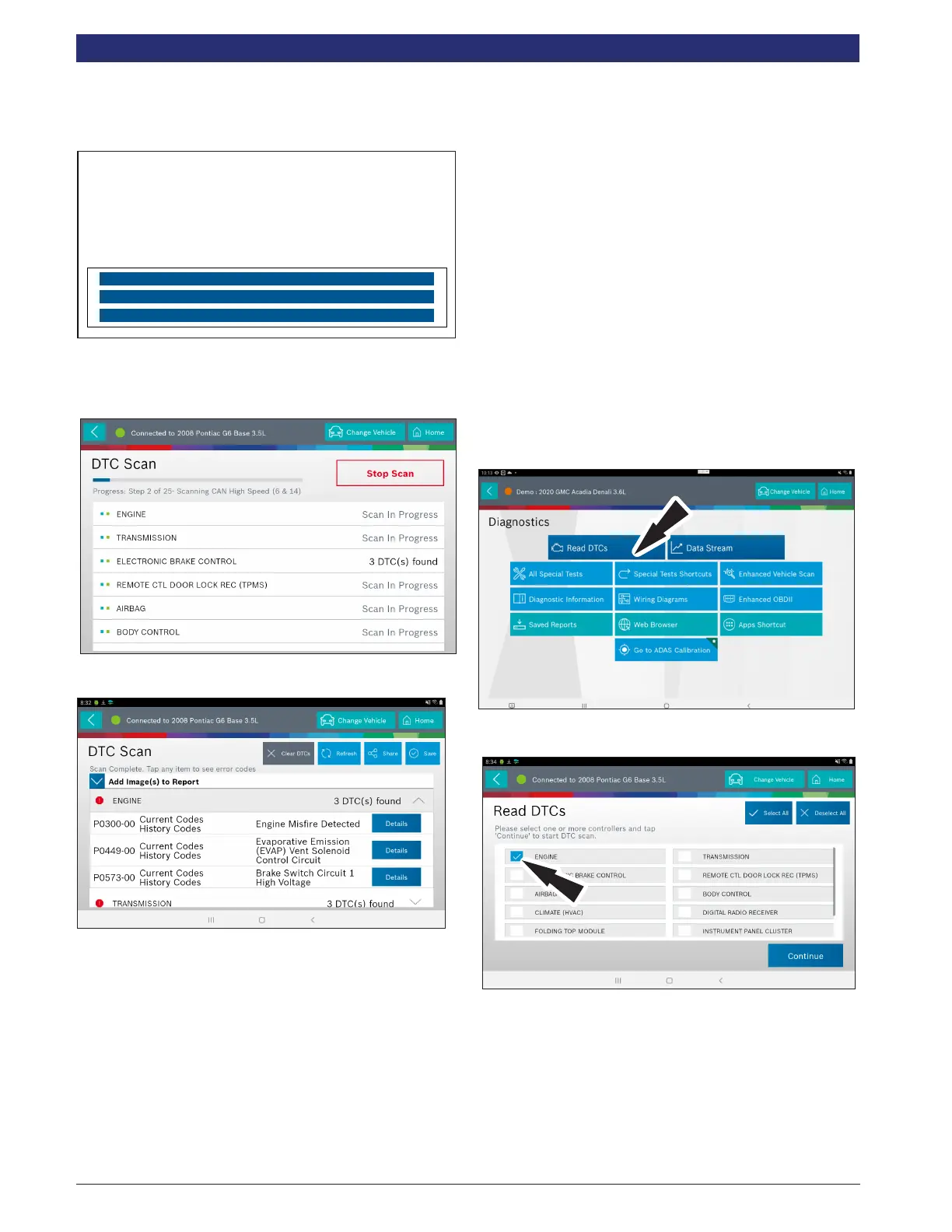
3. Scan progress will be indicated by the progress bar in the
top of the screen.
Note: If any of the controllers have DTCs go to step 6.
4. Wait for scan to nish.
Note: There is no arrow beside controller without a DTC and clicking
on that line does nothing.
5. The controller without a DTC has no DTC line that is
selectable and clicking on the line has no eect.
6. DTCs will be read from all available vehicle controllers.
• Select a listed DTC for Related Diagnostic Information
See Diagnostic Information section
• If a DTC has Code Criteria available there will be an
“*” next to the DTC. Once completed the tablet will
display a list of all the DTCs found on the vehicle and
group them by controller. If the tablet was unable to
communicate with a controller, it will be indicated
under the specic controller. Communication problems
on certain controllers may be attributed to the vehicle
not having that controller. Controllers are sometimes
listed for a particular vehicle that do not actually exist.
Read DTCs Select Systems
Read DTCs by selecting individual controllers will scan only
the controllers selected on the vehicle.
1. Select Read DTCs from the screen.
2. Select the desired vehicle controller then select continue.



 To Next Page