REAR AXLE – On-vehicle Service <Vehicles with AYC>
27-35
NOTE
(1) Hold the steering wheel in the neutral position.
(2) If the steering wheel is turned, it may happen that
the AYC system continues to operate (operation
sounds are heard from the torque transfer differential).
However, it does not mean a system failure. If such
a case is encountered, perform the following
operations with the steering wheel in the neutral
position to cancel the AYC function.
D Disengage the clutch.
D Set the transmission to neutral.
D Stop the engine.
5. Operate the MUT-II (Item Nos.13 and 14) to activate
the torque transfer differential.
NOTE
(1) The forced activation (clutch operation mode) will be
automatically canceled after 1 minute operation.
It can also be canceled forcibly by operating the clear
key on the MUT-II.
(2) While this function is being disabled by the fail-safe
function, the forced activation of the torque transfer
differential can not be executed.
6. Operate the MUT-II to confirm that the several speeds
of the wheels are as shown below, using the Data List
(Item Nos.07 and 08).
<Forced activation Item No.13 is being executed>
The speed of left rear wheel is more than 2 km/h
higher than that of right rear wheel.
<Forced activation Item No.14 is being executed>
The speed of right rear wheel is more than 2 km/h
higher than that of left rear wheel.
NOTE
If the above requirements are not satisfied, the system
is probably failed. Check the hydraulic pressure.
HYDRAULIC PRESSURE CHECK
1. Lift up the vehicle.
2. Connect the MUT-II to the 16-pin diagnosis connector.
Caution
Before connecting or disconnecting the MUT-II,
always turn off the ignition switch.
3. Turn on the ignition switch.
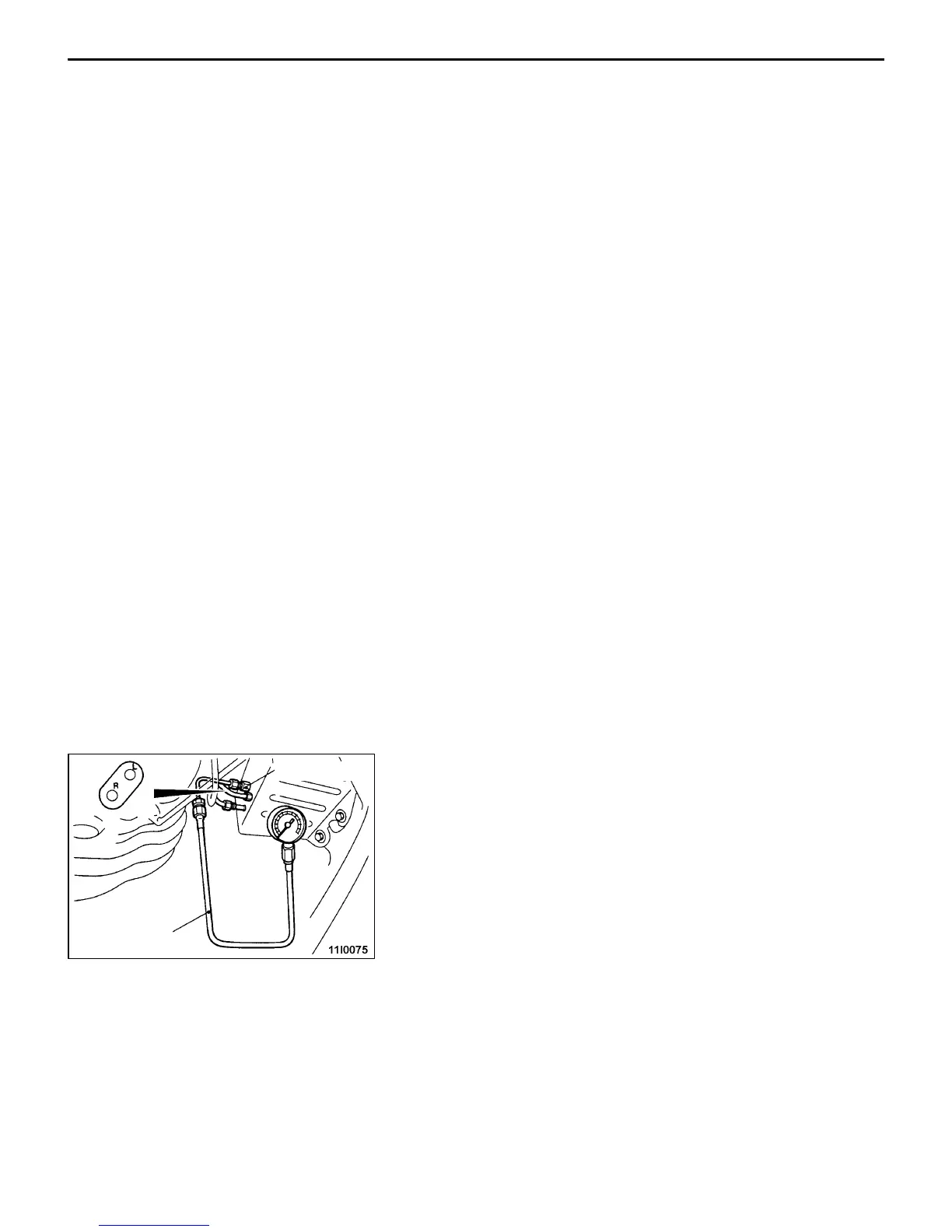
4. Disconnect the joint between the hydraulic unit and the
hydraulic unit hose assembly. Connect the special tool
to the L port. To the R port, attach a blind plug or connect
the L port of the removed hydraulic unit hose assembly.
5. Operate the MUT-II (Item No.13) to activate the hydraulic
unit.
NOTE
(1) The forced activation (clutch left side operation check
mode) will be automatically canceled after 1 minute
operation.
It can also be canceled forcibly by operating the clear
key on the MUT-II.
MB991705
MD998330



 To Next Page