SRS – Troubleshooting
52B-6
TROUBLESHOOTING
STANDARD FLOW OF DIAGNOSTIC TROUBLESHOOTING
Refer to GROUP 00 – How to Use Troubleshooting/Inspection Service Points.
DIAGNOSIS FUNCTION
DIAGNOSIS CODES CHECK
Connect the MUT-II to the diagnosis connector (16-pin) under the instrument under cover, then check
diagnosis codes.
(Refer to GROUP 00 – How to Use Troubleshooting/Inspection Service Points.)
ERASING DIAGNOSIS CODES
Connect the MUT-II to the diagnosis connector and erase the diagnosis code.
Caution
Turn off the ignition switch before connecting or disconnecting the MUT-II.
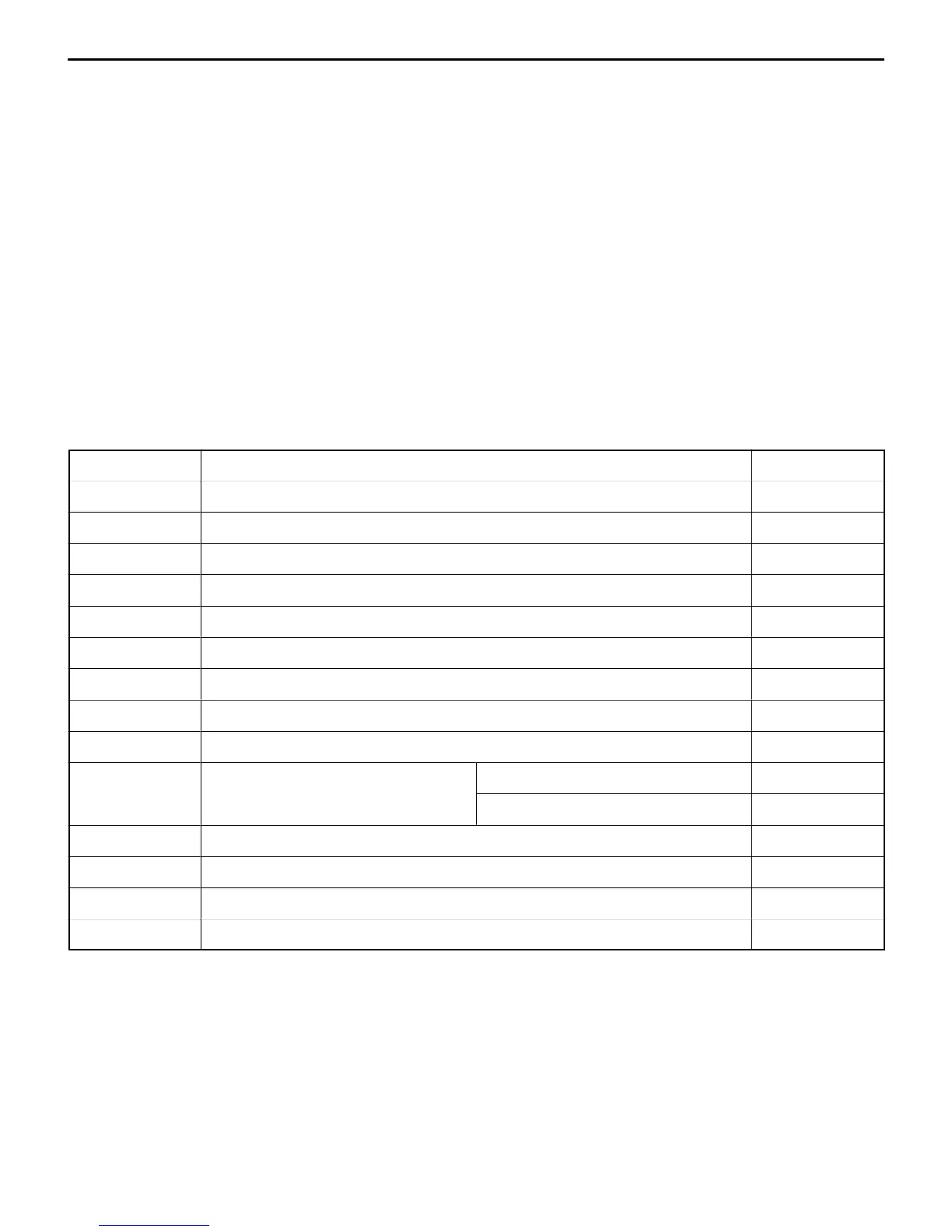
INSPECTION CHART FOR DIAGNOSIS CODES
Inspect according to the inspection chart that is appropriate for the malfunction code.
Code No. Diagnosis item Reference page
14 Analog G-sensor system in the SRS-ECU 52B-7
15,16 Safing G-sensor system in the SRS-ECU 52B-7
21, 22, 61, 62 Driver’s side air bag module (squib) system 52B-8
24, 25, 64, 65 Front passenger’s side air bag module (squib) system 52B-9
31, 32 SRS-ECU capacitor system 52B-9
34* Connector lock system 52B-10
35 SRS-ECU (deployed air bag) system 52B-10
41* IG
1
(A) power circuit system 52B-10
42* IG
1
(B) power circuit system 52B-11
43 SRS warning lamp drive circuit
Lamp does not illuminate.* 52B-12
sys
em
Lamp does not switch off. 52B-12
44 SRS warning lamp drive circuit system 52B-13
45 SRS-ECU non-volatile memory (EEPROM) and A/D converter system 52B-13
51, 52 Driver’s side air bag module (squib ignition drive circuit) system 52B-13
54, 55 Front passenger’s side air bag module (squib ignition drive circuit) system 52B-13
NOTE
(1) *: If the vehicle condition returns to normal, the diagnosis code will be automatically erased, and the SRS warning
lamp will return to normal.
(2) If the vehicle has a discharged battery it will store the fault codes 41 or 42. When these diagnosis codes are
displayed, check the battery.


 To Next Page