FlexStation 3 Benchtop Multi-Mode Microplate Reader User Guide
102 0112-0127 B
Viewing Experiment Progress
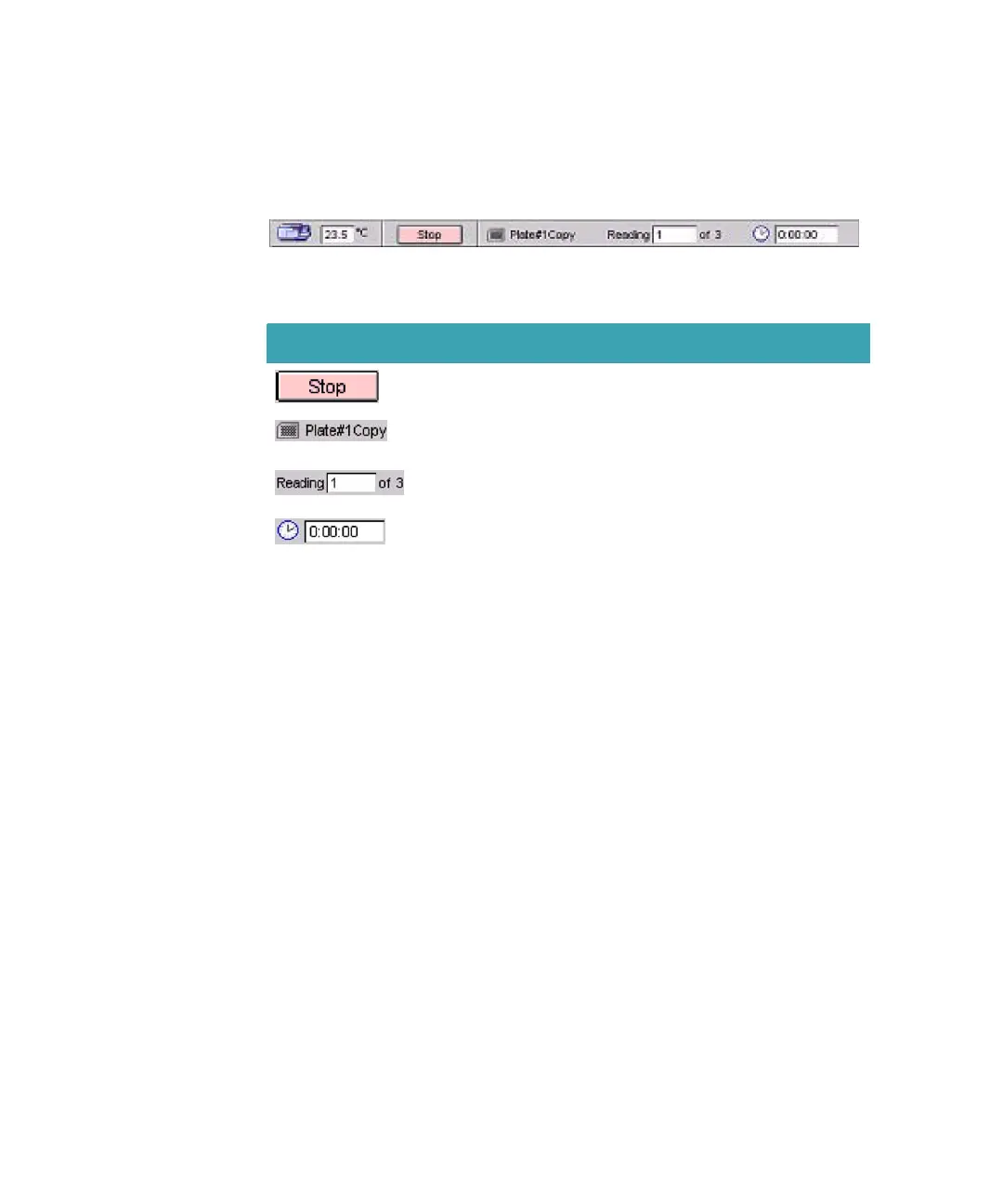
During the read, the Status bar displays information about the current
reading.
Figure 3-35: The SoftMax Pro Software Status Bar During a Read
Data Display
You can observe the gradual accumulation of data in the Plate section of
the SoftMax Pro Software window. The values read by the instrument
appear in the data display of the Plate section as they are received from
the instrument to the software in real time.
For information about how to change the data display, see the SoftMax
Pro User Guide.
Table 3-3: Status Bar Reading Information
Item Description
The Read button changes to Stop. Clicking the Stop button
halts the reading.
The plate name and icon appear to indicate which Plate
section is currently being read.
The Reading field displays the portion of the read that is
currently under way.
The time display shows the amount of time elapsed since
the beginning of the read.
FlexStation_manual.book Page 102 Tuesday, June 25, 2013 10:22 AM


 To Next Page