FlexStation 3 Benchtop Multi-Mode Microplate Reader User Guide
124 0112-0127 B
Required Tools
• Hex keys: 3/32 inch, 9/64 inch, and 5/32 inch
• #2 Phillips screwdriver
To replace the flash lamp:
1. Turn off the instrument power switch and unplug the power cord
and the computer cable from the rear of the instrument.
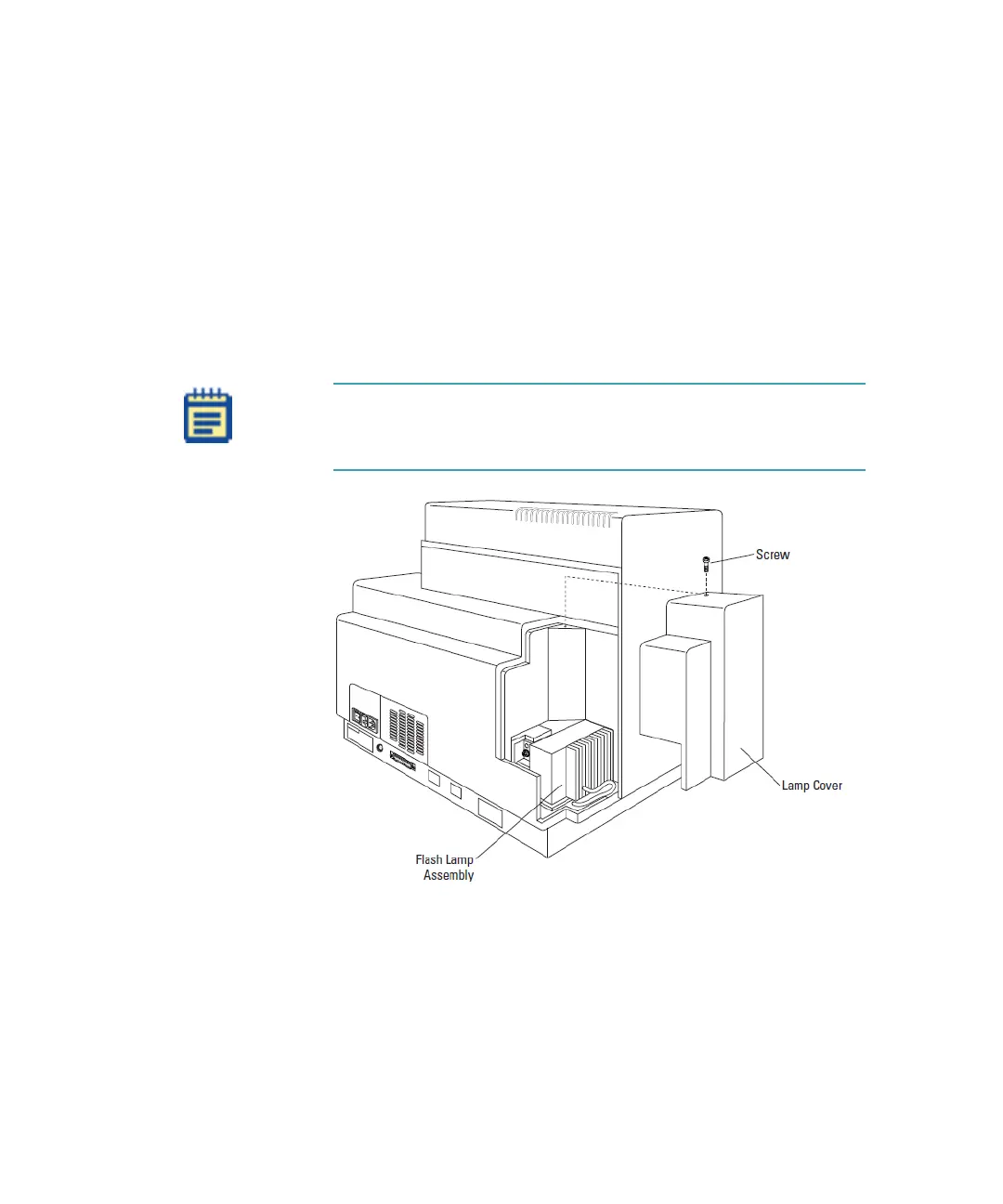
2. Remove the Phillips head screw on the top of the cover and lift
the cover off vertically.
3. Set the cover aside, and keep track of the screw.
Figure 4-8: Removing the Lamp Cover
Note: An interlock switch, held closed by the lamp cover,
interrupts power to the flash lamp automatically when the cover
is removed.
FlexStation_manual.book Page 124 Tuesday, June 25, 2013 10:22 AM


 To Next Page