Moneris® Go Plus: Using Your Terminal 14
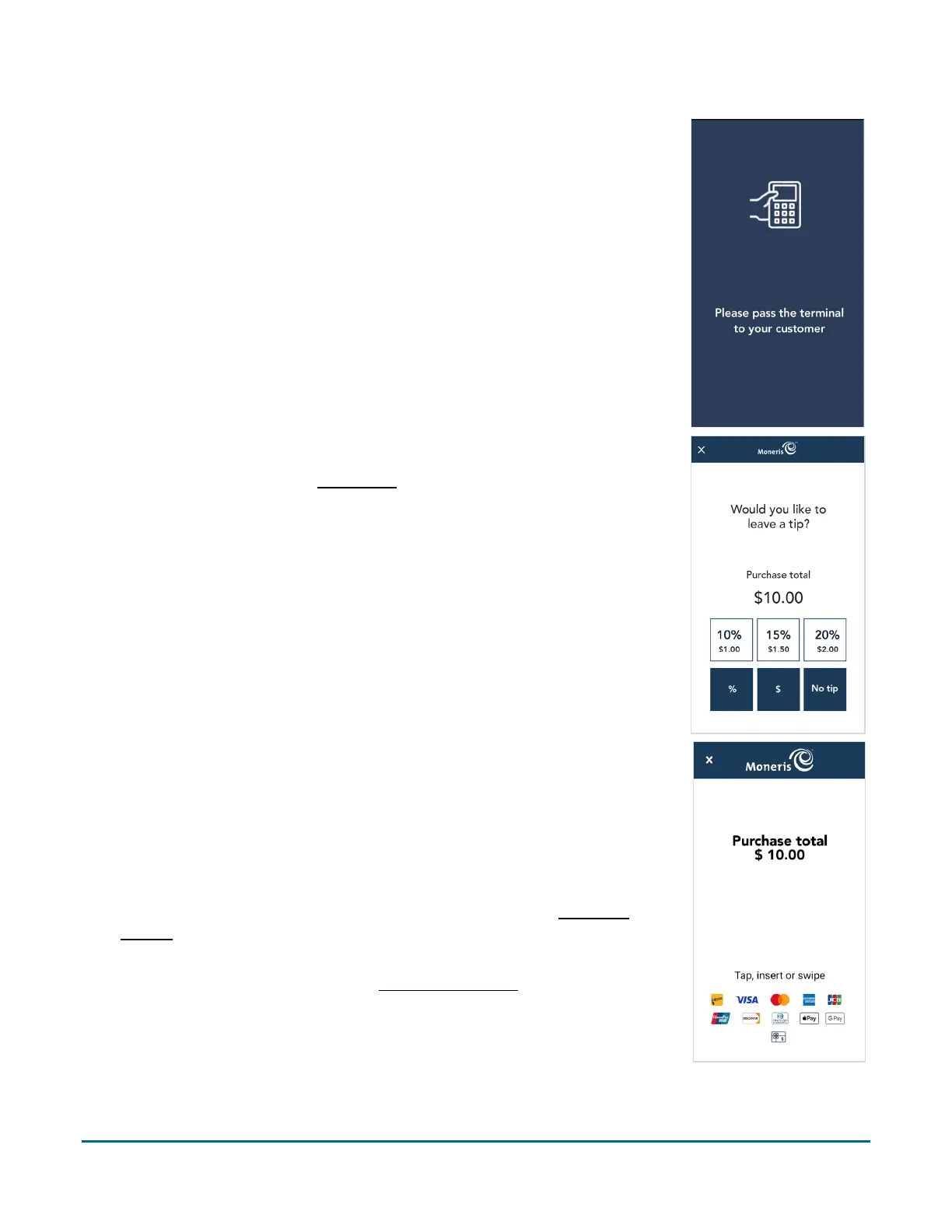
4. Pass the terminal to your customer so they can respond to the customer
prompts.
5. If tip entry is turned on, the customer enters a tip (or no tip).
To enable tip entry, refer to Tip settings
(page 54).
6. The Purchase total screen appears, showing:
The total sale, including the tip (if any);
The “Tap, insert or swipe” prompt;
The cards (for example, Interac, Visa) and mobile wallets (for example,
Apple Pay) you accept.
7. The customer enters their card on the terminal. Depending on the type of
card, they can tap, insert, or swipe it. For more information on
card entry
options (page 11).
Additional prompts may appear such as cashback and surcharge if
these options are enabled under Transaction settings
(page 55).



 To Next Page