Moneris® Go Plus: Using Your Terminal 32
Refund
A refund credits a customer's account in relation to a specific purchase transaction. You can also refund a cash
purchase. You can refund the whole amount of a purchase transaction or a portion of the amount. Refunds are
processed through the Report screen. (To process an Independent refund
(page 36))
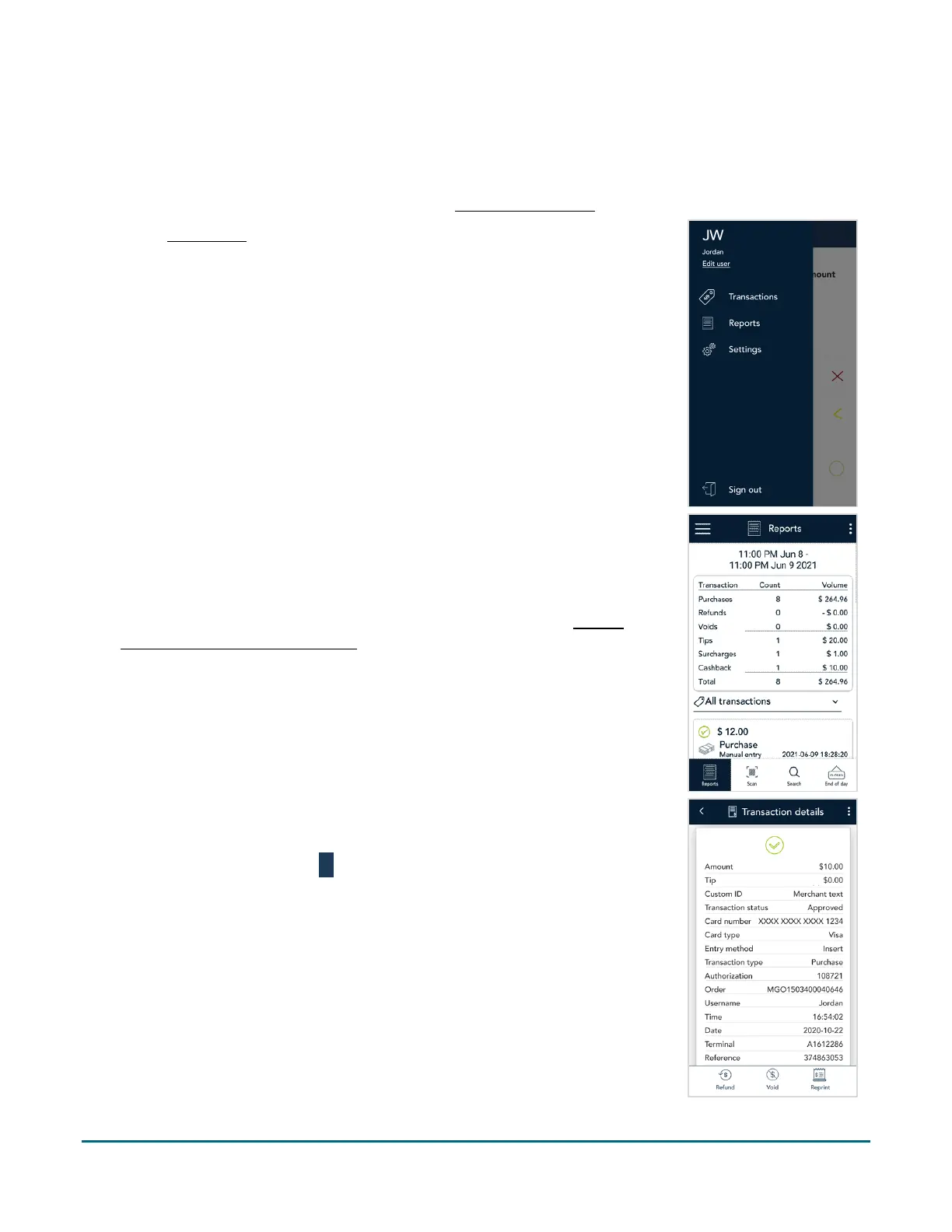
1. At the Main menu, tap Reports.
2. Tap the transaction you want to refund. If needed, tap the All
transactions dropdown menu and select the type of transaction you are
searching for.
You can also tap Scan to scan the QR code from a receipt or tap Search to
look for the transaction to be refunded. For instructions, refer to
Finding
a transaction using Scan or Search (page 51).
3. The transaction details appear.
Verify this is the right transaction, then tap Refund.
Otherwise, tap the Back
icon in the title bar to go back to the
previous screen.



 To Next Page