Moneris® Go Plus: Using Your Terminal 24
Pre-authorization
Perform a credit card pre-authorization when the final purchase amount is unknown, for example, when the
customer is renting a vehicle or staying at a hotel.
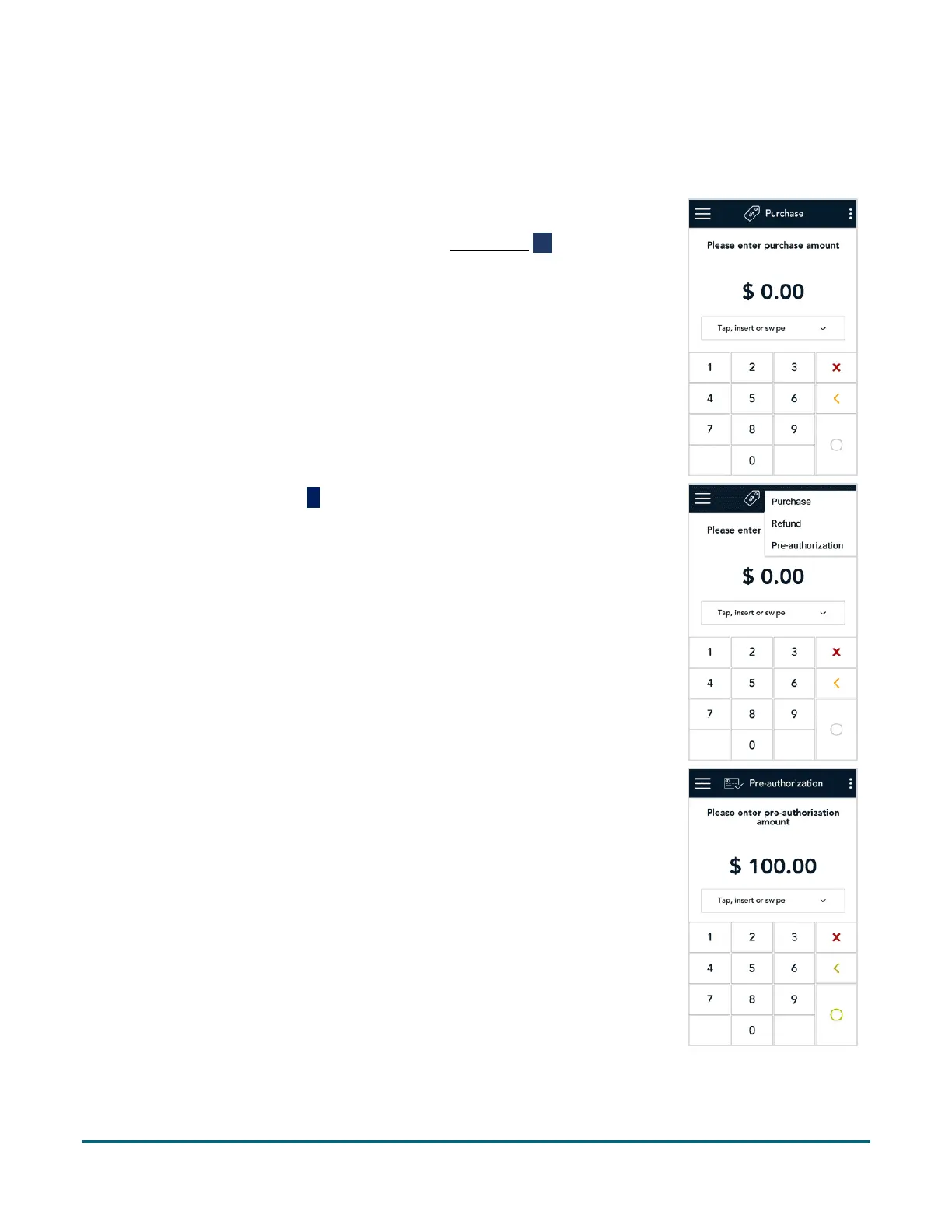
1. Start at the Purchase screen. This is the default transaction.
If your terminal is at a different screen, tap the Main menu ≡ icon, then
tap Transactions.
2. Tap the additional options
icon and select Pre-authorization.
The title of the screen changes from Purchase to Pre-authorization.
3. Use the on-screen numeric keypad to enter the amount you want to pre-
authorize, then tap the OK
key



 To Next Page