Moneris® Go Plus: Using Your Terminal 55
Transaction settings
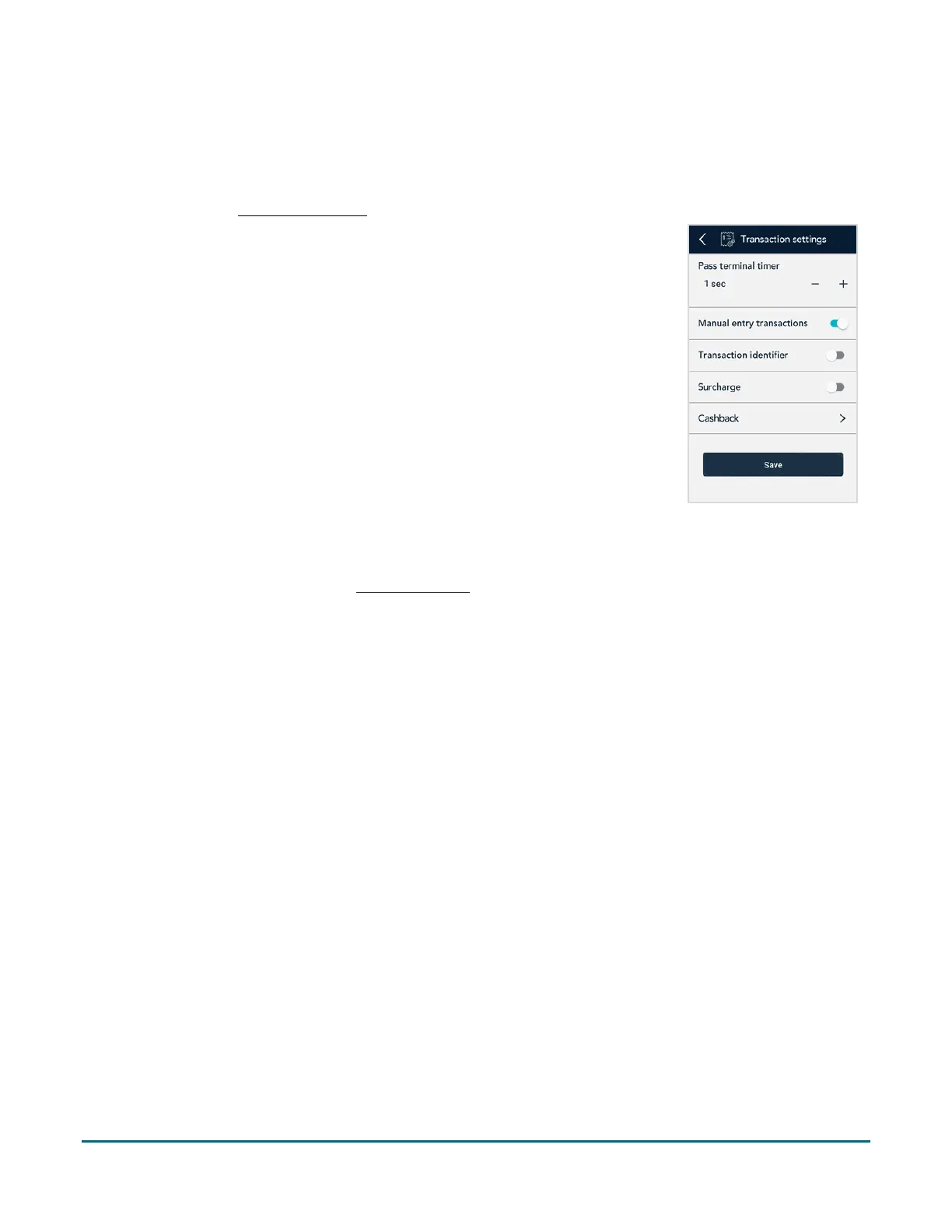
Use this screen to manage settings related to transaction options.
Note: Looking to enable cash transactions or independent refunds? Access to specific transactions is controlled
by user roles. Refer to User management
(page 56) if needed.
1. On the Settings menu, tap Transactions.
The Transaction settings screen appears.
2. Change each transaction setting as needed.
Pass terminal timer: When a customer response is needed, the application
displays the “Please pass the terminal to your customer” screen for 1 second.
Tap the minus sign or plus sign to change this time period.
Manual entry transactions: This setting allows you to manually enter a
payment card number for purchases where the card is not present (CNP), such
as email and telephone orders.
Transaction identifier: Enable this setting to create a custom field which you
can use to capture specific information during your transactions. Once you tap
the toggle, a field appears showing “Custom ID”. Replace “Custom ID” with a
name for the type of information you want to record during each transaction.
For example, Invoice # or Customer name.
Note: The transaction information you enter in this field on the terminal will
appear in the Customer ID field in Merchant Direct
.
Surcharge: Enable this setting to charge your customers a fee for Interac debit
transactions. Once you tap the toggle, a field appears for you to enter the
amount of the surcharge.
Cashback: Enable this feature to offer customers cash back on debit card
purchases (Interac, Debit Mastercard, and Visa Debit). To enable Cashback, tap
the toggle. The other settings will appear.



 To Next Page