Moneris® Go Plus: Using Your Terminal 13
Purchase
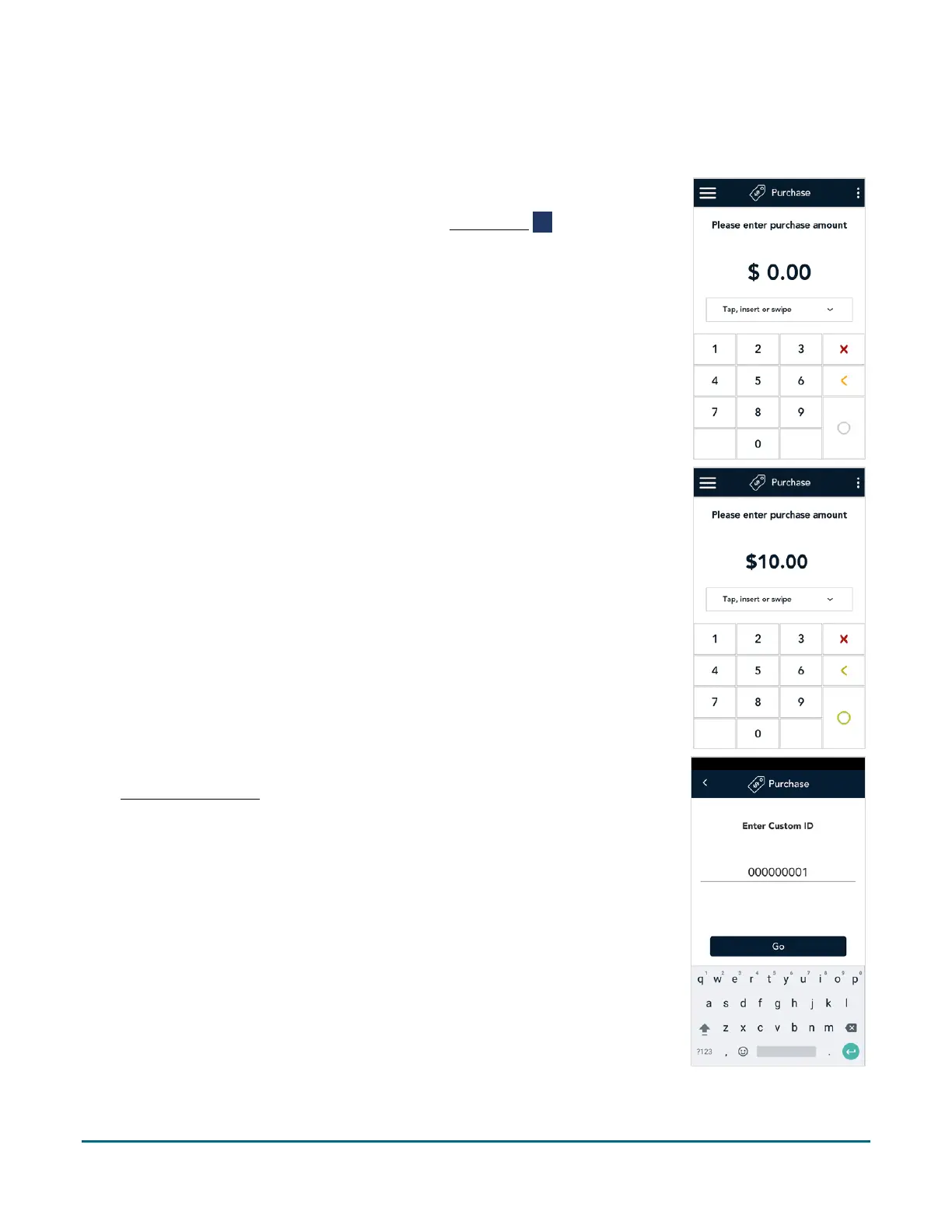
Follow these steps to process a Purchase transaction using a debit or credit card.
1. Start at the Purchase screen. This is the default transaction.
If your terminal is at a different screen, tap the Main menu ≡ icon, then
tap Transactions.
2. Use the on-screen numeric keypad to enter the purchase amount, then tap
the OK
key.
3. The transaction identifier prompt appears only if enabled under
Transaction settings
(page 55). The label “Custom ID” will be replaced by
your customized label (for example, Customer number).
Tap the field, enter a value using the on-screen keyboard, then tap Go
To bypass the prompt, tap Go without entering a value.



 To Next Page