Moneris® Go Plus: Using Your Terminal 54
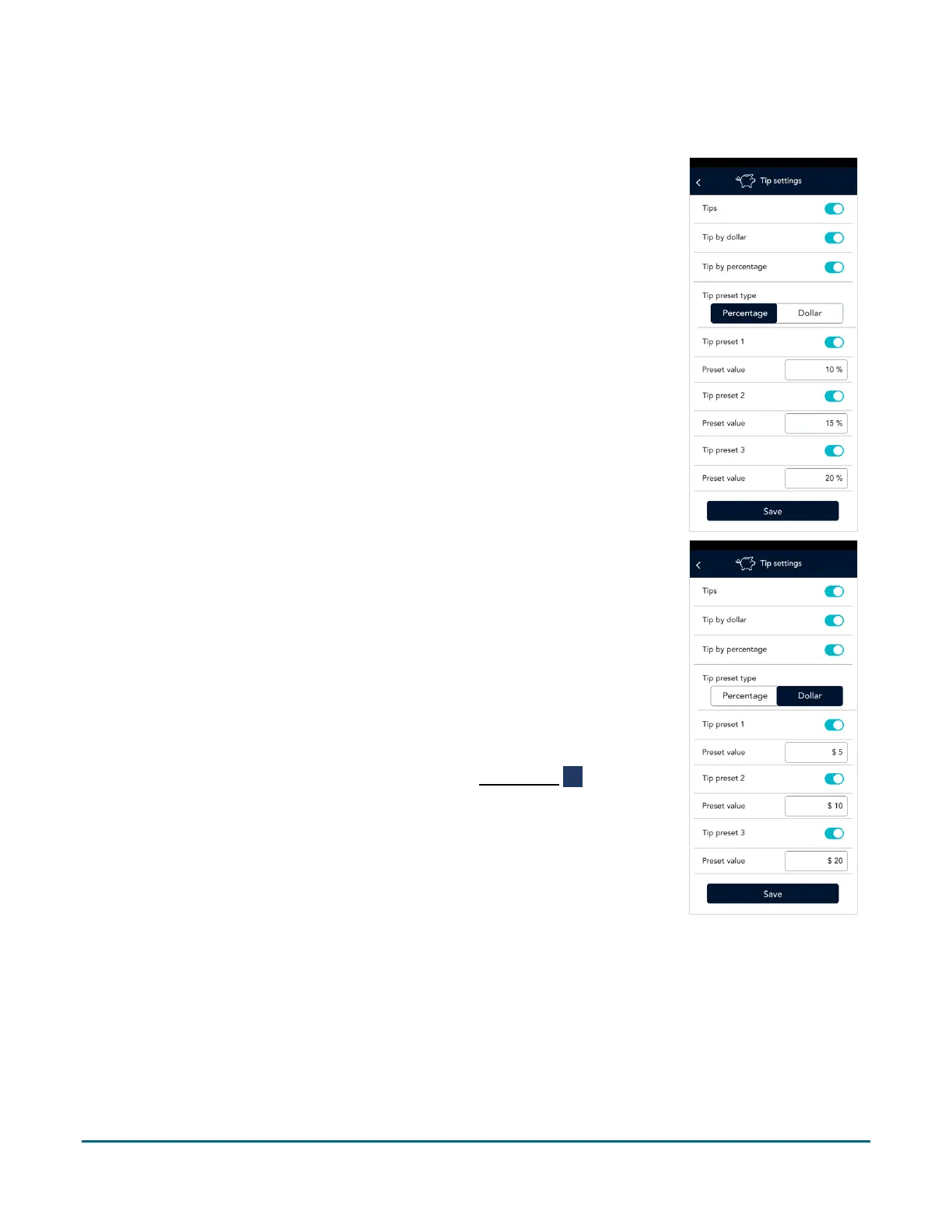
Tip settings
Change your tip settings as needed.
1. On the Settings menu, tap Tips.
The Tip settings screen appears.
2. Tap each toggle to enable or disable the setting.
Tips: Enable this setting to prompt customers to leave a tip. Once you enable
Tip Support the tip options will appear.
Tip by dollar: Enable this setting to allow customers to enter a tip as a dollar
amount.
Tip by percentage: Enable this setting to allow customers to enter a tip as a
percentage of the total amount.
Tip preset type: Decide if you want your preset tips to be fixed dollar values or
percentages of the purchase total, then tap Dollar or Percentage as required.
Depending on your choice, enter dollar amounts (no cents) or percentages for
the pre-set tips below.
Tip Preset 1: Enable this setting to allow customers to enter a pre-set tip. Tap
the Preset Value field and enter a percentage or a dollar amount depending
on your tip preset type above. Tap the checkmark.
Tip Preset 2: Enable this setting to allow customers to enter a pre-set tip. Tap
the Preset Value field and enter a percentage or a dollar amount depending
on your tip preset type above. Tap the checkmark.
Tip Preset 3: Enable this setting to allow customers to enter a pre-set tip. Tap
the Preset Value field and enter a percentage or a dollar amount depending
on your tip preset type above. Tap the checkmark.
3. When you are finished with the tip settings, tap Save.
The application returns to the Settings menu.
4. To return to the default transaction screen, tap the Main menu ≡ icon, then
tap Transactions.



 To Next Page