Moneris® Go Plus: Using Your Terminal 28
Pre-authorization – Completion or void
Choose which transaction you wish to process:
Completion: Complete a pre-authorization when the final purchase amount is known, for example, at the
end of a hotel stay or when a rental car is returned.
Void: Void a pre-authorization to cancel the transaction and to release the funds.
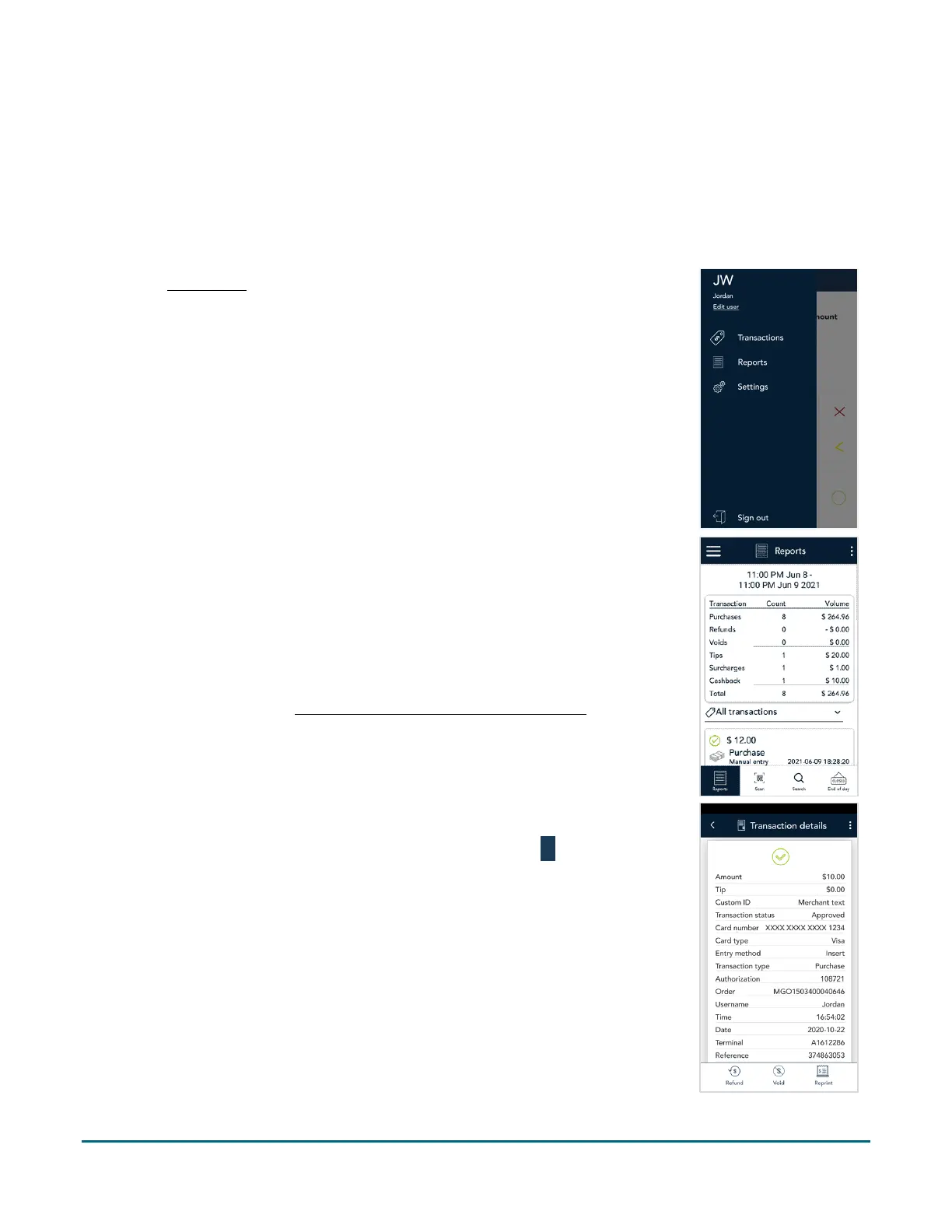
1. At the Main menu
, tap Reports.
2. The Reports screen shows all transactions ordered by date. Tap the pre-
authorization you want to complete or void.
If needed, tap the All transactions dropdown menu and select
Pre-authorizations to see pre-authorization transactions processed in
the last 30 days.
You can also tap Scan to scan the QR code from a receipt or tap
Search to look for the pre-authorization to be completed. For
instructions, refer to Finding a transaction using Scan or Search
(page
51).
3. The transaction details screen appears.
Verify this is the right pre-authorization. To go back, tap
.
To complete the pre-auth, tap Complete, and proceed to step 4.
To void the pre-auth, tap Void, then tap OK on the confirmation
screen. Proceed to step 8 (Processing, please wait).



 To Next Page