Moneris® Go Plus: Using Your Terminal 29
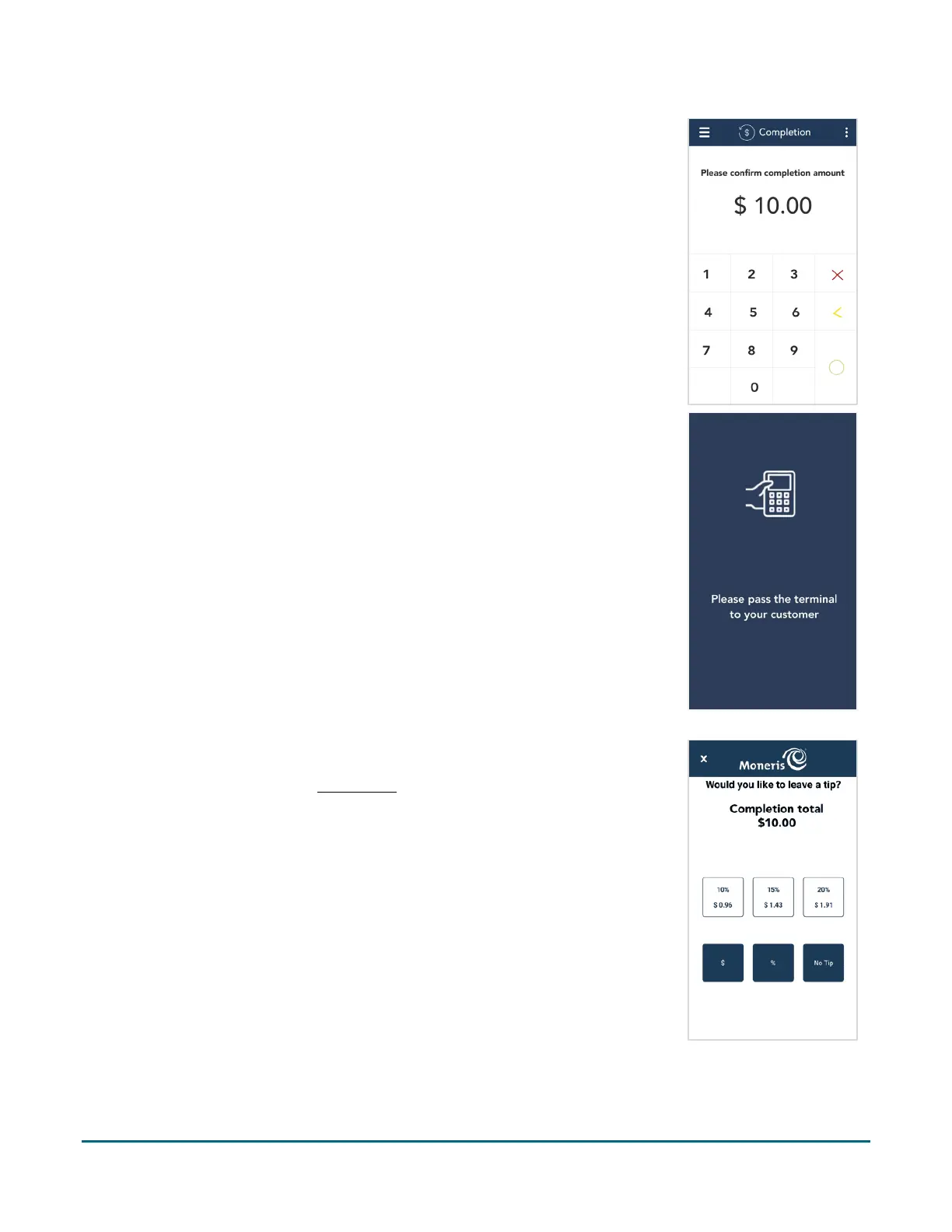
4. The “Completion” screen appears showing the original pre-authorization
amount.
To change the completion amount, tap the Delete < key to delete the
full amount, then enter the final amount to charge to the customer’s
card.
5. Tap the OK
key to continue.
6. Pass the terminal to your customer so they can respond to the customer
prompts.
7. If tip entry is turned on, the customer enters a tip (or no tip).
To enable tip entry, refer to Tip settings
(page 54).



 To Next Page