Moneris® Go Plus: Using Your Terminal 36
Independent refund
An independent refund credits a customer’s account, or refunds cash, without being linked to a purchase or any
other transaction.
Note: “Independent refund” must be enabled in your user role (usually Admin or High) in order to perform this
transaction. Refer to User roles
(page 58).
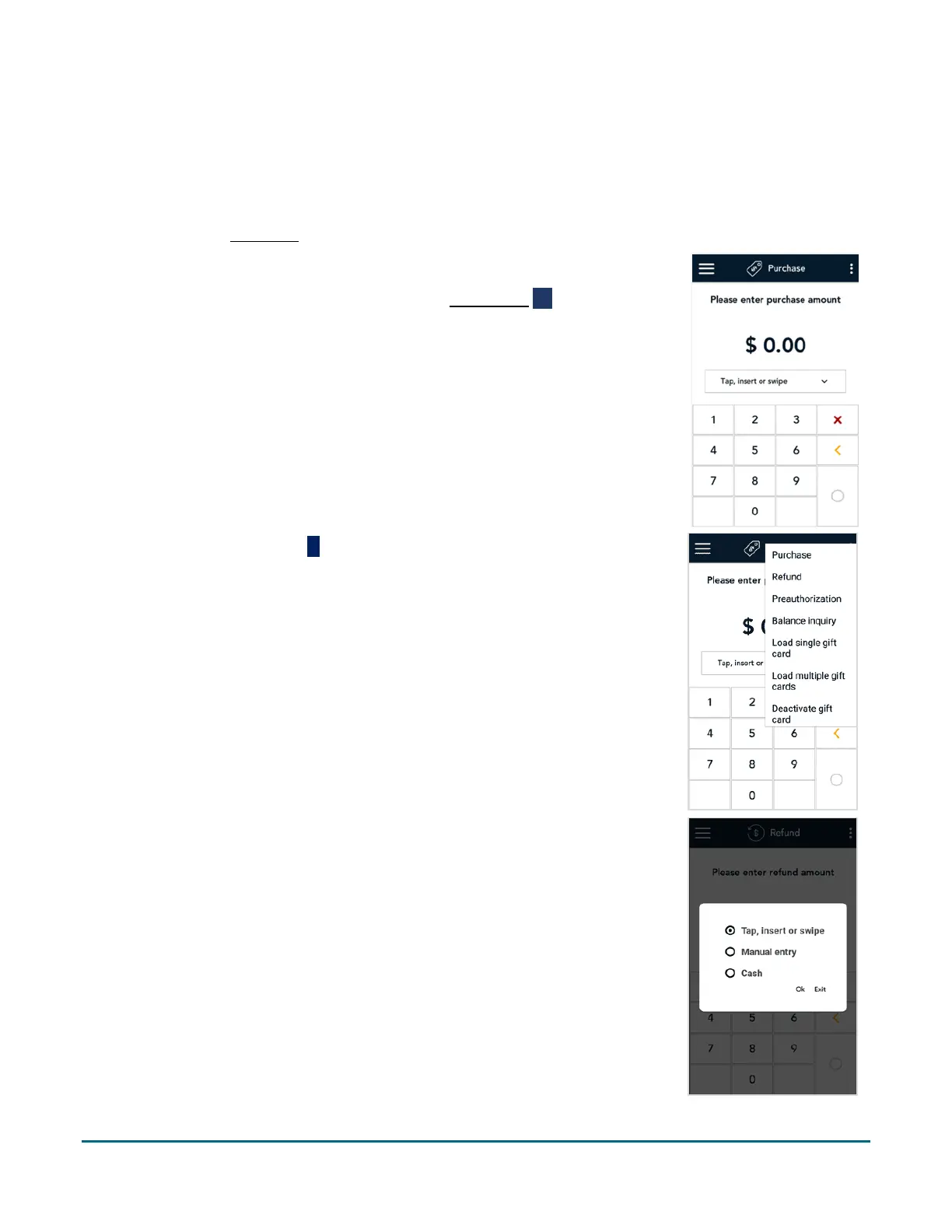
1. Start at the Purchase screen. This is the default transaction.
If your terminal is at a different screen, tap the Main menu ≡ icon, then
tap Transactions.
2. Tap the additional options
icon and select Refund.
The title of the screen changes from Purchase to Refund.
3. If this is a cash independent refund, tap the card entry field (Tap, insert
or swipe), tap Cash, and then tap Ok.



 To Next Page