– 40 –
Surface Burner Pan
The following procedure describes the removal of
the left-side surface burner pan. The procedure to
remove the right-side burner pan is similar.
Note: On the 36-in. six surface burner range, the
pan is one piece and will require the removal of one
side panel. (See
Side Access Panel.) Then follow steps
#1, #2, #4, and #5 to remove the burner pan from
under the remaining side panel.
To remove the left-side surface burner pan:
1. Place the control panel in the service position.
(See Control Panel.)
2. Remove the burner bases from the pan. (See
Surface Burner Base.)
3. Remove the adjacent grill/griddle. (See Grill
Assembly or Griddle Assembly.)
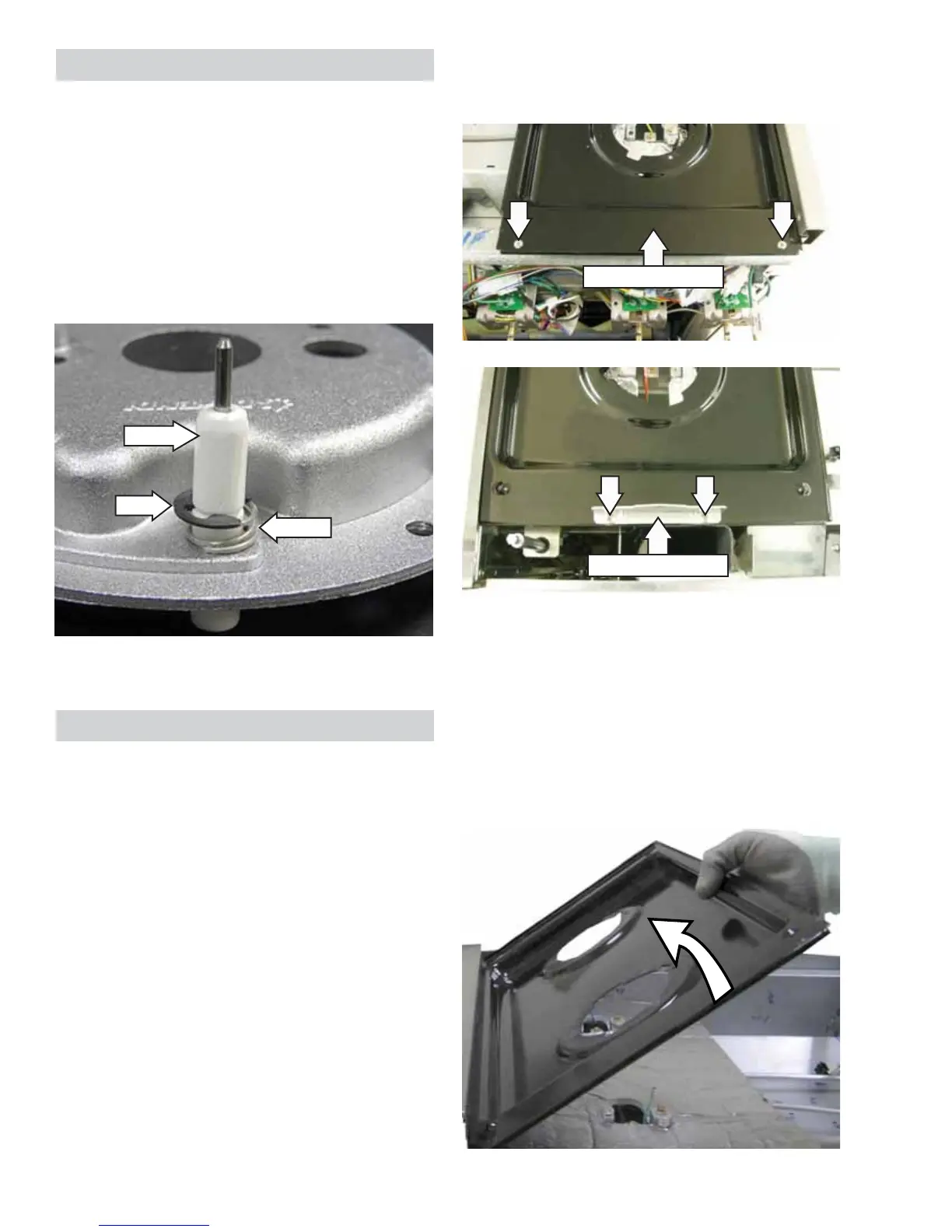
Clip
Spring
Surface Burner Igniter
Note: The following describes the procedure to
remove a single igniter. The procedure to remove the
remaining igniters is identical.
To remove the igniter:
1. Remove the burner base. (See Surface Burner
Base.)
2. Use a small needle-nose pliers and remove the
clip and spring from the igniter.
3. Pull out the igniter from the burner base.
Igniter
5. Lift and tilt the right side of the burner pan, then
carefully slide it out from under the left-side
panel.
Caution: The burner pan has a lip that is captured
under the left-side panel. To prevent scratching or
chipping the pan, use extreme care when removing
or installing the burner pan.
Front of Burner Pan
Rear of Burner Pan
4. Remove the two Phillips-head screws in the front
and 2 Phillips-head screws in the back attaching
the burner pan.


 To Next Page