– 46 –
Indicator Light Assembly
Each surface unit (surface burner, grill, and griddle),
utilizes an indicator light consisting of a circuit board
with an attached Light Emitting Diode (LED). When
a surface unit knob is turned to the ON position, the
circuit board activates the LED, and light is directed to
the indicator lens of that surface unit's bezel.
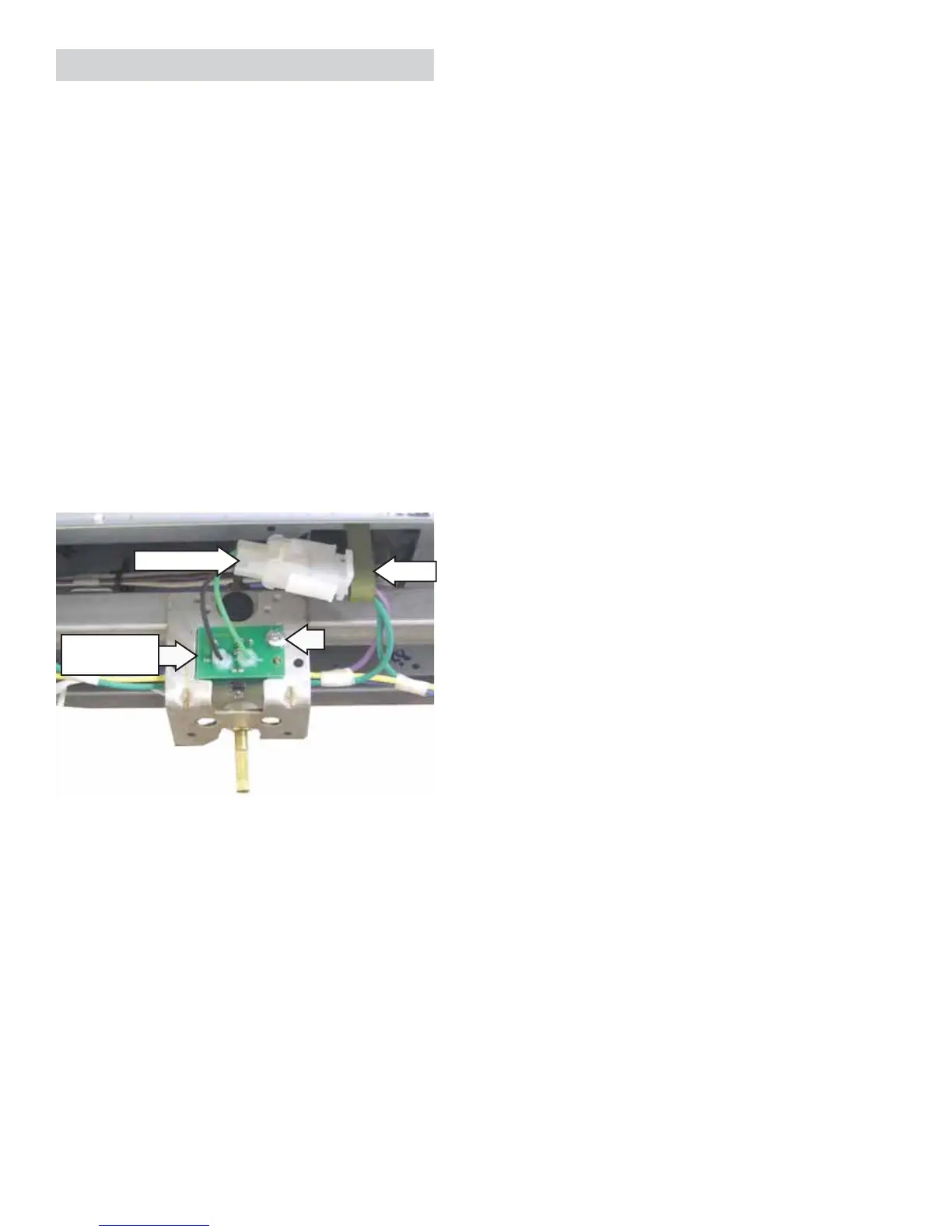
Each light assembly is attached to a manifold valve
bracket and connected to the valve switch wiring
harness. Each light assembly can be replaced
separately.
To remove the indicator light assembly:
1. Place the control panel in the service position.
(See Control Panel.)
2. Disconnect the LED wire harness.
3. Remove the Phillips-head screw that attaches
the LED to the valve bracket.
Disconnect
Clip
Indicator Light
Assembly


 To Next Page