– 48 –
Cooling Fan
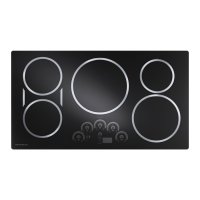
The cooling fan is attached to the back of the oven
with two 1/4-in. screws. The fan vents through the
rear grill. On double oven models, each oven has its
own independent fan that runs only when that oven
is on. To replace the fan, it is necessary to remove
the range from its installation and remove the back
panel. (See Installation, Back Panel.)
• In all cooking modes, the fan will not start to
operate until the oven temperature reaches
200°F.
• The fan operates immediately at high speed in
self-clean as soon as the door is locked.
• The fan will run for a maximum of 85 minutes
after any cycle (cooking or cleaning) or until the
sensor reaches 350°F, whichever comes fi rst.
• In all cooking modes, the fan always runs in
low speed. It will only run in high speed in the
unlikely event the oven exceeds 600°F in a
cooking mode.
Main oven fan characteristics:
• High speed = 3050 RPM +/- 100
• Resistance is 13.3 Ω measured through the
black and white wires
• Low speed = 1525 RPM +/- 175
• Resistance is 21.3 Ω through the red and white
wires
Companion oven fan characteristics:
• High speed – 2700 RPM +/- 150
• Resistance is 22.5 Ω measured through the
black and white wires
• Low speed – 2225 RPM +/- 175
• Resistance is 26.1 Ω through the red and white
wires
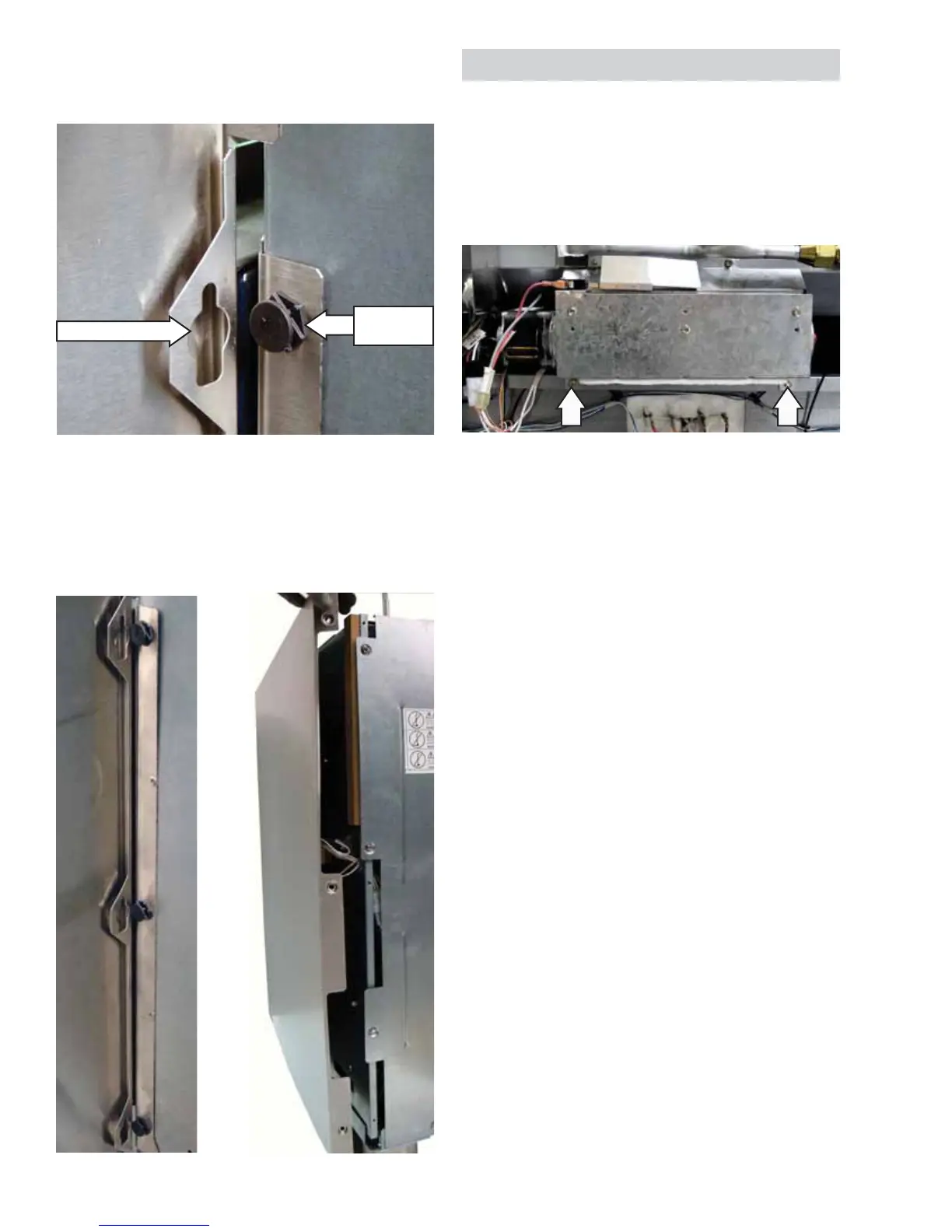
Note: The side panel is held to the front side of the
range with 3 keyslots inside the panel that engage 3
plastic pins on the range.
View Inside Panel
Panel Moved Out
5. Move the rear of the side panel out
approximately 2 inches from the range.
6. Lift the panel approximately 3/4 inch to
disengage the panel from the 3 plastic pins.
Keyslot (1 of 3)
Plastic Pin
(1 of 3)
(Continued next page)


 To Next Page