– 74 –
Diagnostics and Service Information
Factory Test Mode
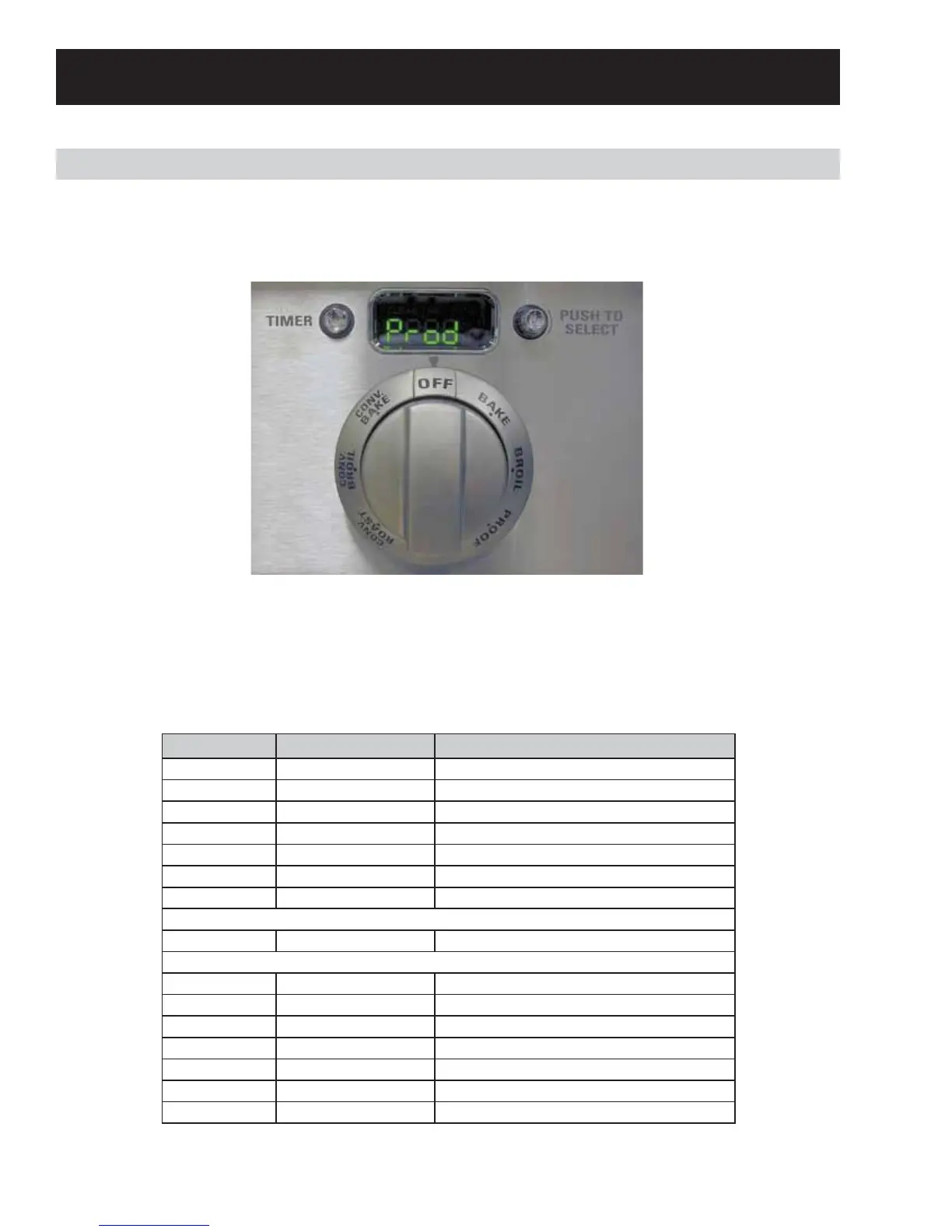
The Factory Test Mode can be accessed within the fi rst 2 minutes of power up, before any other selections
are made. Press and hold the PUSH TO SELECT knob for approximately 3 seconds within the fi rst 2 minutes.
The display will show “Prod”. The options for Factory Test are cycled through by pressing the TIMER button.
(See table below.)
Note: To exit the Factory Test mode, hold the PUSH TO SELECT knob for 3 seconds.
(Continued Next Page)
Step Sequence Action
0 0.0 seconds Wait
1 1 second Turn on Cooling Fan High
2 7 seconds Turn on Cooling Fan Low
3 10 seconds Turn on Convection Fan CCW
4 13 seconds Turn on Convection Fan CW
5 16 seconds Turn on Oven light
6 19 seconds Turn off Oven Light
If Single Oven
7a 24 seconds Sound System Beep
If Double Oven
7b 24 seconds Turn on Cooling Fan High
8 28 seconds Turn on Cooling Fan Low
9 31 seconds Turn on Convection Fan CCW
10 34 seconds Turn on Convection Fan CW
11 37 seconds Turn on Oven Light 2
12 40 seconds Turn off Oven Light 2
13 42 seconds Sound System Beep
Note: The table below shows the component sequence when Factory Test mode starts. This is an End-of-Line
test and cannot be paused to test components.


 To Next Page