– 61 –
(Continued next page)
Companion Oven
To remove the companion oven bake burner:
1. Remove oven bottom cover (See
Main Oven, this
section.)
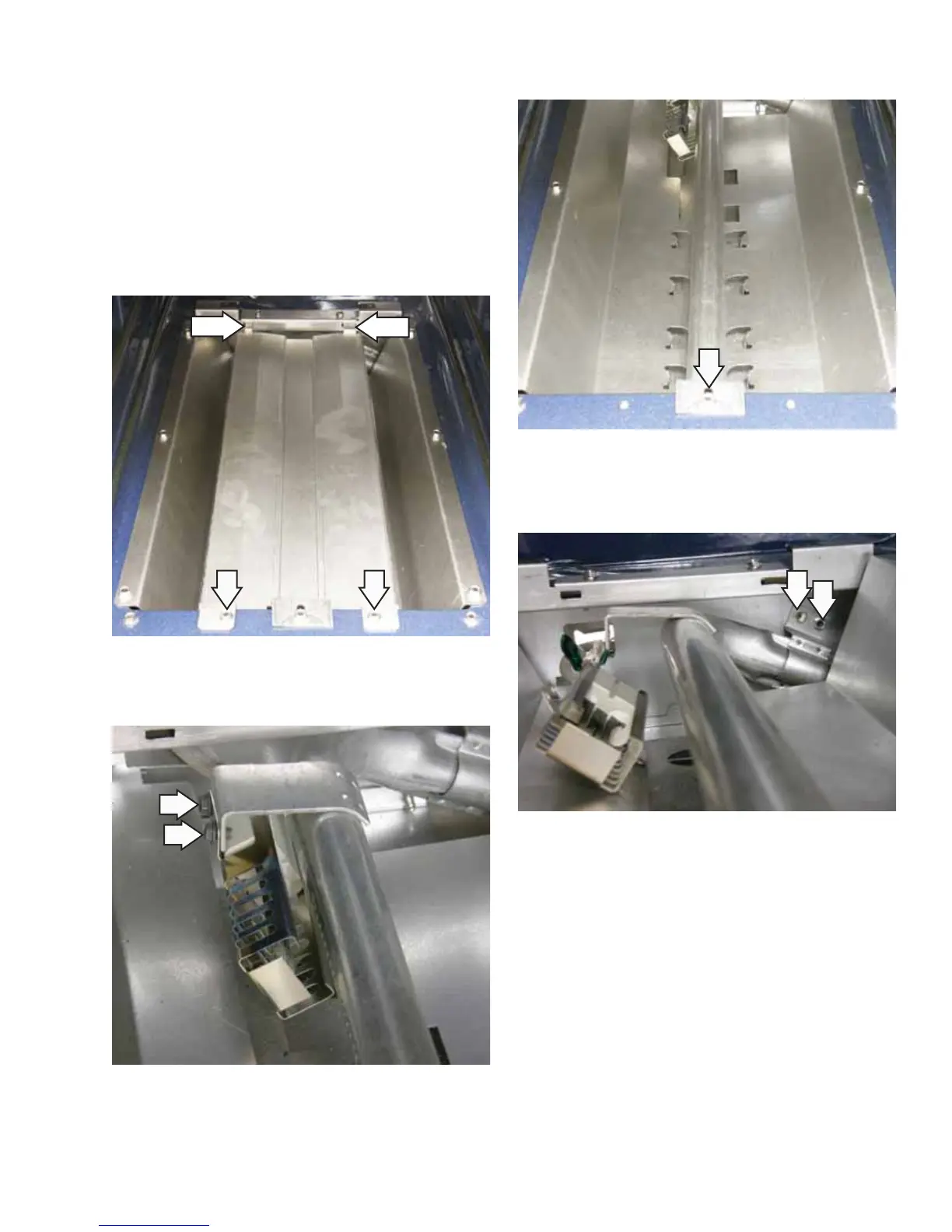
2. Remove two 1/4-in. hex-head screws from the
burner cover.
3. Slide burner cover forward to disengage tabs at
rear of cover and remove.
4. Remove the two 1/4-in. hex-head screws that
secure the glowbar ignitor to the oven burner.
Tab
Tab
5. Remove one 1/4-in. hex-head screw from the
front of the oven bake burner.
6. Remove the two 1/4-in. hex-head screws from
the rear oven bake burner bracket and lift out to
remove.


 To Next Page