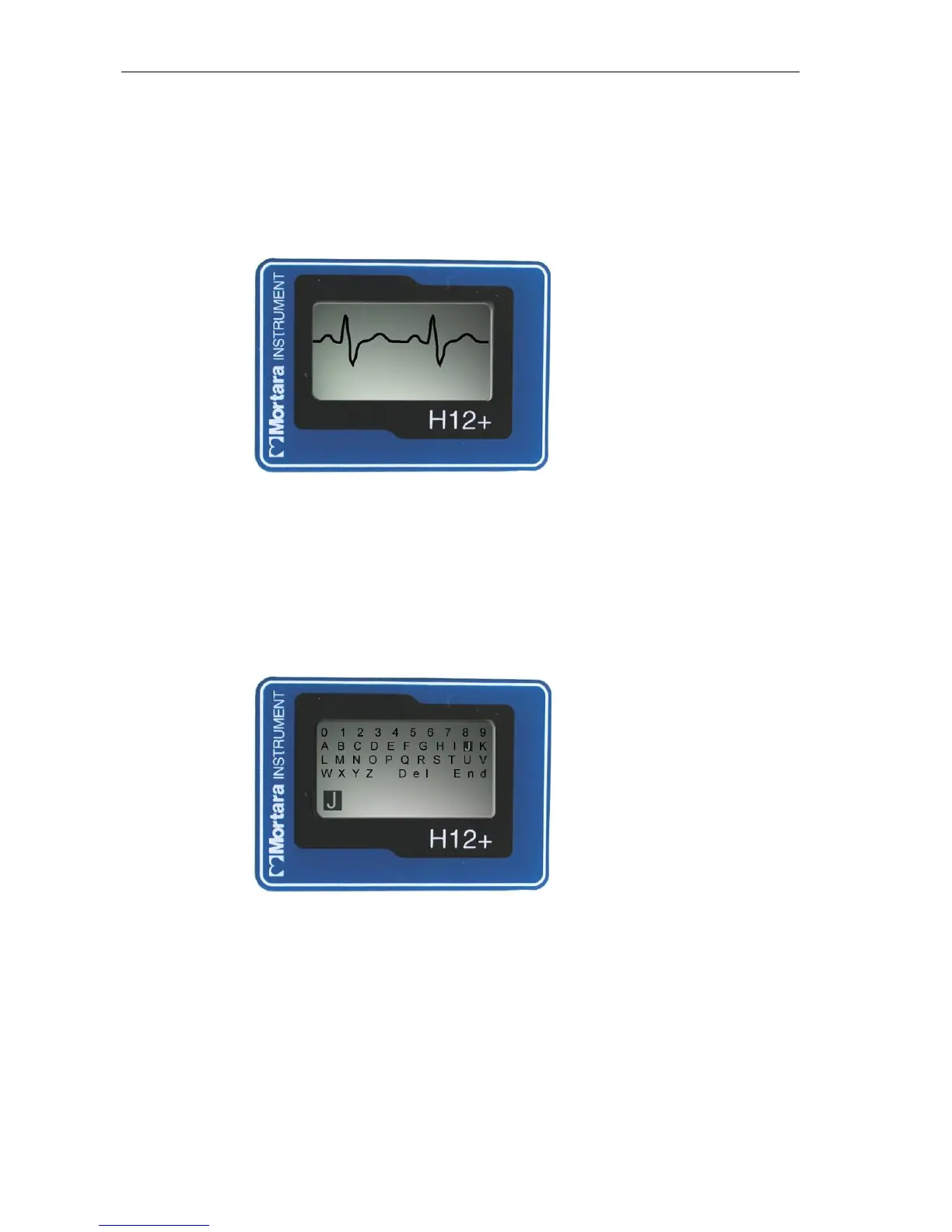
Displaying ECG Leads
DISPLAY ECG is used to visually inspect leads I, II, III, V1, V2, V3, V4, V5 and V6 before starting a recording.
Check the signal quality and lead amplitude for each lead.
From the Main menu, scroll to DISPLAY ECG using the Down or Up key. Press the Enter key to select this
option.
Lead I is the first lead displayed on the screen. Use the Down or Up key to scroll from lead to lead.
After visual verification of all leads, press the Enter key to return to the Main menu.
Entering Patient ID
ENTER ID is used to enter the patient ID in the patient record before starting a recording.
From the Main menu, scroll to ENTER ID using the Down or Up key. Press the Enter key to select this option.
To enter the patient ID, the cursor is moved to the desired letter or digit in the alphanumeric table and then selected
by pressing the Enter key. The cursor is located initially in the upper-left corner of the screen over the number ‘0’.
To move the cursor one letter or digit to the right on a line, press the Up key. When the cursor reaches the end of
the line, the cursor wraps to the beginning of the line.
To move the cursor down one line, press the Down key. If the cursor is on the bottom line, pressing the Down key
moves the cursor to the top line.
Note: When entering the patient ID, the Up key is used to move the cursor to the right. The cursor cannot be
moved in the Left or Up direction.



 To Next Page