EasyManua.ls Logo

Motion iWMC Series - Chapter 6 RS485 Communication; RS485 Wiring; RS485 Communication Parameters

Motion iWMC Series
56 pages
Print Icon
To Next Page IconTo Next Page
To Previous Page IconTo Previous Page
Loading...
Moon Control Products Ltd. Tel.: +44 (0)1202 599922 www.mooncontrolproducts.com Page | 33
Chapter 6 RS485 Communicaon
6.1 RS485 Wiring
iWMC integrated servo wheel RS485 port defaults to servo debugging port, and the protocol is RS232 format.
If you need to use the MODBUS communicaon funcon to communicate with the PLC, please modify the address of
65100C08 to 0.
When using RS485 for communicaon control with PLC, please use a CAN card to connect to the Kinco Servo+ soware
debugging servo.
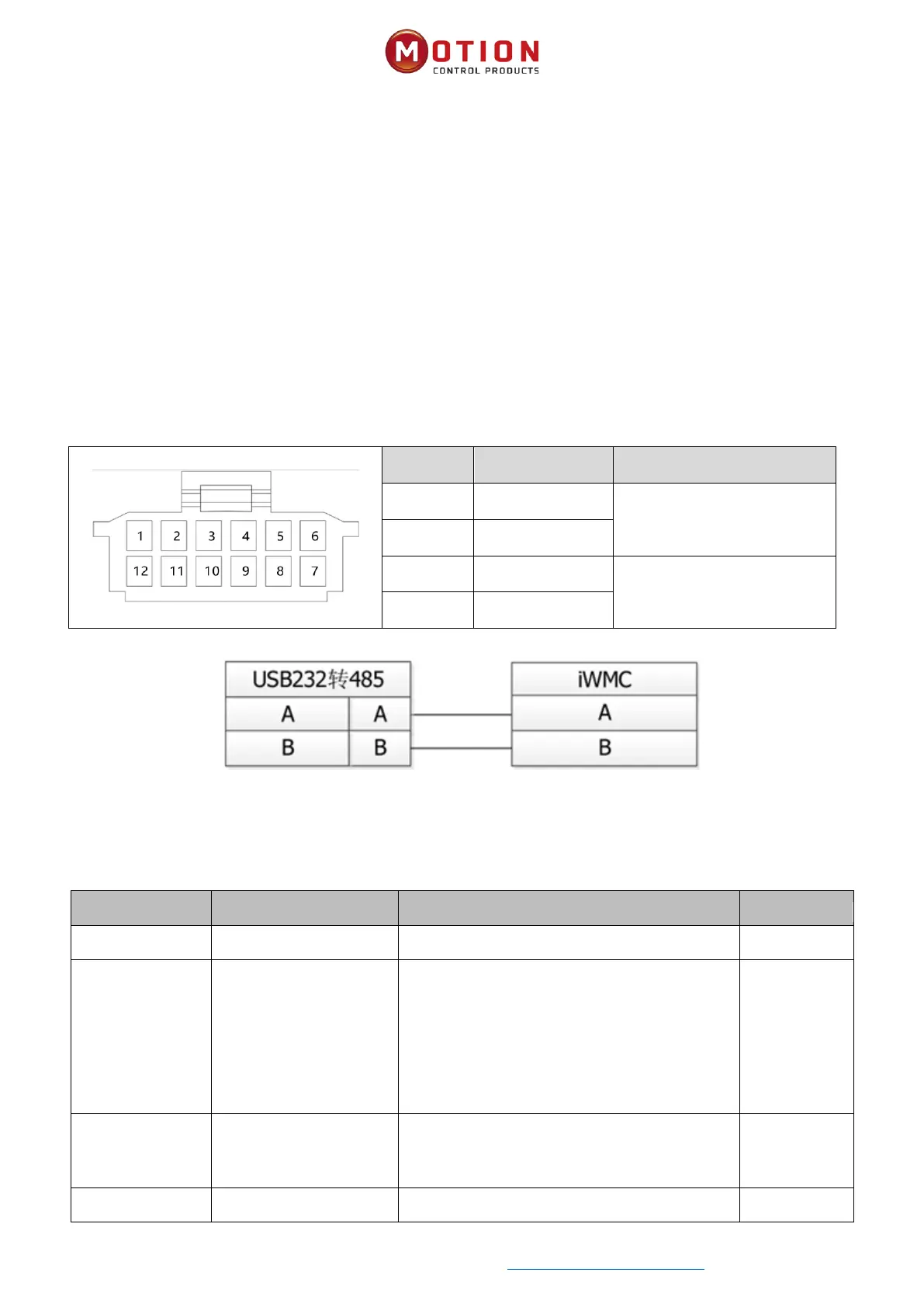
Table 6-1 RS485 Terminal descripon
Pin
Name
Pin funcon
7
485A
485IN
8
485B
9
485A
485OUT
10
485B
Diagram 6–1 RS485 diagram
6.2 RS485 Communicaon Parameters
Internal address
Parameter name
Meaning
Default value
100B0010
Device staon number
Drive staon number
1
2FE20010
RS485 baud rate
Used to set the baud rate of RS485
Seng value Baud rate
1080————9600
540————19200
270————38400
90————115200
Note: You need to save and restart.
540
65100C08
RS485 Communicaon
protocol selecon
0: Use the Modbus protocol
1: Use RS232 protocol
Note: It needs to be set to 0, save and restart.

1
65100E10
RS485 mode
Data = 8, stop = 1, no parity
Fixed value

Table of Contents