Moxa Managed Ethernet Switch (UI_2.0_FW_5.x) User Manual
Creating a New Account
Click Create, type in the user name and password, and assign an authority to the new account. Click Apply
to add the account to the Account List table.
(Max. of 30 characters)
User Name None
Password
Password for the user account.
(between 4 and 16 characters)
None
Modifying an Existing Account
Select an existing account f rom the Account List table, modif y the account details, and then click Apply to
save the changes.
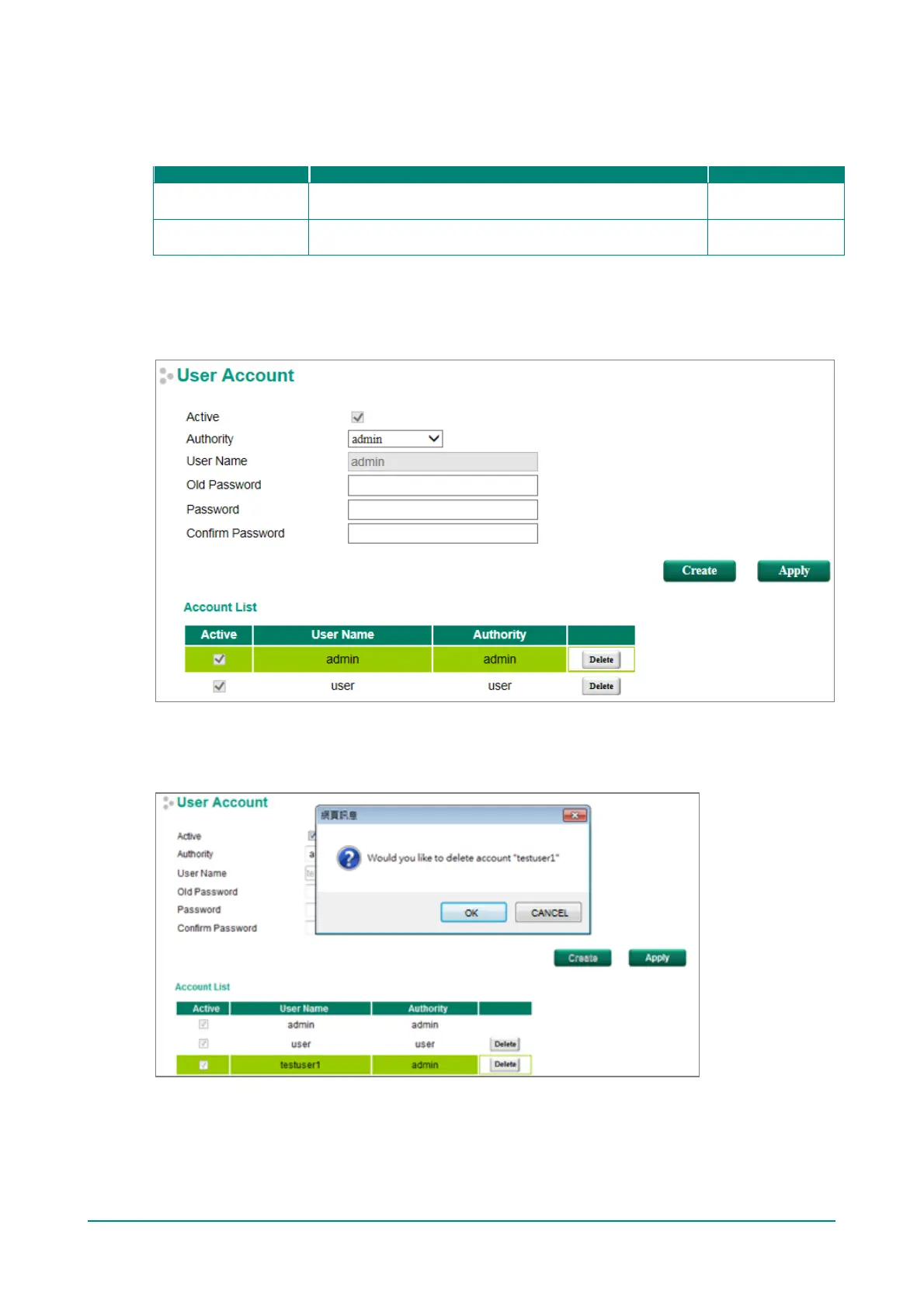
Deleting an Existing Account
Select an account f rom the Account List table and then click Delete to delete the account.


 To Next Page
 Loading...







