Moxa Managed Ethernet Switch (UI_2.0_FW_5.x) User Manual
Port Security
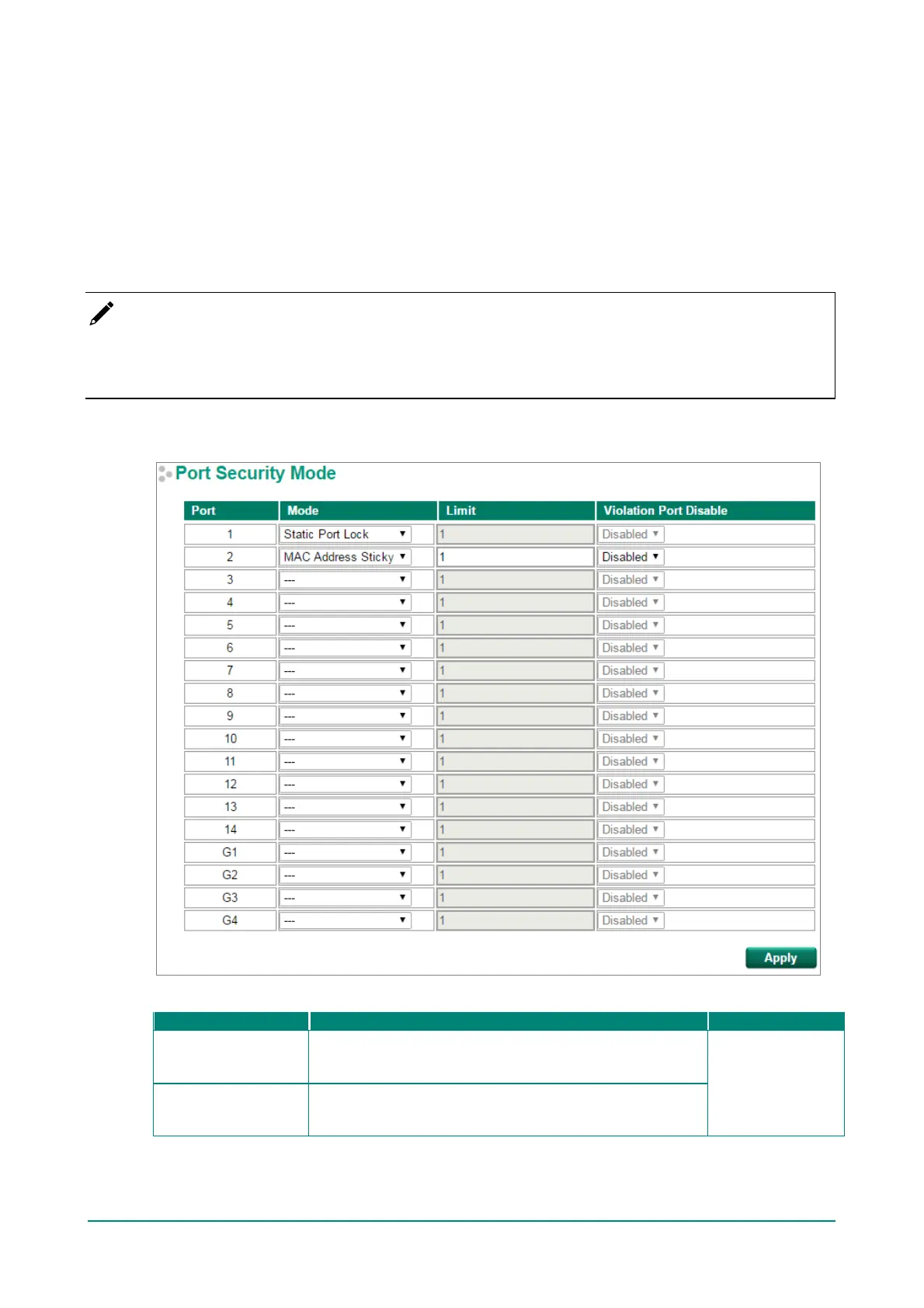
Moxa switches provide a Port Security function that lets packets with allowed MAC Addresses access the
switch’s ports. Two Port Security modes are supported: Static Port Lock and MAC Address Sticky.
Static Port Lock: Allows users to configure specific MAC addresses that are allowed to access the port.
MAC Address Sticky: Allows users to conf igure the maximum number of MAC addresses (the Limit) that a
port can “learn.” Users can conf igure what action should be taken (under Violation Port Disable) when a new
MAC address tries to access a port after the maximum number of MAC addresses have already been
learned. The total number of allowed MAC addresses cannot exceed 1024.
NOTE
The whitelist (or blacklist) of the EDS-G500E Series, including EDS-G508E Series, EDS-G512E(-8PoE)
Series, and EDS-G516E Series, cannot regulate the traf f ic from the target host through the specified port
to the CPU because of a chipset limitation.
Port Security Mode
Mode
Static Port Lock
The switch will block unauthorized MAC addresses and allow
access to packets with a MAC address def ined in the Static
Unicast MAC Address Table.
None
MAC Address Sticky
If Limit is set to n, the switch will learn the f irst n MAC
addresses that access the port, and automatically store them
in the MAC Address Control Table.


 To Next Page
 Loading...








