Moxa Managed Ethernet Switch (UI_2.0_FW_5.x) User Manual
VLAN Settings: Port-based
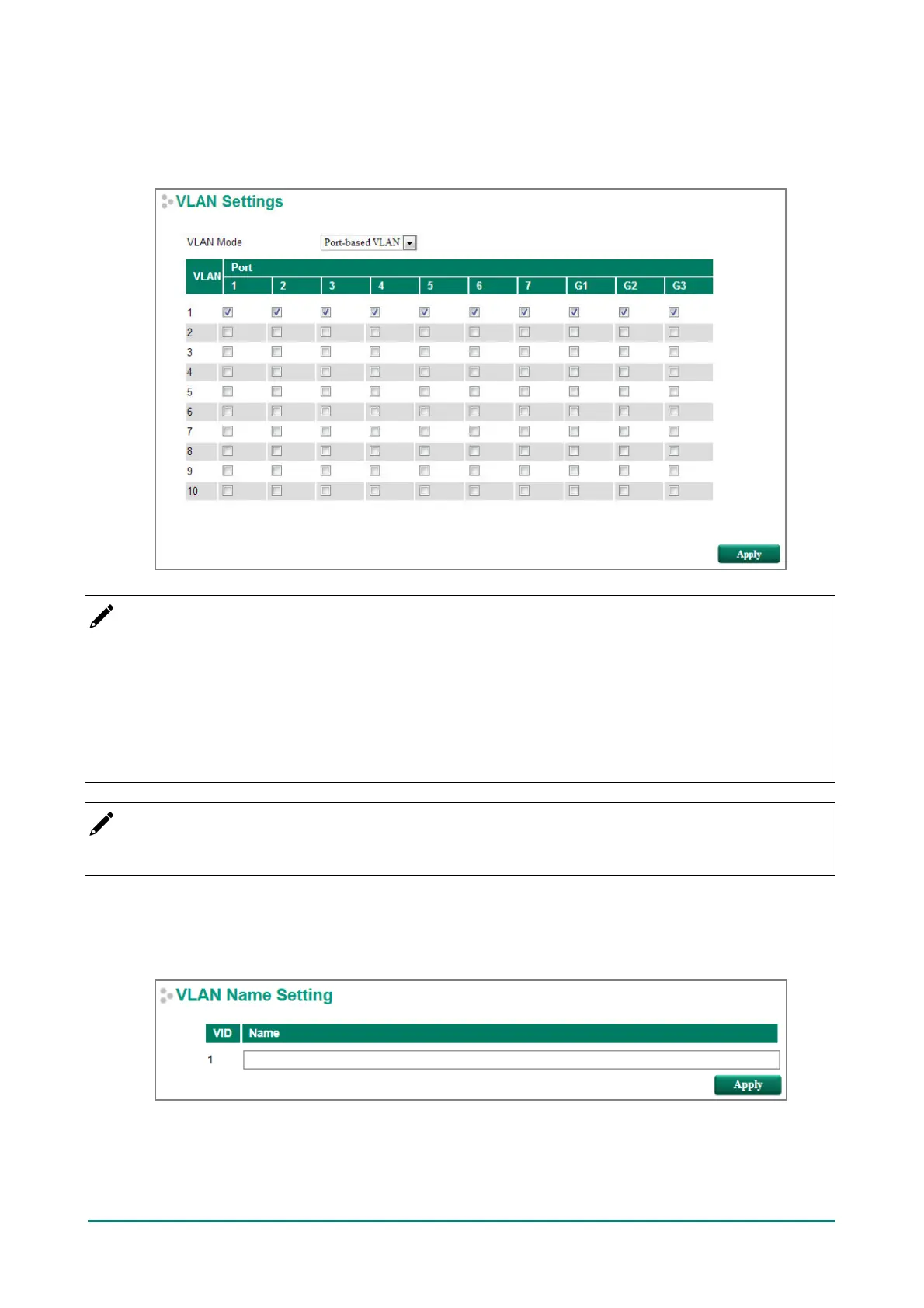
When VLAN Mode is set to Port-based VLAN, the VLAN Settings window will appear as shown below.
Select the appropriate checkbox under a port to assign the port to a VLAN. The maximum VLAN ID equals
the number of switch ports. In the following example, all of the ports are assigned to VLAN 1.
NOTE
Port-Based VLAN is supported by:
• EDS series switches (not including the EDS-728/828)
• IKS-6726A/6728A
Port-Based VLAN is NOT supported by:
• EDS-728/828
• IKS-G6524A/G6824A
• ICS series switches
NOTE
When Port-based VLAN is configured, IGMP will be disabled.
VLAN Name Setting
For the 802.1Q VLAN, the user is able to set VLAN name of each VLAN ID (VID).


 To Next Page
 Loading...








