LinkCom 5 User Manual
Page 52
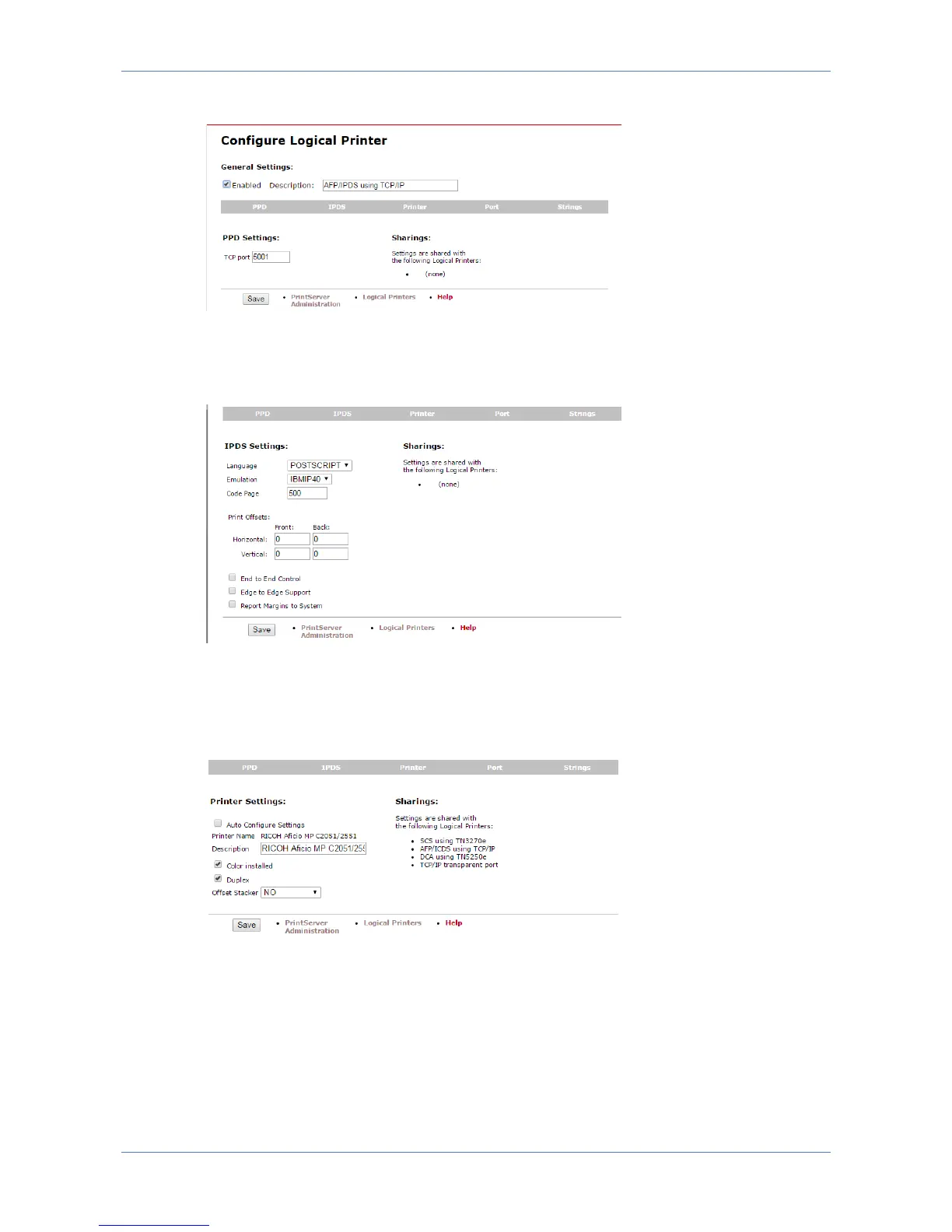
PPD settings
PPD settings allow enabling/disabling of the logical printer as well as controlling the
TCP input port used with this.
IPDS settings
IPDS settings provide access to almost the same controls that are available via
PrintGuide. Among them: Transform language, IBM Printer emulation, Code Page
and various other controls already explained in section 7.4
Printer settings
Printer settings provide access to some configuration of the selected output printer.
But use PrintGuide in order to view and manipulate AFP tray assignments,
trays/bins and finishing options.



 To Next Page